


November 17, 2014
Answered

10 seconds delay on first call of any CF-Website

  • November 17, 2014
  • 1 reply
  • 869 views

Hey guys

I hope someone can finally help me here after frustrating hours of trying to contact someone at Adobe who would just listen to my problem...

We plan to buy the newest version of ColdFusion for our new webserver. For testing purposes we installed the trial-version of ColdFusion 11 and are facing the following problem:

The first time we call any CF-web, theres a delay of 10 seconds! After that delay you can browse the webpage fluently. After an hour of not visiting the page there's the same problem again.

My first try to get more information about what might cause this problem, was looking at the request with the IIS-feature "Failed Request Tracing". In these log-files I found following entry:
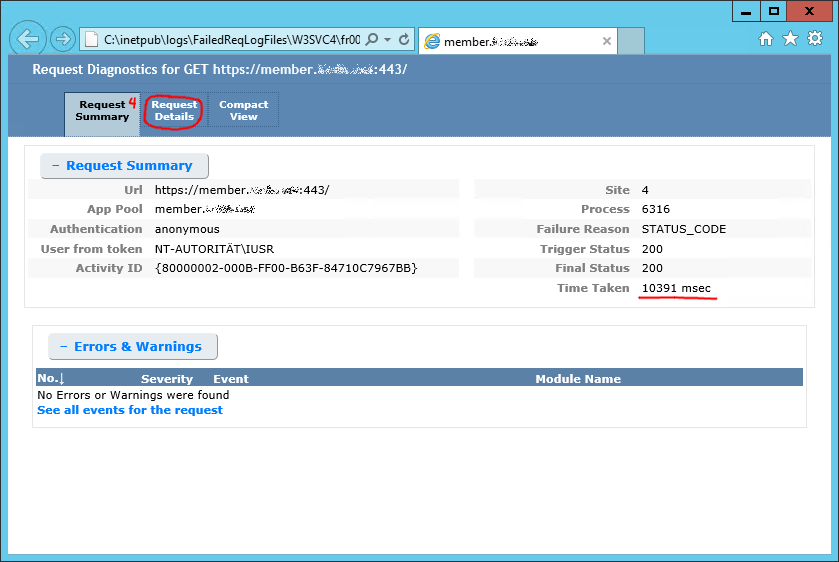
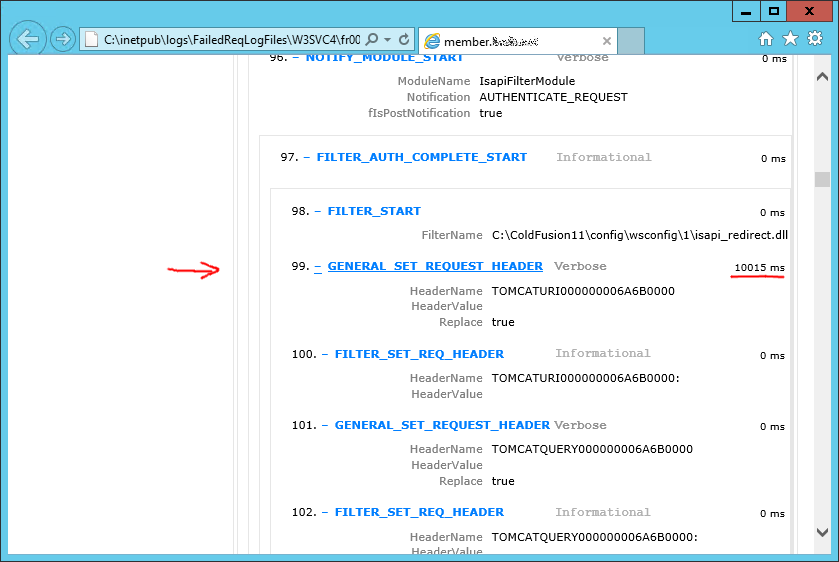
taking_long.png

module.png

So what can I do to solve this problem?

Kind regards from Switzerland

Nico Merz

PS: More information on how to look up detailed information to a slow or failed request you can find on my blog IIS-Probleme debuggen mithilfe einer Ablaufverfolgung : nicomerz.ch (german!)

This topic has been closed for replies.
Correct answer mchandna

Hi Nico,

Make sure that after applying the update you have reconfigured the connector.

And also make sure that before reconfiguring the connector you take a backup of previous connector folder, as CF will not retain any changes that you may have done on connector properties/files.

Once reconfigured, please check once again and let us know.

Thanks,

Milan.

CF Team.

1 reply

Inspiring
November 17, 2014

Applying Update 1 or 2 should fix this. Update should show up in your Administrator in the Server Updates section

ColdFusion 11 Update 1 now available — Adobe ColdFusion Blog

Thanks,

Vamsee

November 17, 2014

Thanks for your reply! The installation seems to be already up to date.

Thanks,

Nico Merz

mchandnaCorrect answer
Participating Frequently
November 17, 2014

Hi Nico,

Make sure that after applying the update you have reconfigured the connector.

And also make sure that before reconfiguring the connector you take a backup of previous connector folder, as CF will not retain any changes that you may have done on connector properties/files.

Once reconfigured, please check once again and let us know.

Thanks,

Milan.

CF Team.