
Building parameters for the query builder
So here's a Query I need to build a subreport around...
<cfquery name = "ac" datasource= #ODBC_DataSource#>
SELECT tblArea.OIDEMSMaster, tblAreaStructure.OIDStructureTypeRef, Count(tblAreaStructure.OID) AS CountOfOID,
SUM(tblAreaStructure.SF) AS TotalSF, SUM(tblAreaStructure.ReplacementCost) AS TotalRC, SUM(tblAreaStructure.LSI) AS TotalLSI
FROM (tblArea INNER JOIN tblAreaLocation ON tblArea.OID = tblAreaLocation.OIDArea)
INNER JOIN tblAreaStructure ON tblAreaLocation.OID = tblAreaStructure.OIDAreaLocation
GROUP BY tblArea.OIDEMSMaster, tblAreaStructure.OIDStructureTypeRef
HAVING (((tblArea.OIDEMSMaster)=#URL.OIDEMS#));
</cfquery>
And this is what I did in the 'builder':
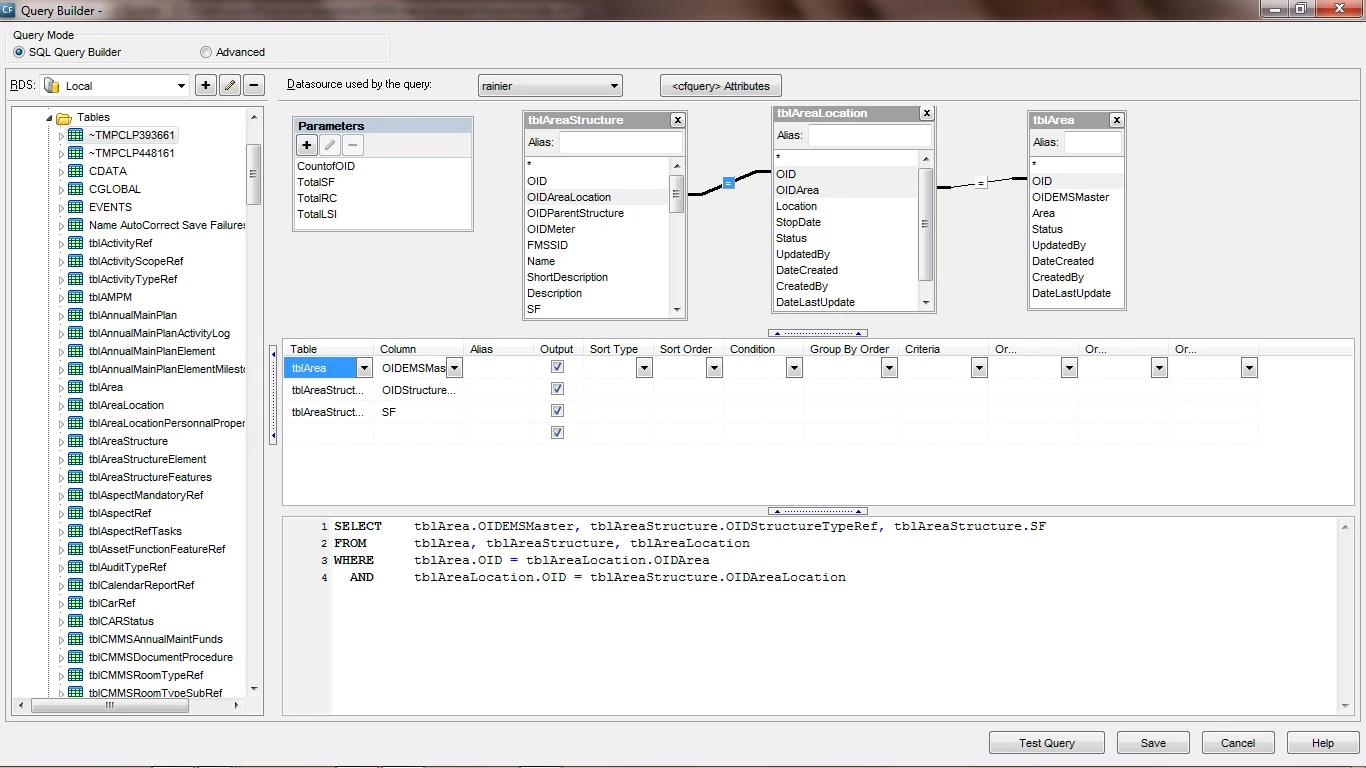
So I did the join from tblArea (primary key) to tblAreaLocation (foreign key), and then tblAreaLocation (primary key) tblAreaStructure (foreign key).
I think I got this on right (options/suggestions...)!
So I'm trying to build this: SUM(tblAreaStructure.SF) AS TotalSF, SUM(tblAreaStructure.ReplacementCost) AS TotalRC, SUM(tblAreaStructure.LSI) AS TotalLSI
In the Paramenters I set TotalSF as the name and the default values to: SUM(tblAreaStructure.SF) IS TotalSF (via the query builder), and the same set for TotalRC & TotalLSI...now where in the query do I set up TotalSF, TotalLSI, TotalRC? I think I didn't use the Parameters correctly!


 AdChoices