jc32montero
Known Participant
May 29, 2009
Answered

Can't see folders @ http://localhost:8300/

  • May 29, 2009
  • 1 reply
  • 2339 views

Hi,


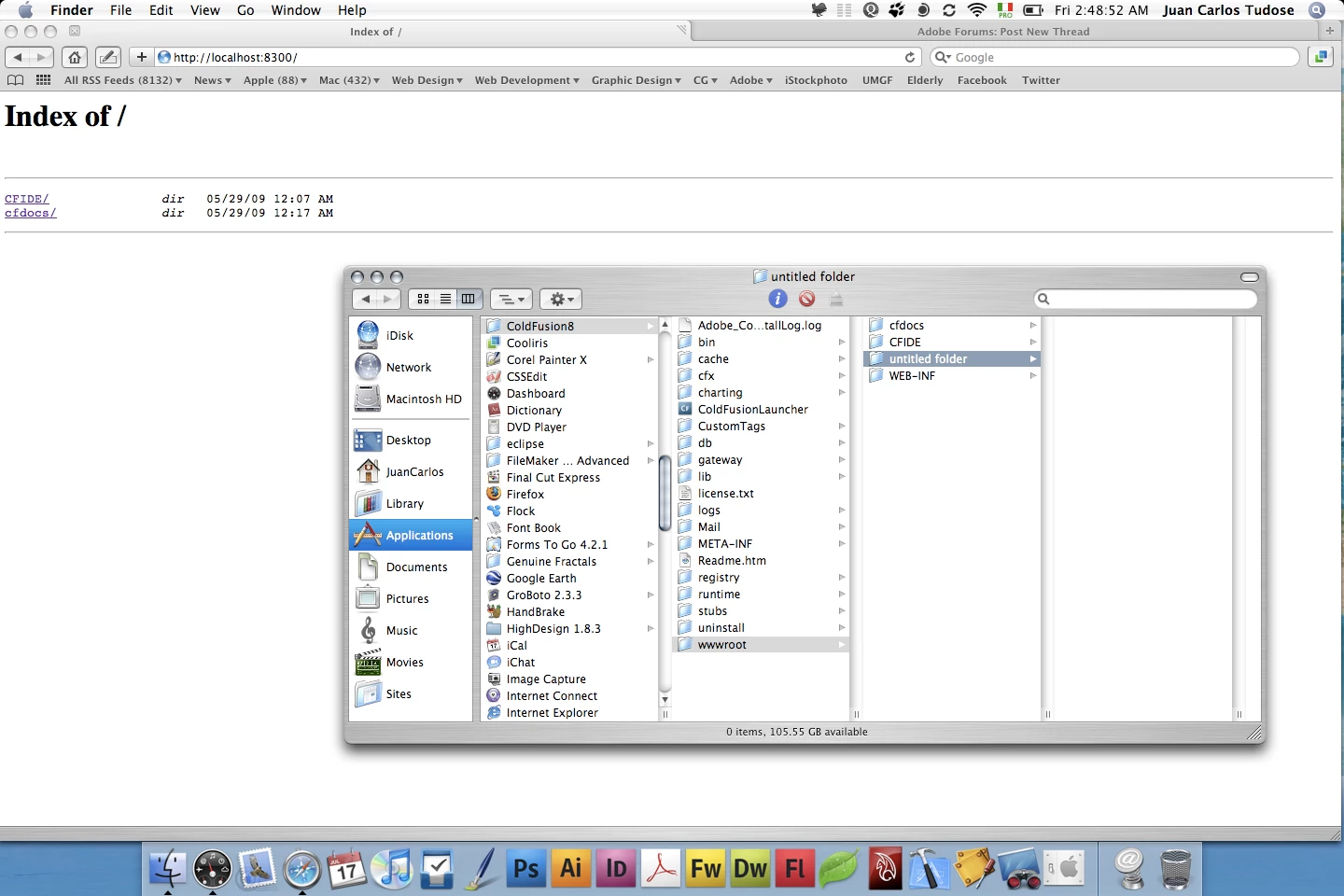
I just installed CF8 Enterprise Edition as multiserver and I have this problem: After I created a new folder in Applications>ColdFusion8>wwwroot I try to see it in Safari @ http://localhost:8300/ but I just can't see my new folder.


Any one has a clue about this?


Your replies are much appreciated.


Thanks!


JC

This topic has been closed for replies.
Correct answer craigkaminsky

Hi Craig,

This is what I got from the Terminal:

Last login: Fri May 29 10:35:22 on console

Welcome to Darwin!

juan-carlos-tudoses-powerbook-g4-15:~ JuanCarlos$ sudo sudo /Applications/JRun4/bin/jrun -start cfusion

Password:

Starting Macromedia JRun 4.0 (Build 108673), cfusion server

cfusion could not be started because it is already running.

juan-carlos-tudoses-powerbook-g4-15:~ JuanCarlos$

Maybe because I had previously started CF with ColdFusionLauncher...

And trying in Safari http://localhost/cf/helloworld.cfm I got a 404 error.
In the Activity Monitor jrun is active, though a bit slow, maybe due to not much traffic...
I don't know if I'm going to use the Apache server though: All this is for trying to build active pages with DW and setting up a database on remote servers that support CF, so Apache is not a priority.
I tried to build a database with FileMaker, but DW can't recognize it, so CF is my best option here.
JC

Sorry, JC. I should have said to shut down CF first, otherwise it doesn't work. No biggie on using Apache. If you're good with port 8300, you should be able to just use /Applications/JRun4/servers/cfusion/cfusion-ear/cfusion-war/ as your web root. Just create a folder/site there with DW and give it a wgirl. Sounds like your basic setup is good!

1 reply

Inspiring
May 29, 2009

JC,

During the install did you configure CF8 (since you're on a Mac, make sure you used CF 8.0.1) for Apache via web server connection/configuration? If not, you may want to reinstall and do this. This will configure CF8 to run on port 80 (integrated with Apache) so that you access your sites at http://localhost/. I've had better luck with CF on my Mac when I installed CF on top of JRun4 (option when installing).

Mark Drew has a good post with screen shots of this install type:

http://www.markdrew.co.uk/blog/post.cfm/running-coldfusion-8-on-leopard

Back to your OP, it looks from the screen shot like you don't have the folder in your path (but it certainly should show up in the list). Under the current setup, can you add an index.cfm (or any CFM file) file to /Applications/ColdFusion/wwwroot? Then load that in your browser to see if CFM files are being processed. It'll at least tell us whether or not CF is 'working'.

jc32montero
Known Participant
May 29, 2009

Hi Craig,

First of all, thank you for your reply.

I forgot to mention that I have a folder in the Applications named JRun4, and in that folder I also have servers>cfusion>cfusion-ear>cfusion-war.

It is in that last folder, that I just discovered, that I can see the folders @ http://localhost:8300/ i.e. CFIDE, cfdocs, WEB-INF.

I've created the index.cfm page as you suggested, with this code:

<!DOCTYPE html PUBLIC "-//W3C//DTD XHTML 1.0 Transitional//EN"

"http://www.w3.org/TR/xhtml1/DTD/xhtml1-transitional.dtd"> <html xmlns="http://www.w3.org/1999/xhtml">

<head> <meta http-equiv="Content-Type" content="text/html; charset=UTF-8" /> <title>My First ColdFusion Page</title> </head> <body> <h1>My First ColdFusion Page </h1> <cfset firstname="Juan Carlos"> <cfoutput>My name is #firstname#</cfoutput> </body> </html>

Seems like the CF server works; This is the output:

So far so good, I'm tempted to say...

Do you think the results are correct?

Thanks again.

JC

ilssac
Inspiring
May 29, 2009

Yes, the JRun4/servers/{servername}/cfusion-ear/cfusion-war/ is the first place ColdFusion configured in Multi-home configuration will look for coldFusion files.

But to server up non-cfml content you must run the web-server connector tool to connect each server instance to one or more websites configured via your web server, Apache I presume on an os-x system.  The web root of these web sites would then be the second place ColdFusion will search for cfml files.