
Inspiring
September 14, 2017
Answered

CF 11 Instance Update not showing

  • September 14, 2017
  • 1 reply
  • 586 views

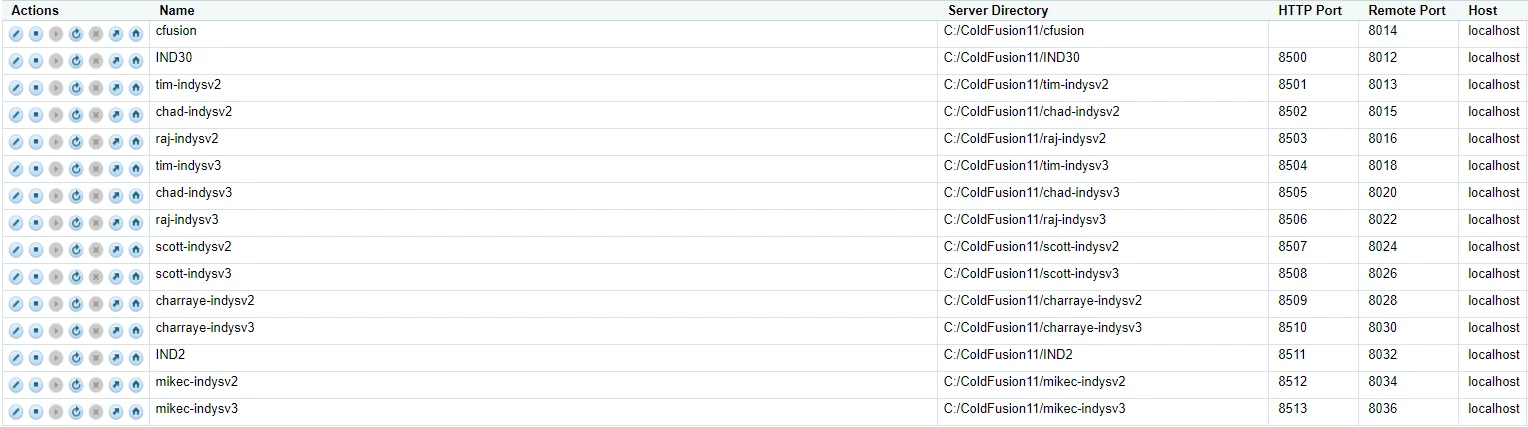
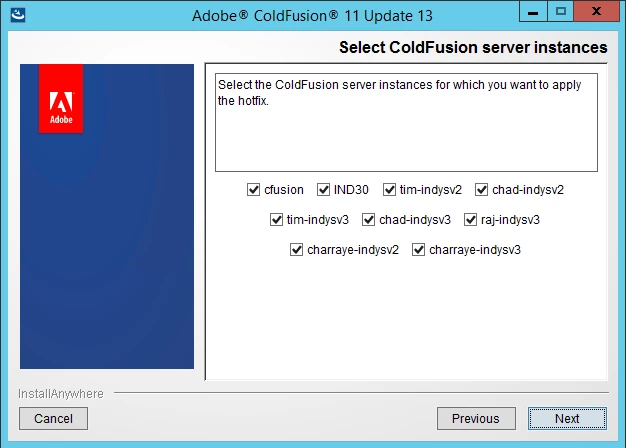
I am running ColdFusion 11 Developeron Windows 2012 R2.  I have a total of 15 instances running.  They all run fine without issue.  However, I tried applying the latest patch(chf11000013.jar).  When i run the update it only gives me the option to update a handful of the instances.  i was able to successfully apply the patch to those but now I cannot get the others to update.

Below are screenshot of the running instances as well as the update screen only showing a few instances available for update(it is always the same ones that appear in the list).

Instances:
Available when running upgrade:
    This topic has been closed for replies.
    Correct answer tbarroqueiro

    Thanks for the reply Charlie.

    I was able to get the rest of the instances to update by removing the properties files from the hf_updates directory.  Seems like some of the cleanup from previous updates failed and was causing the issue

    1 reply

    Charlie Arehart
    Community Expert
    Community Expert
    September 14, 2017

    I can't explain why you don't see all of them listed, but first, have you tried running the update (from the cfusion instance) to see if perhaps it now shows the remaining ones? It would be sad if somehow it could only update several at a time (I've not known that to be a limitation, but I have to admit I have never tried updating 15 at once).

    Second, though, even if that does NOT work, you can update each instance manually (in the CF Admin for that instance). It's not optimal, but it's possible, fro the command line (which is discussed in the technote). You may need to copy the update jar into the instance's hf-updates folder.

    Let us know how it goes.

    /Charlie (troubleshooter, carehart. org)
    tbarroqueiroAuthorCorrect answer
    Inspiring
    September 18, 2017

    Thanks for the reply Charlie.

    I was able to get the rest of the instances to update by removing the properties files from the hf_updates directory.  Seems like some of the cleanup from previous updates failed and was causing the issue

    Charlie Arehart
    Community Expert
    Community Expert
    October 12, 2017

    That's interesting to hear, tbarroqueiro. Thanks for pointing it out, in case it may help anyone else ever hitting that. I'll mark it as the answer.

    /Charlie (troubleshooter, carehart. org)