
Participating Frequently
October 24, 2018
Answered

CF 2018 Admin Console Shows Indestructible Search Bar

  • October 24, 2018
  • 2 replies
  • 4523 views

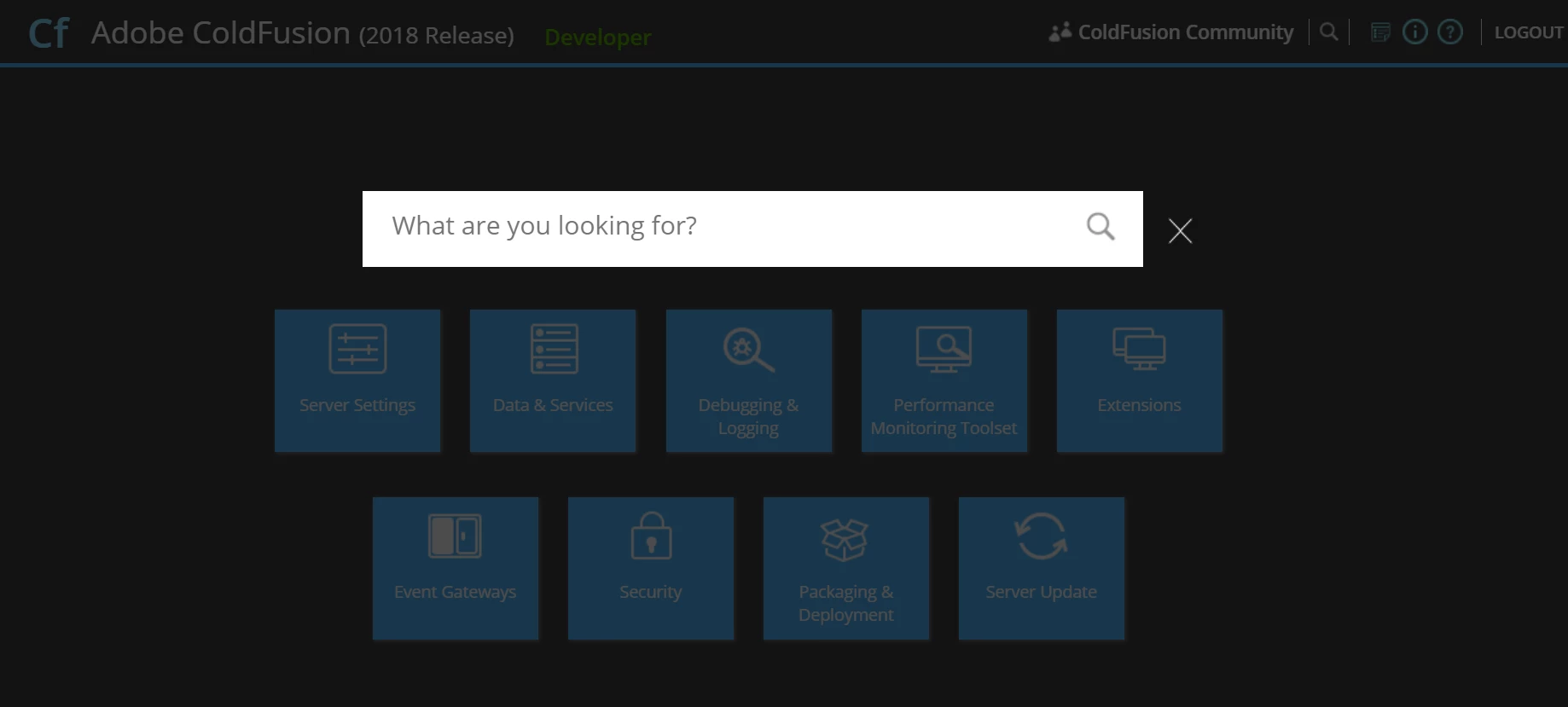
When I login to CF 2018 admin console and this shows up... The close button is not working, neither search nor close it. Restart WebLogic server and reopen console both are not helpful. How to fix this? I never have this issue using CF console before this.
This topic has been closed for replies.
Correct answer edwinj58889712

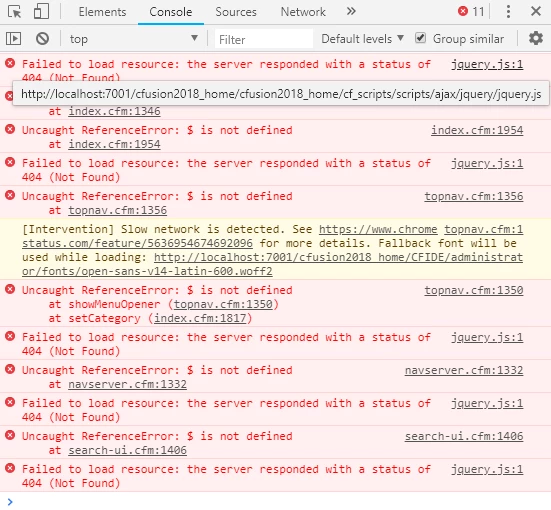
You can refer back the console log I posted as requested. 5 out of 11 errors were repeating the same thing which relating to jquery.js is throwing 404 not found error. When I hover my mouse over the five 404 errors, they all refering to the same thing (jquery.js file):


I have found the error. In neo-runtime.xml, your "CFFormScriptSrc" points to "/cfusion2018_home/cf_scripts/scripts/". The actual value should be just "/cf_scripts/scripts/". ColdFusion will take care of appending "cfusion2018_home".

2 replies

tommuck1
Inspiring
September 15, 2020

I've run into this on two different servers now. On one, the problem seems to have resolved itself. Not sure how. On the other, I read this thread and found that the "CFFormScriptSrc" in neo-runtime.xml pointed correctly to "/cf_scripts/scripts/", but changing it to "cf_scripts/scripts/" fixed the issue. The weird thing on that server is that things were working correctly for months, then all of a sudden stopped working. 

Tom Muck

Participant
October 24, 2018

Hi not_prince, can you open the developer console and check for errors in the browser?

Participating Frequently
October 25, 2018

I think this is what you're looking for? Any help would be appreciated. Thanks.

Participating Frequently
October 25, 2018

The issue is that ColdFusion is unable to find Jquery library. To verify, visit the link http://127.0.0.1:8500/cf_scripts/scripts/ajax/jquery/jquery.js . I'm guessing this will not load as well. To fix this, make sure that the scripts folder is properly located at cfusion/wwwroot/cf_scripts/scripts. Also, open neo-runtime.xml file located at cfusion/lib and make sure that the property "CFFormScriptSrc" has the value "/cf_scripts/scripts/". If you are still facing this issue, please send us your neo-runtime.xml. Thanks, Edwin