
Known Participant
August 18, 2017
Question

CF11 404 Issue

  • August 18, 2017
  • 3 replies
  • 1555 views

Hi

I've just recently installed CF11 on a new machine but I'm encountering the below issue when trying to navigate to the localhost directory in a browser.
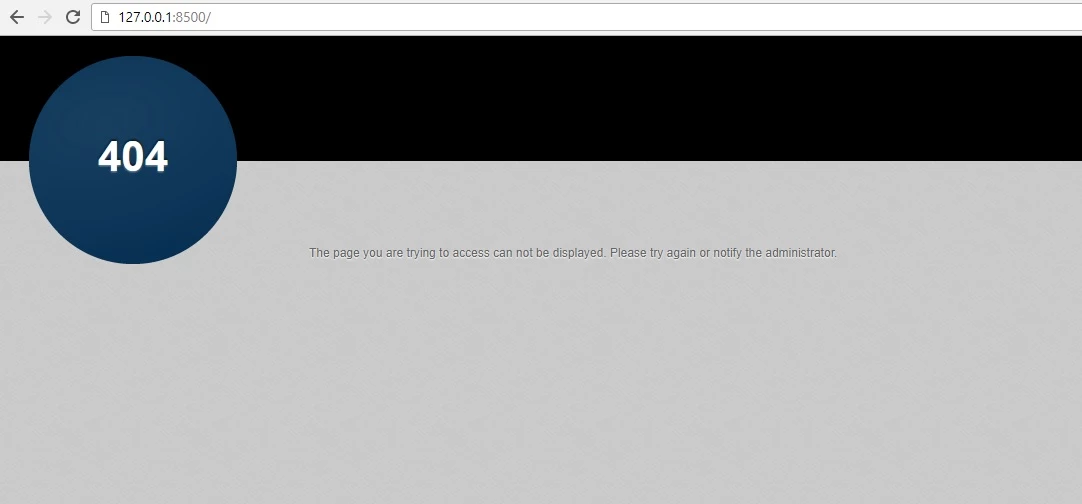
On my previous machine which was using CF10 I was able to get the directory listings and navigate through folders to specific pages so is it some setting that I am missing?

I can navigate to CFAdmin okay and have added a whole range of aliases in my server.xml file which I can navigate to, as well as adding the CFIDE and WEB-INF ones.

As an aside, I also seem to get that silly 404 badge in front of CFs debug output when I try and navigate to a page that doesn't yet exist. Is there a way to switch it off?

If you need more details let me know.

Thanks in advance

    This topic has been closed for replies.

    3 replies

    Legend
    August 18, 2017

    Do you have a default document declared?  If you're using CF built-in web server you may not.  What happens if you put a CFM file in the web server directory and browse straight to it.  The default server directory is usually something like c:/CF11/cfusion/wwwroot/.

    (adjust accordingly for your install directory)

    So, put a helloworld.cfm file in there and try: http://127.0.0.1:8500/helloworld.cfm

    cpb071Author
    Known Participant
    August 21, 2017

    Putting a test file in there and navigating to it works fine. Perhaps it is just a difference in behaviour between CF11 and all previous versions where I used to be able to navigate the CF directory in a browser until I requested a .cfm page.

    Incidentally, if I try to navigate to a file that doesn't exist to throw a 404 I get the CF debug info in the background but the large 404 badge and header are obscuring it.

    35a5gsk.png

    Any idea why this is?

    Legend
    August 21, 2017

    The big 404 image I believe is coming from the web server, itself.  The debug info behind you can see is also showing a missing template error.  To remove it, you'd have to find and edit the missing file template for the built-in web server.

    Priyank Shrivastava.
    Community Manager
    Community Manager
    August 18, 2017

    Hi,

    If you are getting 404 error which means either ColdFusion 11 is not running properly or something is wrong. Please check the logs and share the details here.

    Thanks,

    Priyank

    Thanks, Priyank Shrivastava
    EddieLotter
    Inspiring
    August 18, 2017

    Why are you including a port number in your URL? What do you get if you don't include it?

    Cheers

    Eddie

    WolfShade
    Legend
    August 18, 2017

    :8500 is the port number that you have to use if you use CF's built-in web server, as opposed to Apache (swoon!) or IIS (cringe!).

    OP didn't say, but I'm going to assume that OP is using the built-in web server.

    V/r,

    ^ _ ^