
Participating Frequently
December 22, 2014
Question

CFHTTP Connection Failure

  • December 22, 2014
  • 1 reply
  • 1334 views

I am using CF9 and here is what I get using CFHTTP to Twilio:

struct
Charset[empty string]
ErrorDetailI/O Exception: peer not authenticated
FilecontentConnection Failure
Header[empty string]
MimetypeUnable to determine MIME type of file.
Responseheader
struct [empty]
StatuscodeConnection Failure. Status code unavailable.
TextYES

So I went and imported the the certificate into the cacert keystore. Here it is listed:
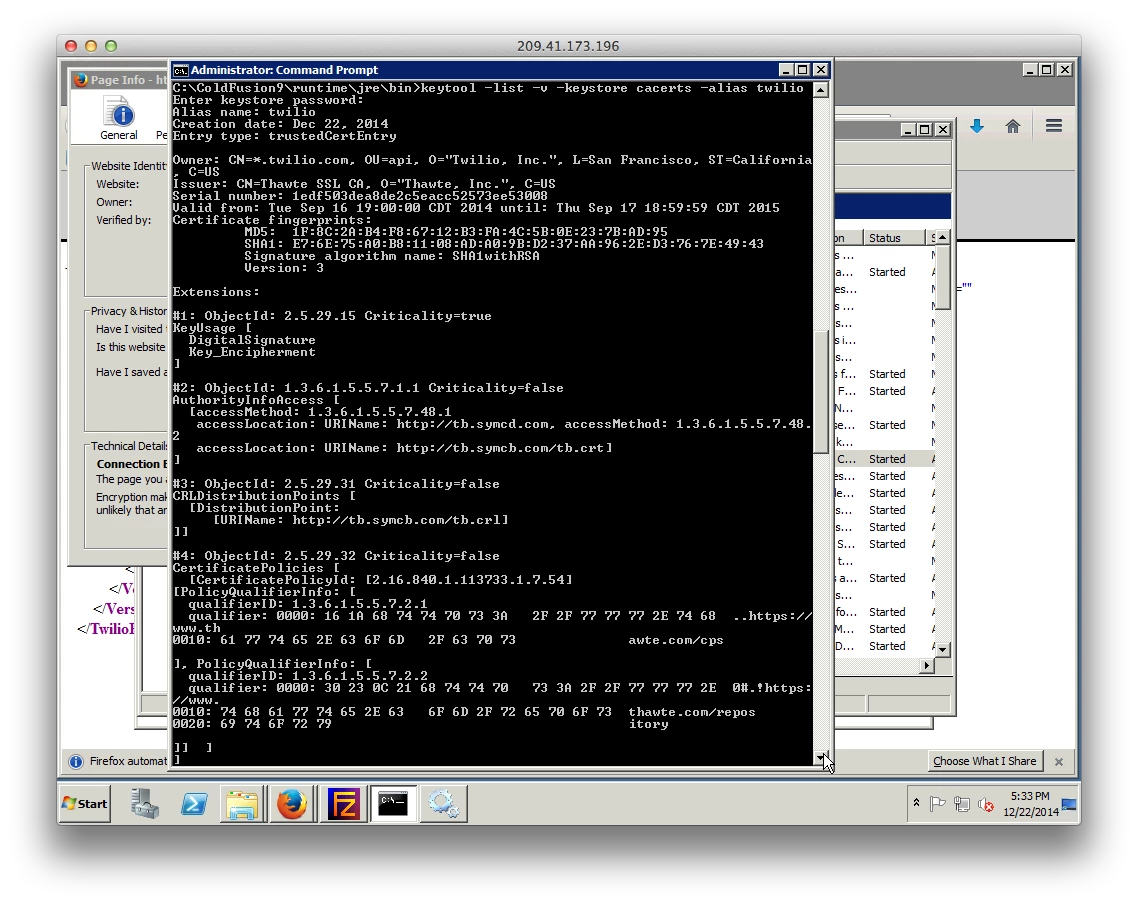
I have restarted the Application Server service and still get the same error.

Problem just started in the last week or so and I imported the cert this morning.

Am I missing something?

    This topic has been closed for replies.

    1 reply

    Legend
    December 23, 2014

    Make sure you put the cert into the correct certificate store. We use the latest Oracle JRE that CF9 supports and it has it's own cacerts library. The other issue I have seen is make sure the damin name in the cert matches the domain name you are using in the cfhttp call. Lastly, check the contents of the coldfusion http log. Sometimes it contains the missing piece of data you need to diagnose the real issue.

    PaulBWAuthor
    Participating Frequently
    December 23, 2014

    All I get from the HTTP log is:

    "Information","jrpp-2347","12/21/14","07:03:10",,"Starting HTTP request {URL='https://api.twilio.com:443/2010-04-01/Accounts/xxxxxxxxxxxx/SMS/Messages', method='post'}"

    No status code or any other info.

    The cert is a wildcard *.twilio.com so that my be the issue. I used the CF keytool to import the cert so I assume it is in the correct store. How do I check that?

    I have used a work-around using the Adiabata cfx_http5 tag but I still want to figure this out.    

    Legend
    December 24, 2014

    Correct store: In the CF administrator pull up the server info. Somewhere on that page will be the Java Home and that will be the root to where the cacerts store is located.

    I'm fairly sure I have imported wildcard certs and used them successfully -- but I'm not 100% sure. Good luck.