Cflloop, Tables and CSS
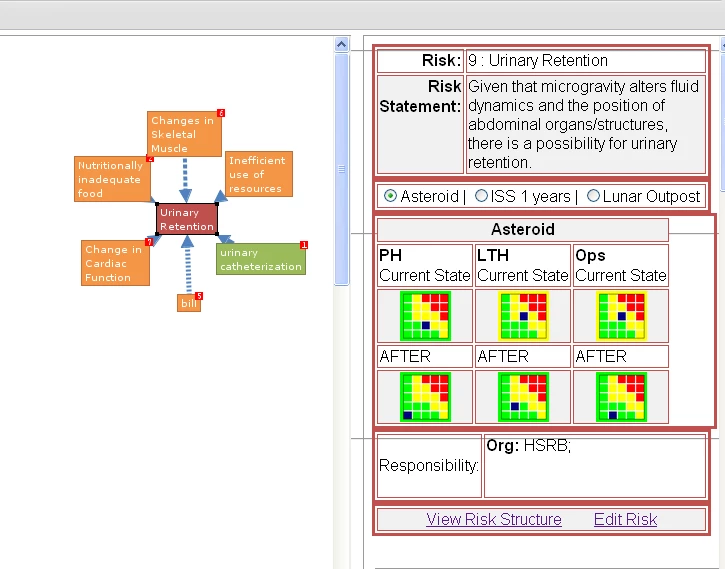
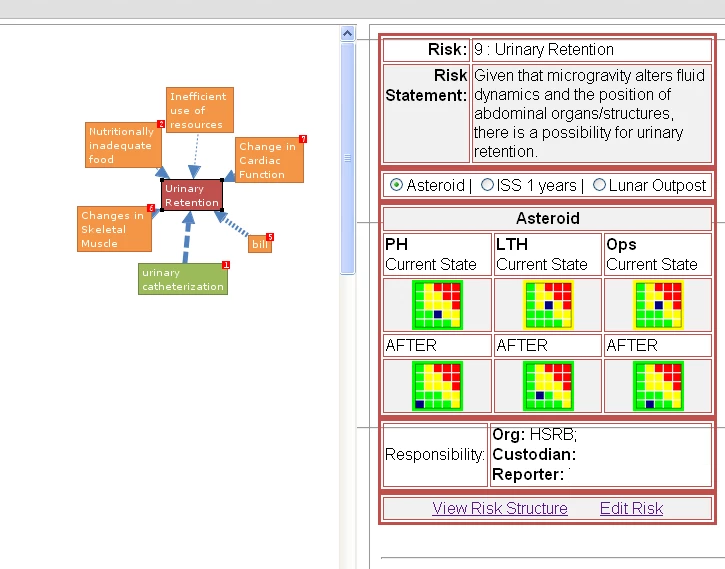
I have a web application that has an iframe (believe me it is necessary) split 69/30. On the 30 portion of the page I have several tables that are stacked upon each other.
All tables are designated with the following:
<table width="100%" border="3" borderColor="##c0504d">
Several of the tables are being hidden using the [id = #Varidable# style="display:none"] property. The hidden tables are created by a <CFLOOP query=foo>. Here is the problem the tables within the CFLOOP are not the same width as the tables outside of the CFLOOP. The are just a tad wider.
Here is a snippet of the actual code:
<CFOUTPUT>
<table width="100%" border="3" borderColor="##c0504d">
<TR>
<th width="20%" align="Right">Risk:</th>
<td width="80%" align="left">
#ThisTitle#
</td>
</TR>
<TR>
<th align="Right" valign="top">Risk Statement:</th>
<td align="left">
#GetThisRiskInfo.RiskStatement#
</td>
</TR>
</table>
<table width="100%" border="3" borderColor="##c0504d">
<TR>
<td colspan="#zcount#">
<CFLOOP query="GetMission">#GetMission.CurrentRow#<BR>
<CFIF GetMission.CurrentRow EQ 1>
<CFSET HideArray1 = "ShowMission#GetMission.MissionID#">
<CFELSE>
<CFSET HideArray1 = HideArray1 & ", ShowMission#GetMission.MissionID#">
</CFIF>
</CFLOOP>
<CFLOOP query="GetMission">
<input type="radio" name="xMissionID" value="#GetMission.MissionID#" onClick="javascript:HideNShow('#HideArray1#', 'ShowMission#GetMission.MissionID#')">#GetMission.MissionName# <CFIF #CurrentRow# NEQ #GetMission.RecordCount#> | </CFIF>
</CFLOOP>
</td>
</TR>
</table>
<CFLOOP query="GetMission">
<table width="100%" border="3" borderColor="C0504D" id="ShowMission#GetMission.MissionID#" style="display:none">
<tr>
<td colspan="#ZCOUNT#" align="center">
<strong>#GetMission.MissionName#</strong>
</td>
</tr>
<tr>
<td>
... etc blah etc
</td>
</tr>
</table>
</CFLOOP>
</CFOUTPUT>
What can I do to alleviate the problem with the table borders not aligning?
Thanks!
 AdChoices