
Question
CFREPORT - rendering bug?
I am trying to generate a tabular report, but I encountered a weird bug: if the content of a column exceed the first page height, in the second page the borders of the other columns (that don't exceed the first page) don't display.
The result is obviously ugly because it breaks the table-like layout.

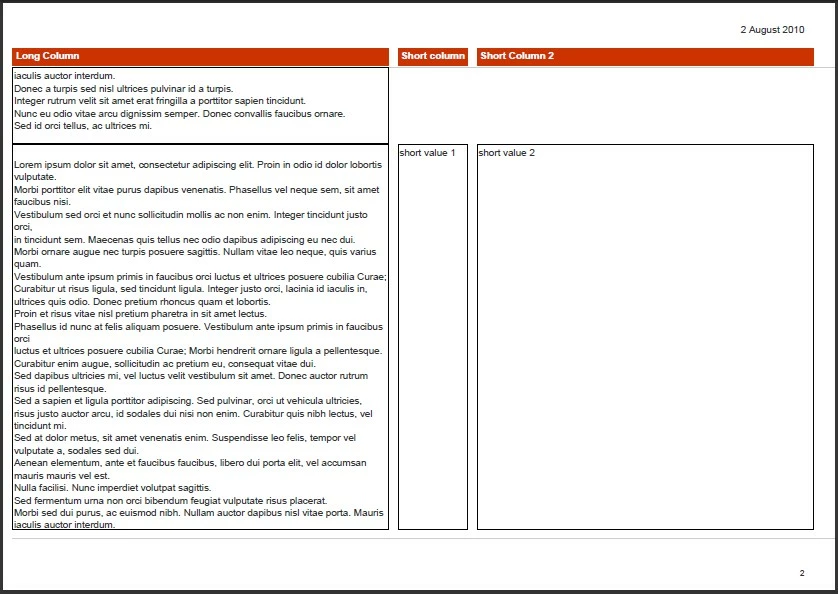
In this second image, note that the borders of "Short Column 1" and "Short Column 2" don't appear
I tried all the settings (stretch etc...) of report band and fields, with no success.
I could also provide a sample test page, with a simple report that behaves exactly as our production report. I ran it to produce the attached images.
Any suggestion will be greatly appreciated
Thanks in advance
 AdChoices