
Known Participant
March 14, 2016
Answered

Charts COLDFUSION 11?

  • March 14, 2016
  • 1 reply
  • 1481 views

Hello everyone, I have a problem with my charts after I switced form CF9 to CF11. My previous code in CF 9 was able to handle data with multiple years. After switch to CF11 my code gives me wrong chart. Looks like multiple years are combined together. Here is my photo of CF9 chart:
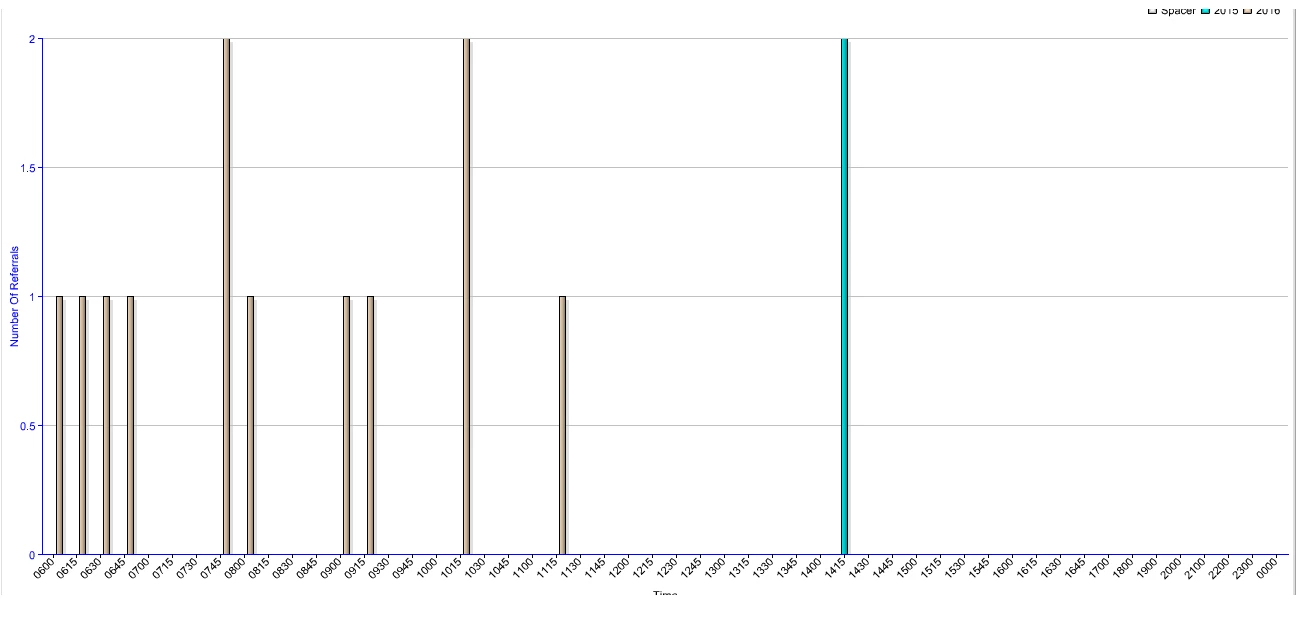
And her is my CF11 chart:
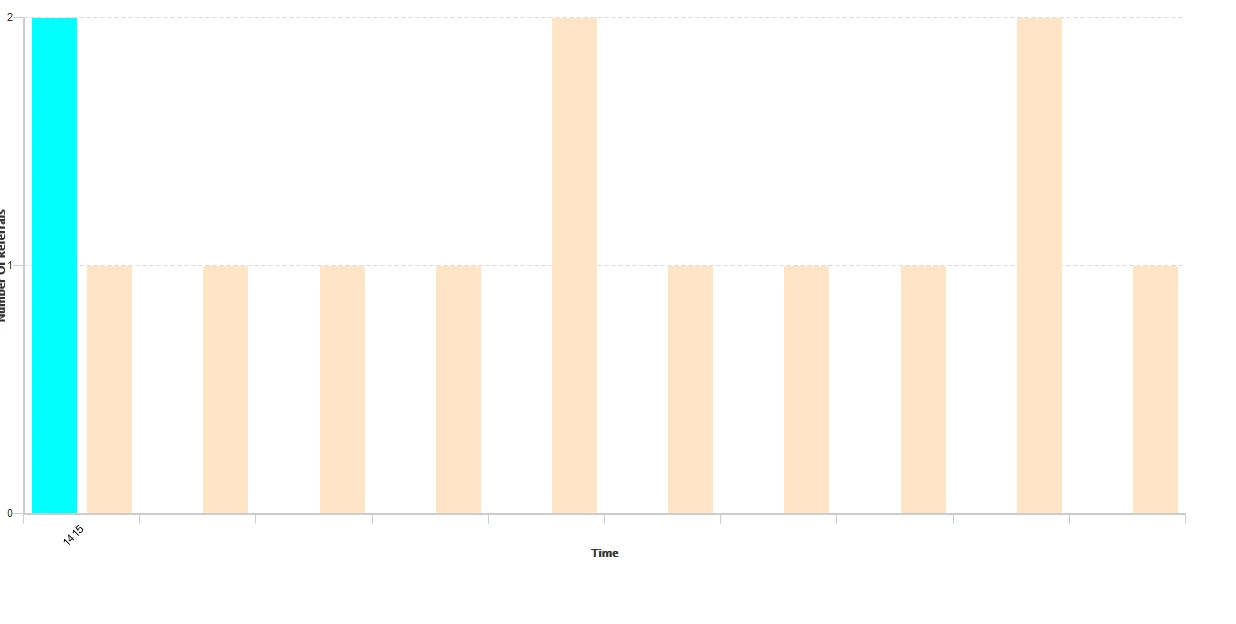
As you can see, in CF11  2015 year is first then 2016, but at the same time blue and yellow bar are in the same box. That should not be that way. Also I lost my time values on my x scale. Here is my code that I used in CF9:

<cfchart format="#ffPrint#" xaxistitle="#desc#" yaxistitle="#yTitle#" style="ChartStyle.xml"

  chartheight="700" chartwidth="#graphWidth#" title="#title#"  showlegend="#theLegend#" >


  <cfchartseries type="bar" itemcolumn="Spacer" valuecolumn="" seriescolor="white"  >

  <cfoutput>

  <cfloop list="#dataList#" index="i">

  <cfchartdata item="#i#" value="0">

  </cfloop>

  </cfoutput>

  </cfchartseries>

  <cfoutput query="getRecords" group="theYear">

  <cfchartseries type="bar" itemcolumn="#theYear#" valuecolumn="theCount" seriescolor="#listGetAt(theColors,colorIndex)#" >

  <cfset colorIndex++>

  <cfoutput>

  <cfchartdata item="#Description#" value="#theCount#">

  </cfoutput>

  </cfchartseries>

  </cfoutput>

  </cfchart>

Does anyone know how this can be fixed? Is there any command in CF11 charts to check if data records and handle records with 0 value?

Thanks in advance.

This topic has been closed for replies.
Correct answer sdsinc_pmascari

Look through the CF11 documentation for CFChart and you'll see several new attributes that accept JSON sting for styling.  Exactly what those string need to be is found here:  Docs | JSON Attributes | Legend Objects | Item | ZingChart

Look through that previous posting I sent you.  Several examples are provided in there.  Adobe's documentation is poor so it's very much trial and error to get your look back.

Good luck.

1 reply

Legend
March 14, 2016

I'm sorry to say you may need to recode all your CFChart tags from scratch.  A new charting engine was installed for CF11 and there was very little done in the way of backward compatibility.  Adobe screwed everyone with this change.  Please see this posting:

https://forums.adobe.com/thread/1535441?tstart=0

pirlo89Author
Known Participant
March 14, 2016

I was hoping that I can change something and get this charts to look similar at least. What documentation I should use to build the new charts in CF11?

Thank you!

sdsinc_pmascariCorrect answer
Legend
March 14, 2016

Look through the CF11 documentation for CFChart and you'll see several new attributes that accept JSON sting for styling.  Exactly what those string need to be is found here:  Docs | JSON Attributes | Legend Objects | Item | ZingChart

Look through that previous posting I sent you.  Several examples are provided in there.  Adobe's documentation is poor so it's very much trial and error to get your look back.

Good luck.