
Question
ColdFusion 11 Installation did not create physical path for the virtual directory CFIDE on Windows 8.1
Following an installation guide from Adobe, I installed ColdFusion 11 Developer Edition on Windows 8.1 that has IIS 8.5 installed. I've all the required features for ColdFusion enabled on IIS 8.5 as shown in this figure.
The installation created a virtual directory CFIDE in IIS but it did not create the physical directory the virtual directory points to. In IIS when I click on the virtual directory CFIDE created by the ColdFusion installation (or CF Web Configuration tool), I get the following error:
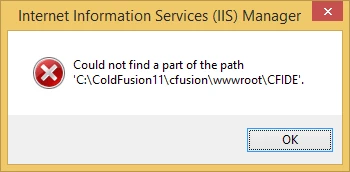
I then re-ran the ColdFusion Web Configuration Tool to first remove the IIS configuration and the add it again. But still the same issue. How can I remedy the issue? Thanks..Nam


 AdChoices