
ColdFusion 2018 changing docBase renders administrator page grayed out with a search bar.
Good morning,
I have a ColdFusion 2018 install on a Cent OS 7 server. I have changed the document base via the server.xml file, and added the PreResources base for CFIDE and WEB-INF:
<Context path="" docBase="/var/www/vhosts" WorkDir="/opt/coldfusion2018/cfusion/runtime/conf/Catalina/localhost/tmp" >
<Resources>
<PreResources base="/opt/coldfusion2018/cfusion/wwwroot/CFIDE" className="org.apache.catalina.webresources.DirResourceSet" webAppMount="/CFIDE"/>
<PreResources base="/opt/coldfusion2018/cfusion/wwwroot/WEB-INF" className="org.apache.catalina.webresources.DirResourceSet" webAppMount="/WEB-INF"/>
</Resources>
</Context>
After saving the sever.xml file, restarting coldfusion server, I am able to see my local web sites just fine on the browser, but the admin page is grayed out with a search bar.
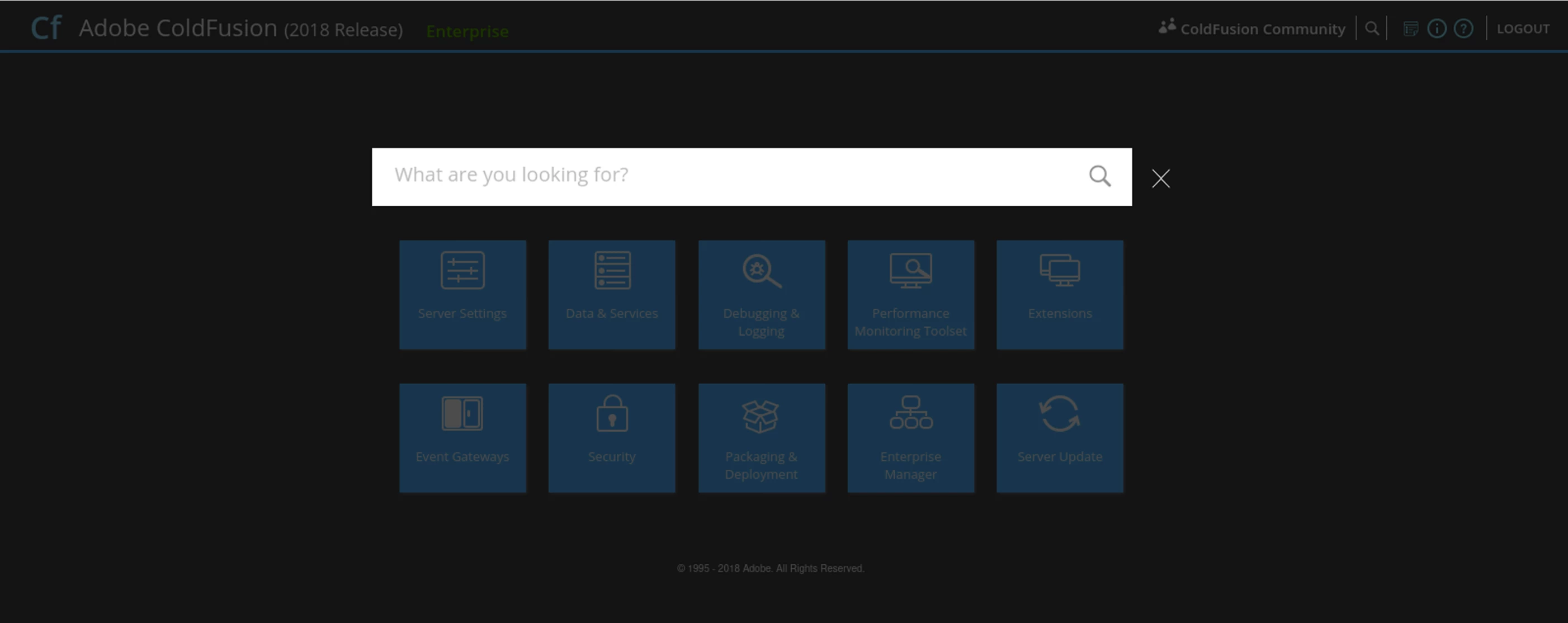
I have done some initial research, and have tried editing the neo-runtime.xml file for the CFFormScriptScrc, adding the absolute path to the /cf_scripts/scripts/ folder, and restart coldfusion server but still no luck on the admin page:.
<var name='CFFormScriptSrc'><string>/opt/coldfusion2018/cfusion/wwwroot/cf_scripts/scripts/</string></var>
When I go back to my server.xml file and comment out the Context block, restart, I can get to the admin page just fine, but of course can't access my local sites due to them being in the /var/www/vhosts/ folder. Any insight or advice on what to look for next would be much appreciated.
Thanks,
Daniel


 AdChoices