
ColdFusion 2023 ODBC Server - Persistent Event Viewer Error: TCP/IP, connection reset by peer
Hi everyone,
I’m encountering a recurring issue with ColdFusion 2023 (Update 13) specifically on our PROD DMZ server. We have six ColdFusion servers across different environments — DEV, ACPT, and PROD — each with internal and DMZ configurations. Interestingly, this issue is only occurring on the PROD DMZ server; all other environments, including PROD internal, are functioning normally. The issue is reflected in the Windows Event Viewer, where I’m seeing repeated entries like this:
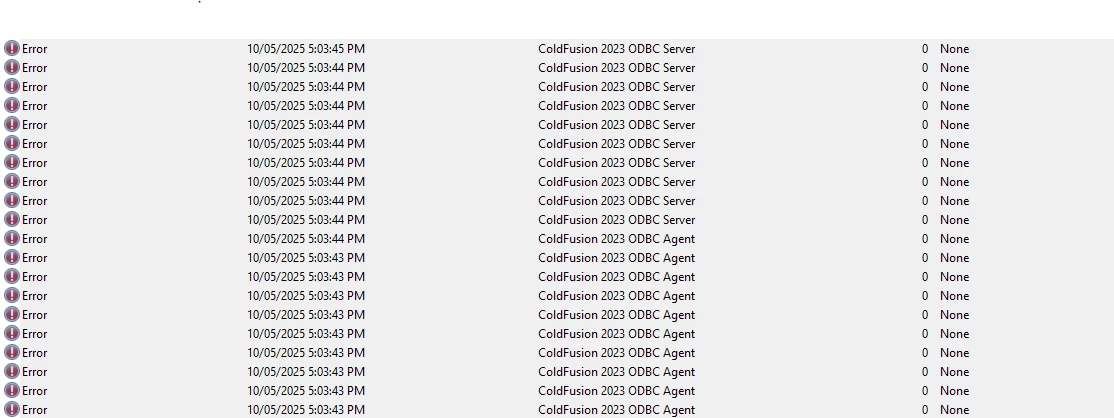
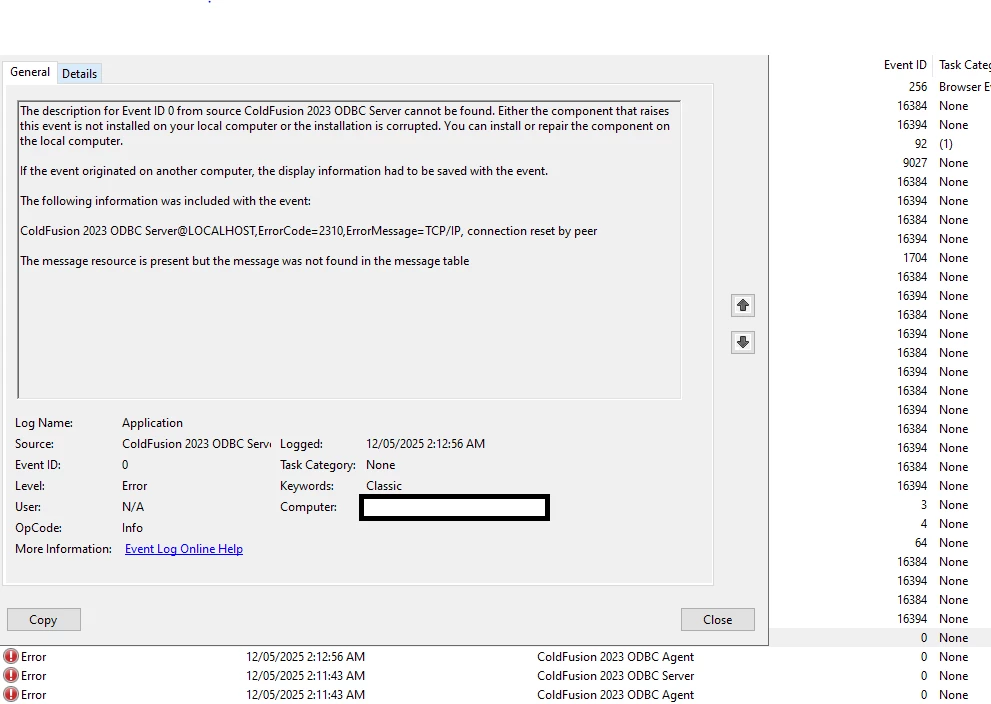
The description of the error is: The description for Event ID 0 from source ColdFusion 2023 ODBC Server cannot be found. Either the component that raises this event is not installed on your local computer or the installation is corrupted. ColdFusion 2023 ODBC Server@LOCALHOST, ErrorCode=2310, ErrorMessage=TCP/IP, connection reset by peer
This seems to indicate that the ODBC Server is attempting to communicate over TCP/IP but the connection is being reset, possibly by the ODBC Agent or another component. Interestingly, the error follows a consistent pattern, it starts around 5:03 PM AWST and stops around 2:18 AM AWST. Additionally, the server is configured to restart daily at 4:00 AM as part of a scheduled maintenance routine.
I can see both the ODBC Server and ODBC Agent services are running. I have also reviewed firewall and could not see any blocks. While the ColdFusion installation appears intact, I haven’t yet attempted a repair or reinstallation of the ODBC components specifically. Can anyone help me understand what might be causing this issue or suggest steps to resolve it? I’m not sure if this is a configuration issue, a corrupted component, or something environmental specific to the DMZ.
Any insights would be greatly appreciated.


 AdChoices