


Participant
January 14, 2012
Question

Coldfusion 9 Developer with Apache 2.2.21 Installation Error

  • January 14, 2012
  • 2 replies
  • 12559 views

I'm trying to install ColdFusion 9 Developer addition over WAMP which runs Apache 2.2.21.  During the installation process, everything goes well until I get to the "Add Web Server Configuration" window which asks for the configuration directory (C:\wamp\bin\apache\Apache2.2.21\conf) and the directory and file name of the server binary (C:\wamp\bin\apache\Apache2.2.21\bin\httpd.exe).  After I've entered this info and hit OK, I get the following error message:

Adobe Coldfusion 9 does not support this version of Apache.  The earliest supported Apache versions are 1.2.12 or later for Apache 1.x and 2.0.43 or later for Apache 2.x.
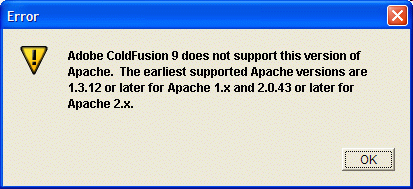

At this point, I'm prevented from continuing with the installation process.  According to this error message and white papers on the Adobe site, my version of Apache is supported.  Any suggestions for what I need to do to get CF9 installed.

thanks in advance,

This topic has been closed for replies.

2 replies

Participant
March 21, 2012

I'm having this exact machine on 2 out 3 machines. The one it's working on is Win7 the others are WinXP but I can't imagine that has anything to do with it.

Apache was installed in XAMPP, latest version. We're all using the exact same installer for both XAMPP and CF server.

Do you have any update on this?

Participant
March 21, 2012

Just an FYI - I ditched XAMPP and for the machines it wasn't working on, I installed Apache directly from here and it worked just fine.

http://mirrors.axint.net/apache//httpd/binaries/win32/httpd-2.2.22-win32-x86-no_ssl.msi

Inspiring
January 14, 2012

Sounds like a bug in the installer (to state the obvious, sorry).

Does Adobe still offer free support for installation issues?  Macromedia used to, from memory?

I am loath to suggest it, because all I hear from people trying to get official CF support from Adobe is horror stories of endless redirection/misdirection, but you could see if they still do offer free installation support and give them a call...

But if the install doesn't recognise your Apache version, I'm not sure what else to suggest.

Perhaps just go through the installation using the inbuilt JRun web server, and configure Apache after completion with wsconfig.  If it's a bug with the installer, the same bug might not be present in wsconfig.

That said, if it's just a dev machine, the inbuilt JRun web server might be sufficient anyhow?  It depends what you're doing with your web sites, I guess.

--

Adam

robinsf44Author
Participant
January 16, 2012

Unfortunately, Adobe doesn't offer free support for their developers version.  I'm going to try your suggestion of installing using the JRun server then attempt to configure CF to work with the Apache server once CF is installed.