
nozone1
Participant
November 7, 2017
Question

ColdFusion Builder 2016 - Console not displaying all console data

  • November 7, 2017
  • 1 reply
  • 699 views

Hi all,

I am having a problem getting "console" data to be displayed to the console within CFBuilder itself. For this example I have installed CF Builder 2016 and CF Server 2016. If I start ColdFusion manually using the following command:

    >coldfusion.exe -console -start

Then ColdFusion starts up and I can see stuff like so:
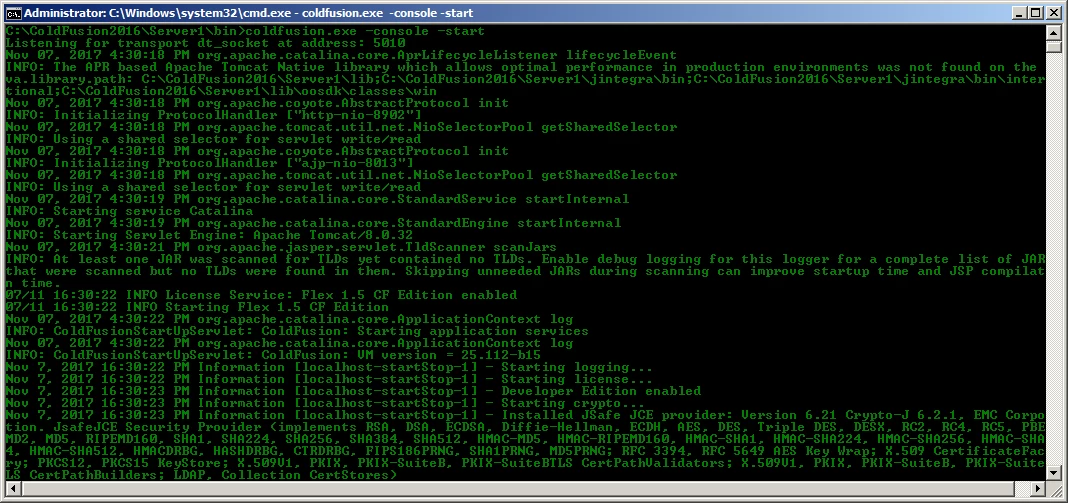
Also, if I dump a variable to the console using something like either of these, I can see this in that console:

     <cfdump var="some text" output="console" />

or

     <cfset writeDump("some text","console") />

However, if I start the server via CF Builder, the console panel only shows the very minimum of information, I don't see anything useful really. Here is a screenshot of CF Builders console panel for a server that has been started-up and has run the "dump" code above:
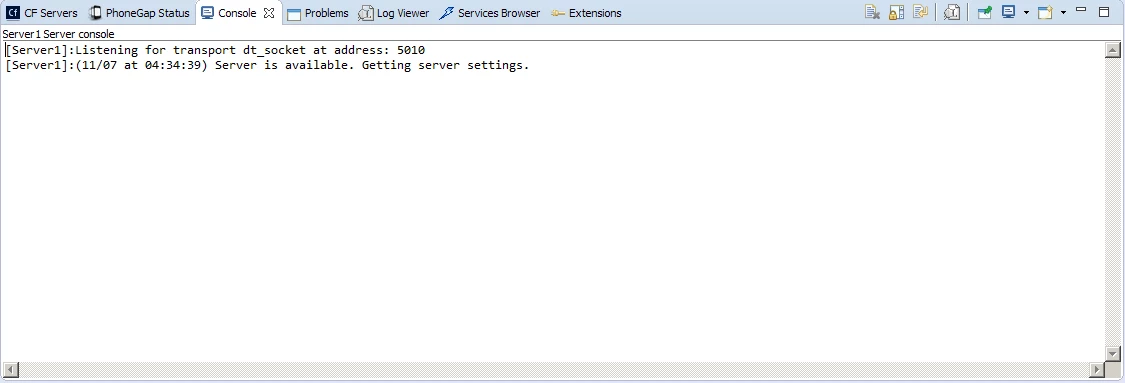
I assume I am doing something silly here..... any advice would be much appreciated.

Thanks a lot

Steven

This topic has been closed for replies.

1 reply

nozone1
nozone1Author
Participant
November 8, 2017

Response from ADOBE:

==============

Hi Steven,

Console in ColdFusion Builder won’t give you entire startup details.

Thanks

nozone1
nozone1Author
Participant
November 9, 2017

Reply to ADOBE:

=============

Hi,

From what I can see, it gives me no details at all apart from the 2 lines in the screenshot..... what type of stuff does it display? As mentioned here, when I do a writeDump to console, it’s not appearing in here.... I see no exceptions etc....

Ta

nozone1
nozone1Author
Participant
November 9, 2017

Response from ADOBE:

==============

Hi Steven,

ColdFusion Builder 3 and 3.1(2016) was rewritten and has some of the component doesn’t work as they were working in ColdFusion Builder 1 and 2.

I have tried this in two different environment to run the code/start and stop the ColdFusion service and tried displaying the content and it is not returning the result. I will see if we can enable any property which will show us the desired result which it used to show.

Let me check and get back to you.

Thanks