
Roberto Cabrera_402
Participant
May 4, 2015
Question

Coldfusion Component page is not being processed. - or at least, it is not working

  • May 4, 2015
  • 1 reply
  • 323 views

Hello,

I am using jQuery AJAX to call a function from a .cfc page. As of now, I am just using console.log(result) to see what response I get. And what I got is the content of the coldfusion component page.
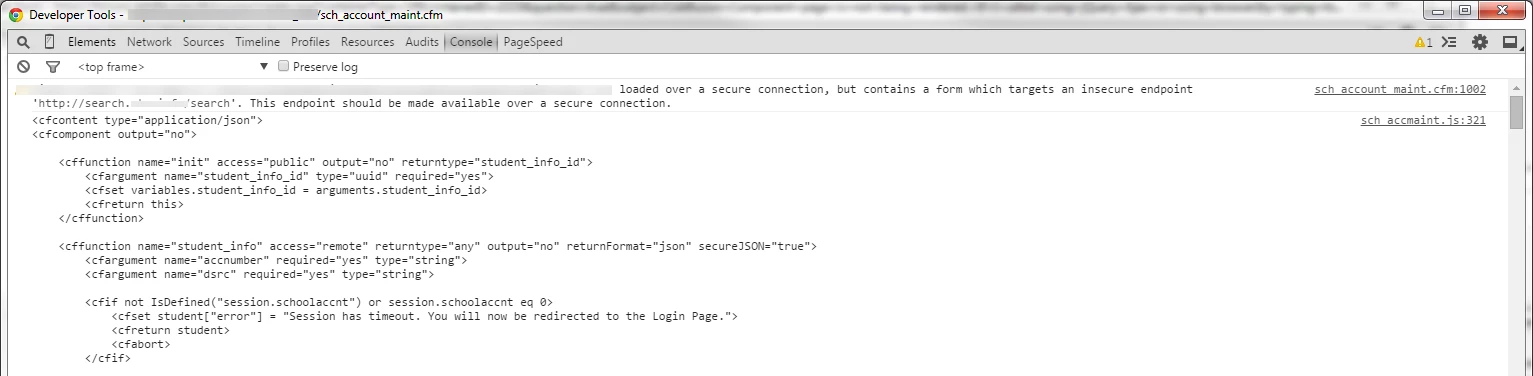
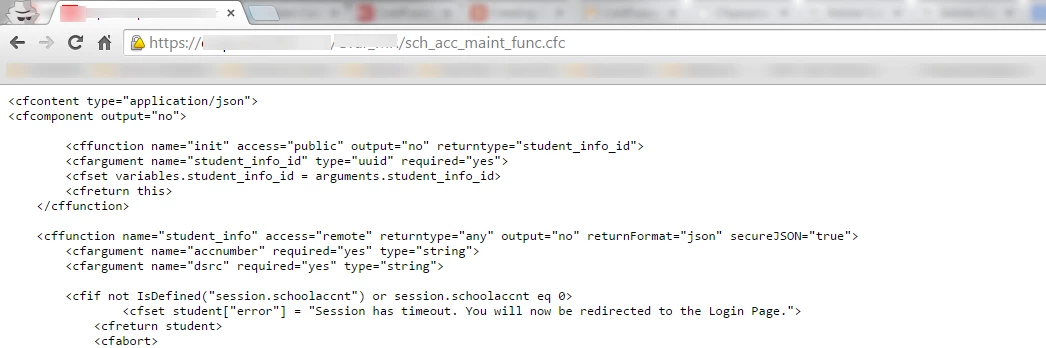
And if I type the url on the browser I get the same...
This is my code to make the call using AJAX

index.cfm

jQuery.ajax({

    url: 'sch_acc_maint_func.cfc',

    type: 'POST',

    data: {method: 'student_info', accnumber: accnumber, dsrc: dsrc}, //variables are defined , but I have not posted the code...

    success: function(student){

          console.log(student);

      }

});

The contents for sch_acc_maint_func.cfc, can be seen on the picture.

I am running Coldfusion 9 on a unix server.

Has anybody experienced this situation? Any advise will be really appreciated.

This topic has been closed for replies.

1 reply

BKBK
Community Expert
Community Expert
May 4, 2015

To begin with, delete the cfcontent tag. The CFC should start with the cfcomponent tag and end with </cfcomponent>.  Besides, you could do something like $.post("sch_acc_maint_func.cfc", {method:"student_info", accnumber: accnumber, dsrc: dsrc}, etc.

Roberto Cabrera_402
Participant
May 4, 2015

Hi, thanks for your response. I have taken the cfcontent tag, and still it does not work. I already tried $.post and $.get and $.load, and still nothing.

BKBK
Community Expert
Community Expert
May 4, 2015

Simple example of posting to a CFC using JQuery and Ajax.

test.cfm

<script type="text/javascript" src="http://code.jquery.com/jquery-latest.min.js"></script>

<script  type="text/javascript">

$(document).ready(function(){

$.ajax({

  type: "POST",

  url: "Test.cfc",

  data: {method:'testFunc', arg1:5, arg2:8},

  success: function(result){

    alert (result);

         // console.log(result);

      }

});

});

</script>

Test.cfc

<cfcomponent accessors="true" output="false" persistent="false">

<cffunction name="testFunc" access="remote" returntype="Numeric">

<cfargument name="arg1">

<cfargument name="arg2">

<cfreturn arguments.arg1+arguments.arg2>

</cffunction>

</cfcomponent>