

Coldfusion2018: How to setup mapping correctly?
These are the steps I use:
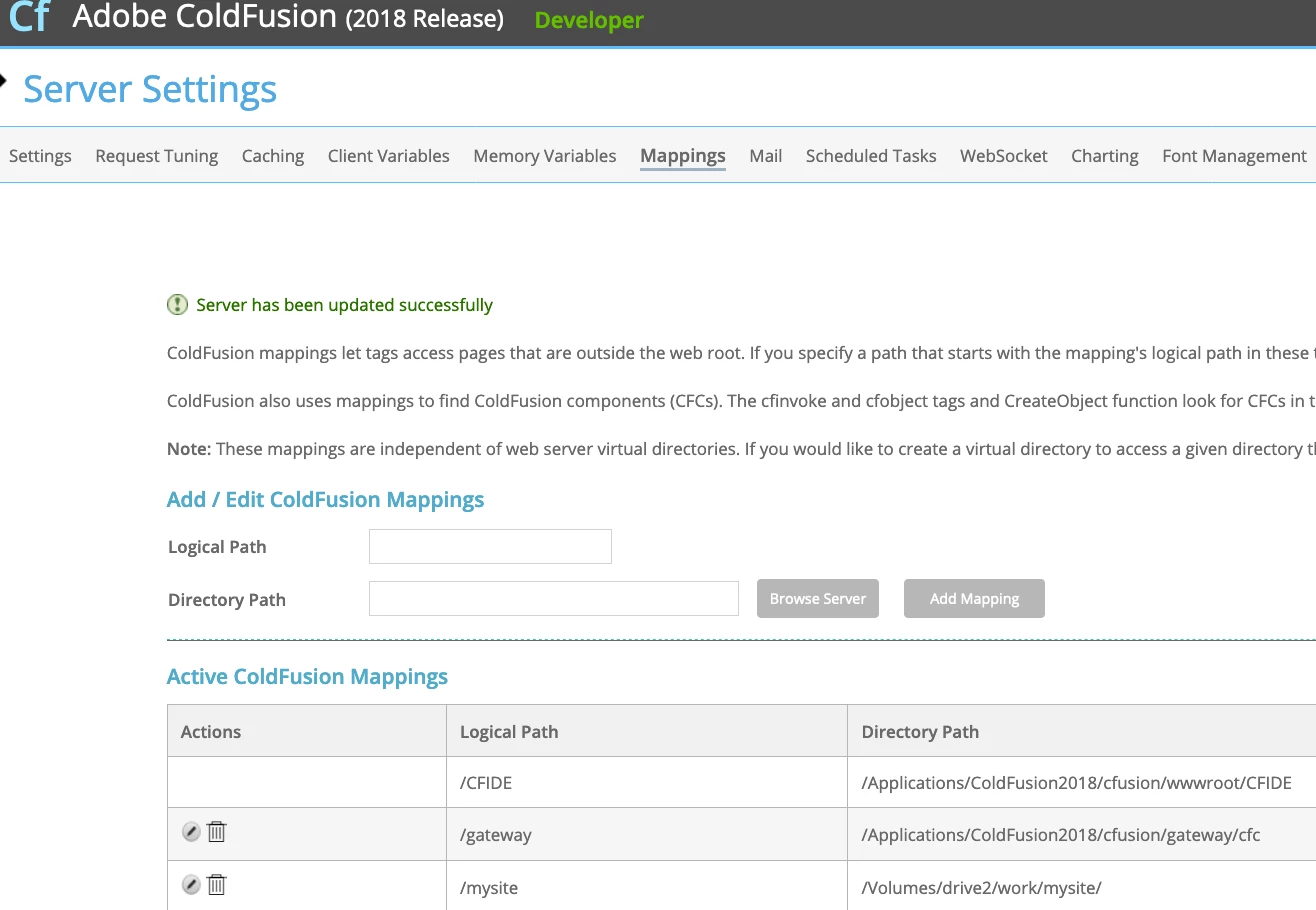
1) I created new mapping inside CF Server => Server Settings => Mapping
logical path: /mysite
directory path: /Volumes/drive2/work/mysite
2) I restarted the server
/Applications/ColdFusion2018/cfusion/bin/coldfusion stop && /Applications/ColdFusion2018/cfusion/bin/coldfusion start
3) Using my preferred text editor, I created test.cfm inside /Volumes/drive2/work/mysite with the following contents
<cfdump var="#CGI#">
4) I then tried viewing the new file on my browser via
localhost:8500/mysite/test.cfm
I then get a 404 error. Exact message goes like "coldfusion.runtime.TemplateNotFoundException: File not found: /mysite/test.cfm"
I checked these 2 things:
- I verified that /Volumes/drive2/work/mysite is readable by everyone (755 permission)
- I verified that /Volumes/drive2/work/mysite/test.cfm is readable by everyone (644 permission)
Other than creating the mapping, the other configurations I've changed are:
- Created datasource for my app
- Enabled debugging/logging but only after I got the first 404 error
Any ideas what I could be doing wrong? or perhaps other settings I should've set? I've added a screenshot of the mappings section below.
Thanks!


 AdChoices