

Configuring API Manager with Proxy
Hello!
This is a continuation of a question I posed days prior to the upgrade of the Adobe forums. The post never reappeared on the new forums, and so I’m reposting this update afresh.
My original question centered on how to configure IIS websites such that all users would be required to go through the API Manager to access the API. BKBK responded with details on how to set up a reverse proxy. Mission accomplished. I now have two IIS sites:
- APIMGR.mysite.com is the gateway (reroutes traffic to API.mysite.com)
- API.mysite.com is the backend (rejects direct traffic; permits incoming traffice only from APIMGR.mysite.com)
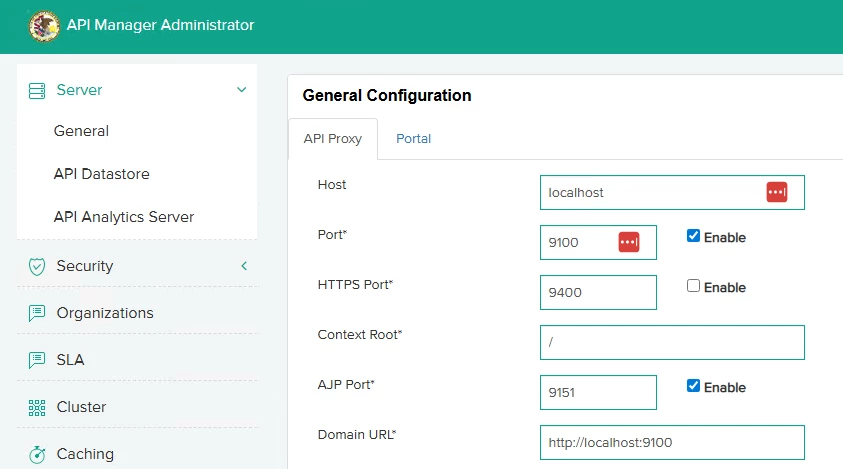
My question now is, what settiings, if any, in the API Manager Administrator (or in the Portal) need to change, to accommodate this reverse proxy setup? Specifically, do these default settings for the Host or the Domain URL need to change, or does the API administrator still serve up requests via the default localhost / localhost:port configuration?
Thanks in advance for the assistance; hopefully this will help others set up their managers as well, and I’m happy to go into detail on the reverse proxy setup up to this point.


 AdChoices