
Participant
February 4, 2020
Answered

Download button cut off in CF Admin Update Server Page

  • February 4, 2020
  • 2 replies
  • 788 views

Has anyone else run into this? The download/update buttons are cut off (for all of the updates) This occurs in Firefox, Chrome and Edge. This is Windows 10 accessed via Remote Desktop. I know that I can download and install the update manually but thought this was odd.


This topic has been closed for replies.
Correct answer Charlie Arehart

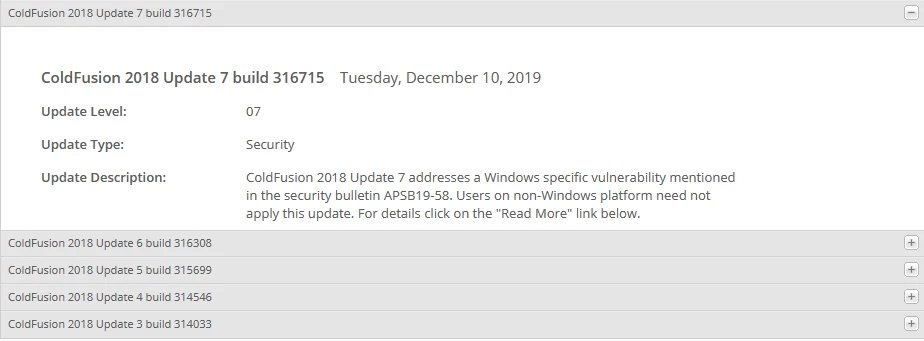
Yes, this is one of the specific things fixed in update 7 of CF2018, released in December.


(Many misread the technote as implying it only had a Windows fix. Perhaps you are running CF on Linux, but the Windows-specific fix was about a different issue.)


Everyone who uses the CF Admin to download updates will want to get to update 7, to resolve this UI problem.


Until then, for anyone feeling "stuck" because you "can't see the download button to apply the update", just click in the text area of the description of the update, and then hit the tab key until you can see the download button.

2 replies

Charlie Arehart
Community Expert
Charlie ArehartCommunity ExpertCorrect answer
Community Expert
February 4, 2020

Yes, this is one of the specific things fixed in update 7 of CF2018, released in December.


(Many misread the technote as implying it only had a Windows fix. Perhaps you are running CF on Linux, but the Windows-specific fix was about a different issue.)


Everyone who uses the CF Admin to download updates will want to get to update 7, to resolve this UI problem.


Until then, for anyone feeling "stuck" because you "can't see the download button to apply the update", just click in the text area of the description of the update, and then hit the tab key until you can see the download button.

/Charlie (troubleshooter, carehart. org)
raybtwoAuthor
Participant
February 4, 2020

Thanks Charlie!

Community Expert
February 4, 2020

I ran into this recently, and was able to solve it by resizing my browser text so it was a lot smaller, and the button came up into view.


Dave Watts, Eidolon LLC

Dave Watts, Eidolon LLC
raybtwoAuthor
Participant
February 4, 2020

Dave,


Just tried that in both Chrome and Firefox and still no button. This is just really odd.