
Error trying to synchronize...
Hi folks,
I installed CFBuilder as a standalone app today, and so far I really, really like it. One thing that I especially liked was the synchronization feature. I typically used Aptana and it's synchronization feature to ftp files from the local copy of my code to the copy on the web server. I was pleased to see that this feature looked almost exactly like the Aptana one.
So, I set it all up and then decided that several files would be better served in a different directory. So I created a new directory on the local side (from within CFBuilder Navigation view) and moved the files into the new directory. Now, my attempts to synchronize *anything* in the project fails with the message:
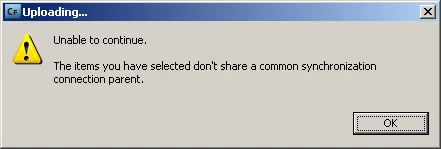
...and just incase the image didn't come through:
Uploading...
Unable to continue.
The items you have selected do not share a common synchronization connection parent.
I seem to some how have busted one of my favorite features of the new IDE thus far (though there are still plenty of cool things), but I use this was CONSTANTLY to upload changes.
Have I discovered a bug?
I hope someone can help, soon! 
Thanks,
Chris
 AdChoices