Jose_Eduardo_Castilho_387
Participant
February 18, 2019
Question

FCKEDITOR + CF 11 not working with IE 11 after update of windows/internet explorer

  • February 18, 2019
  • 2 replies
  • 1028 views

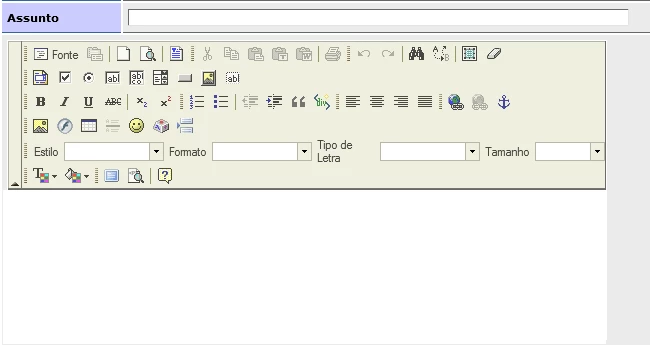
When toolbar="Default" doesn´t show the option input text.

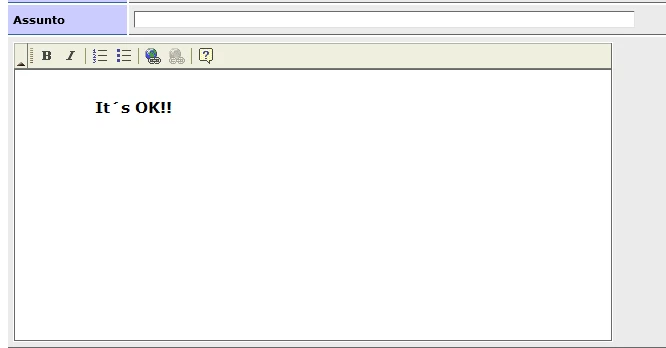
With toolbar="Basic" is make. Look the image.
This topic has been closed for replies.

2 replies

asaiselva
Participant
March 4, 2019

Hi,

The TextColor & BGColor toolbar is causing JS error.

To fix it, try to search and replace the string "C.src=FCK_SPACER_PATH" with "C.src=FCKConfig.BasePath+'images/spacer.gif'" on "fckeditor\editor\js\fckeditorcode_ie.js"

Cheers.

Selvam

Participant
March 7, 2019

I already had "C.src=FCKConfig.FullBasePath+'images/spacer.gif'" on "fckeditor\editor\js\fckeditorcode_ie.js" but I still have a problem. I've also changed to "C.src=FCKConfig.BasePath+'images/spacer.gif'" (w/o "Full") and it does not solve issue. Any other suggestions?

Participant
March 3, 2019

thanks for this information ! It helps.

I checked it and if you change the toolbar in the configuration file (with me: fckconfig.js)

so that you delete the ['TextColor', 'BGColor'] in the FCKConfig.ToolbarSets,

the rest of the toolbar will work.

Jose, I thank you for your attention and remark

have fun programming

dokhv