
Known Participant
October 6, 2010
Question

Generate Word Doc in ColdFusion with Precicely Positioned Elements

  • October 6, 2010
  • 1 reply
  • 2379 views

Hi All,

I just wasted two days trying to find a solution on how to do this, and after two somewhat different approaches I've failed both times.

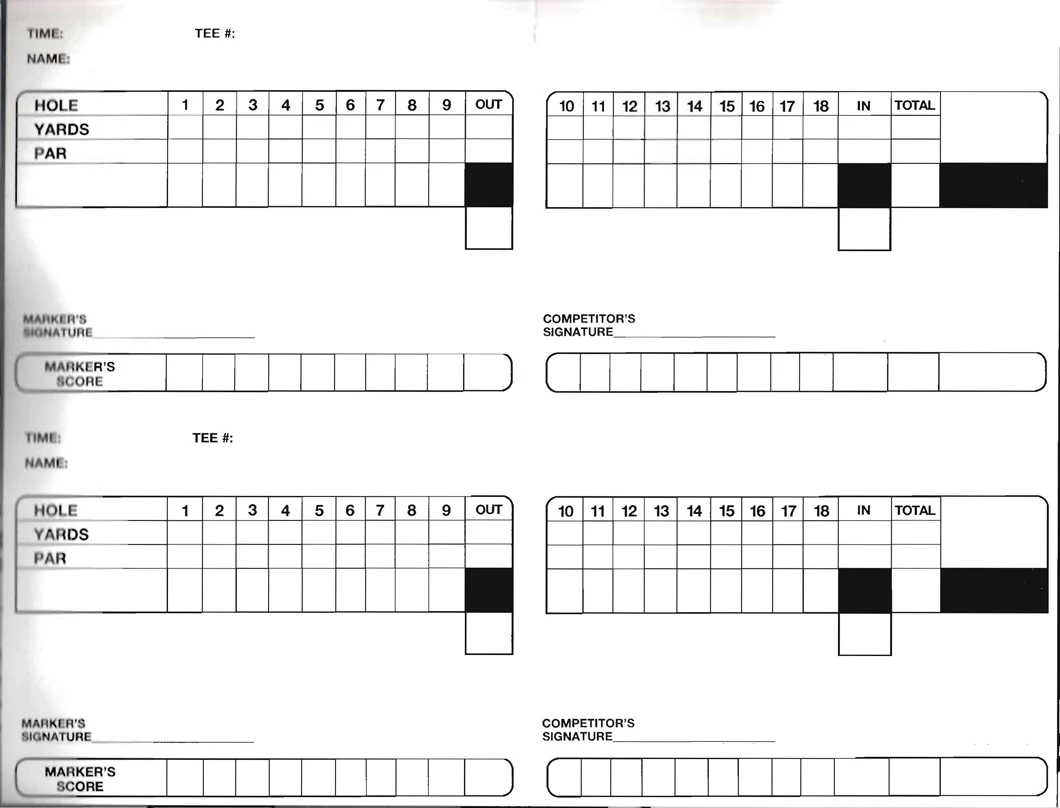
I need to come up with a way to generate a word doc (or in reality any way that can be printed), to fill in the below pictured score cards with Player Name, Ttime, Start Hole,  Yardage and Par values for each player for an event.  The score cards, are pre-prented stock as shown below.  I have all the data available.

I have tried to create a Word Template first using text areas for each cell and location, then using tables.  I got it to work perfectly in Word, but when I save it as HTML, when I go to open it back up, all the positioning is completely messed up, it's not even close.  I've used this method before to create mailing labels and other word documents, but for some reason it's not working for this.

Any suggestions for how to do it?  How can you create a report/label that has elements precicely position on a printed page?
    This topic has been closed for replies.

    1 reply

    Community Expert
    October 6, 2010

    The way we used to solve this sort of thing in the old days was to use RTF. You can use Word to create an RTF file which will essentially have the same layouts as a native DOC file. But RTF is just text, so you could open that RTF file in Notepad and make the right changes. Unfortunately, that's kind of a royal pain to work with, but life was hard in the old days.

    Nowadays, you might find it easier to use a Java library like POI:

    http://poi.apache.org/hwpf/quick-guide.html

    I haven't actually used POI with Word documents, but before we got CFSPREADSHEET it was common to use this with Excel.

    Dave Watts, CTO, Fig Leaf Software

    http://www.figleaf.com/

    http://training.figleaf.com/

    Fig Leaf Software is a Veteran-Owned Small Business (VOSB) on

    GSA Schedule, and provides the highest caliber vendor-authorized

    instruction at our training centers, online, or onsite.

    Dave Watts, Eidolon LLC
    Known Participant
    October 6, 2010

    Thanks Dave,

    That's actually something I haven't tried yet.  But I  did just try to save the doc as rtf, and it does look like it kept the  formatting and positioning of elements.  Except the text file is "ugly",  it'll sure take some time how to make each element dynamic, but I think  it could work.

    I've been doing some more research, and I think there might be an easier way using PDF Forms.  I've never used LiveCycle Designer, but I just fired it up, and it was able to open the properly formatted word doc.  So I think if I just assign everything a variable name, can manipulate the form from CF, and then just loop over each player and create a form for each one, then somehow print them all to a PDF doc.

    Community Expert
    October 6, 2010

    If PDF is an option, you can definitely do this a lot easier! Just build your form in Designer, name your fields, then you can use CFPDFFORM and related tags to manipulate their values. This is very easy to do.

    Dave Watts, CTO, Fig Leaf Software

    http://www.figleaf.com/

    http://training.figleaf.com/

    Fig Leaf Software is a Veteran-Owned Small Business (VOSB) on

    GSA Schedule, and provides the highest caliber vendor-authorized

    instruction at our training centers, online, or onsite.

    Dave Watts, Eidolon LLC