
Participating Frequently
June 14, 2016
Question

getting error after updating to CF-11 8 release.

  • June 14, 2016
  • 5 replies
  • 1305 views

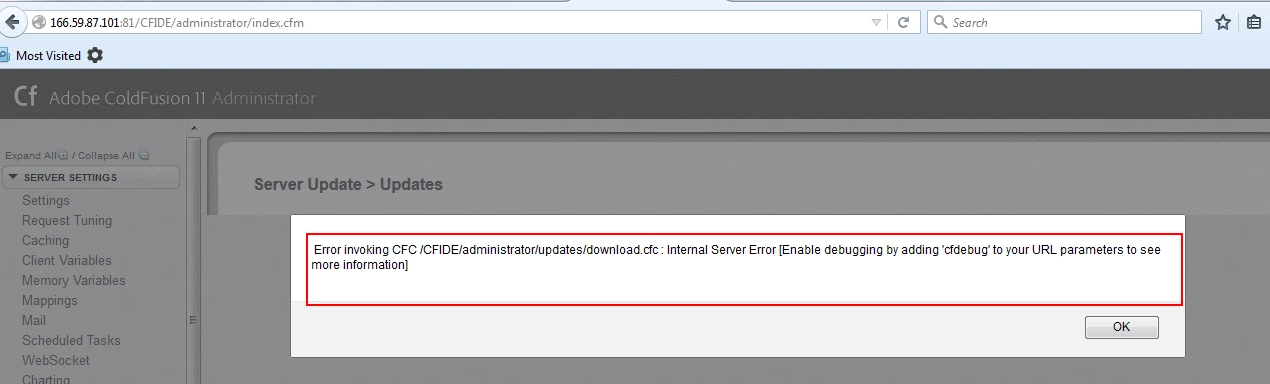
Someone please help me to findout why I am getting below error while hitting coldfusion administrator url after updationg to CF-11 8 release.

Error invoking CFC /CFIDE/administrator/updates/download.cfc : Internal Server Error [Enable debugging by adding 'cfdebug' to your URL parameters to see more information
This topic has been closed for replies.

5 replies

Participant
July 31, 2016

ColdFusion won't start after applying CF11 Update 8 (or Update 9) - I had to remove both updates before CF would start up. Any thoughts? It also hangs during the install in the CF Admin (service couldn't startup automatically, you will have to manually start the CF service and try again.) Then CF hangs while stopping the service. If I kill the service it hangs when starting the service. Just a nightmare. All previous updates have worked flawlessly in the past. Would love some suggestions to get these updates installed properly please.

OS is Windows Server 2012 x64

Thanks, BB

Vikram Kumar M
Inspiring
July 31, 2016

Hi Robert,

Could you please try starting the ColdFusion from command prompt and let me know if you encounter any error?

Run the command prompt as administrator: C:\ColdFusion11\cfusion\bin> cfstart.bat

Thanks,

Vikram

Participant
August 2, 2016

Thanks Vikram, I assume you mean AFTER I update CF to update 9? I have rolled back to update 7 which seems to be stable at the moment.

Participating Frequently
June 15, 2016

Participating Frequently
June 15, 2016

in application log..I can able to see below error.

o

rg.apache.http.impl.conn.CPool.setValidateAfterInactivity(I)V The

specific sequence of files included or processed is:

/var/www/ogcm/cadmin/CFIDE/administrator/updates/index.cfm, line: 741

EddieLotter
Inspiring
June 14, 2016

CF11 Update 9 was released today. Try applying that update and follow the linked instructions carefully.

Cheers

Eddie

Carl Von Stetten
Legend
June 14, 2016

If you are on a Windows OS, I'd recommend installing updates via an elevated command prompt rather than through the CF Administrator, especially if you have applied the lockdown guide.  However, if you CF Administrator is already hosed by a failed previous update installation, you may not be able to install a newer update.  You should be able to uninstall the failed update via the command line.

Navigate to your {coldfusion installation root folder}/cfusion/hf-updates/hf-11-0008/uninstall folder.  There should be an uninstaller.jar file in there.  Run "java -jar uninstaller.jar" to execute it.

WolfShade
Legend
June 20, 2016

Hi, Carl Von Stetten​,

Last week, I applied Update 20 for CF10 using the elevated command prompt, and nearly hosed my (@ work) development CF Server.  But that was primarily because we have our CFIDE in another location, outside of the webroot.

As I understand it, if the "Server Updates" in CFAdmin is used, then the CF instance, itself, knows where your CFIDE and web root files are located, if they are in the same folders or in different folders.  So the updated .cfm files for CFAdmin are properly placed.  However, if you are using .jar files in an elevated command prompt, the .jar files have no way of discerning the folder locations of CFIDE and webroot - they will just automatically assume that you did not change the default configuration, and will apply changes to the default locations.

Now, I was EXTREMELY lucky in that all I had to do to correct my mistake was to rename both CFIDE.* folders, and copy/paste the new into the old.  But you cannot count on luck, so I recommend using the CFAdmin GUI for applying updates.

Unless my CFAdmin is hosed, I will never use .jar + elevated command prompt for CF updates.  Just my two cents.

V/r,

^_^

WolfShade
Legend
June 14, 2016

I have the same issue on my CF10 Server in my development environment.

In my case, it's due to a failed update/hotfix.  I'm not sure how to fix it.  But if the server account used to apply updates/patches isn't an administrator account, that may prevent the update/patch from fully being applied, and may not necessarily display any error messages regarding a failed update.

V/r,

^_^