
Inspiring
April 12, 2026
Question

I am unable to download and install the ColdFusion2023 updates from update 6 for local developer version.

  • April 12, 2026
  • 2 replies
  • 34 views

Hi CF Experts,

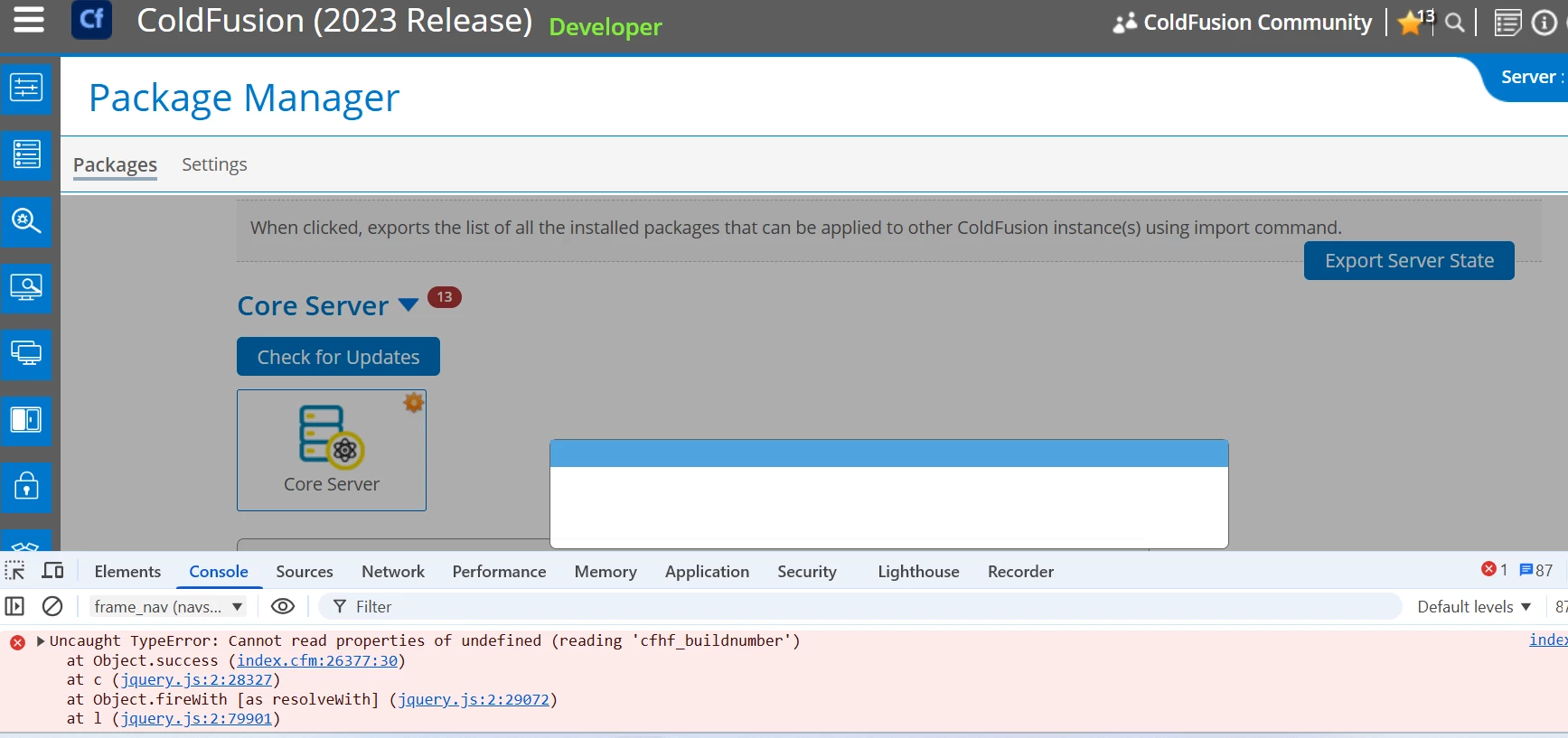
Recently I have changed my laptop and installed ColdFusion 2023 and installing updated from Update 6. But I am unable to download and Install it from  CF Admin. Below is screen and getting an error 

Uncaught TypeError: Cannot read properties of undefined (reading 'cfhf_buildnumber')
 

Can you please help on this.
 

    2 replies

    BKBK
    Community Expert
    Community Expert
    April 14, 2026

    Update 19 of ColdFusion 2023 is out today. Consequently, I have updated this post from Update 18 to Update 19. I also corrected some typos.

    What happens when you attempt to install Update 19 manually? For example, by following the instructions for Update 19 at https://helpx.adobe.com/coldfusion/kb/coldfusion-2023-update-19.html :

    1. Stop ColdFusion 2023.
    2. Delete all the contents of C:\ColdFusion2023\bundles (I have assumed that that is your bundles path).
    3. Download packages.zip. Unzip it and move all of the contents (repo, updateinstallers, adminapi-2023.0.0.330468.jar, … ) to C:\ColdFusion2023\bundles.
      Confirm that the Update 19 Jar file is located at C:\ColdFusion2023\bundles\updateinstallers\hotfix-019-330899.jar.
    4. Open the CMD prompt as administrator. Use cd to navigate to the bin directory of the Java installation that ColdFusion runs on. For example, C:\ColdFusion2023\jre\bin. 
    5. Run the DOS command: C:\ColdFusion2023\jre\bin\java.exe -jar C:\ColdFusion2023\bundles\updateinstallers\hotfix-019-330899.jar
    leo.r
    Community Expert
    Community Expert
    April 12, 2026

    Post in the ColdFusion forum (change title slightly to avoid a duplicate post error):

    https://community.adobe.com/coldfusion-580