
Participant
March 25, 2019
Question

install cf2018

  • March 25, 2019
  • 1 reply
  • 594 views

I installed the cf2018 developer version, and the web server config tool is missing in the installation process (it was there in earlier CF versions.). After successful install, i went to C:\ColdFusion2018\cfusion\runtime\bin\ and run wsconfig.exe as admin, got 'another instance of wsconfig seems to be running'
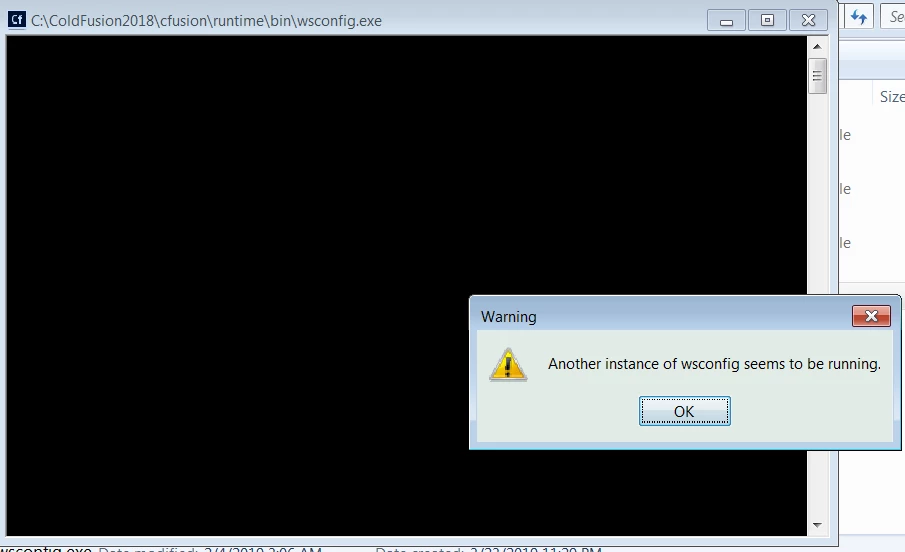
Now the wsconfig can't be launched after installation either, hence I got stuck. What does it mean "another instance of wsconfig seems to be running"?  what should i do next, how to get rid of that instance? thanks.

    This topic has been closed for replies.

    1 reply

    Community Manager
    March 25, 2019

    It seems that the website is already configured with connector. You could either create a new website and try to create the connector or you could refer the below link for removing dependencies:

    Removing Corrupt Connector Dependencies from IIS - ColdFusion

    sherryheAuthor
    Participant
    March 25, 2019

    Still not solve my problem, I have CF11 installed in my window 7 PC, and using IIS to display .cfm page, weird thing is before i uninstall cf11, i open wsconfig.exe, i can not see any web server connector in it.  it is blank, not like follows.

    SO i just go ahead to uninstall CF11 and install CF2018, after successful install CF18 (admin page is run as expected), when i try to run wsconfig.exe as admin, i got the "another instance of wsconfig seems to be running". I follow your instruction to

    Removing Corrupt Connector Dependencies from IIS

    restart the PC, but still get the same message.