
Question
Installing CF 2021 to OSx Monterey (the no BS way).
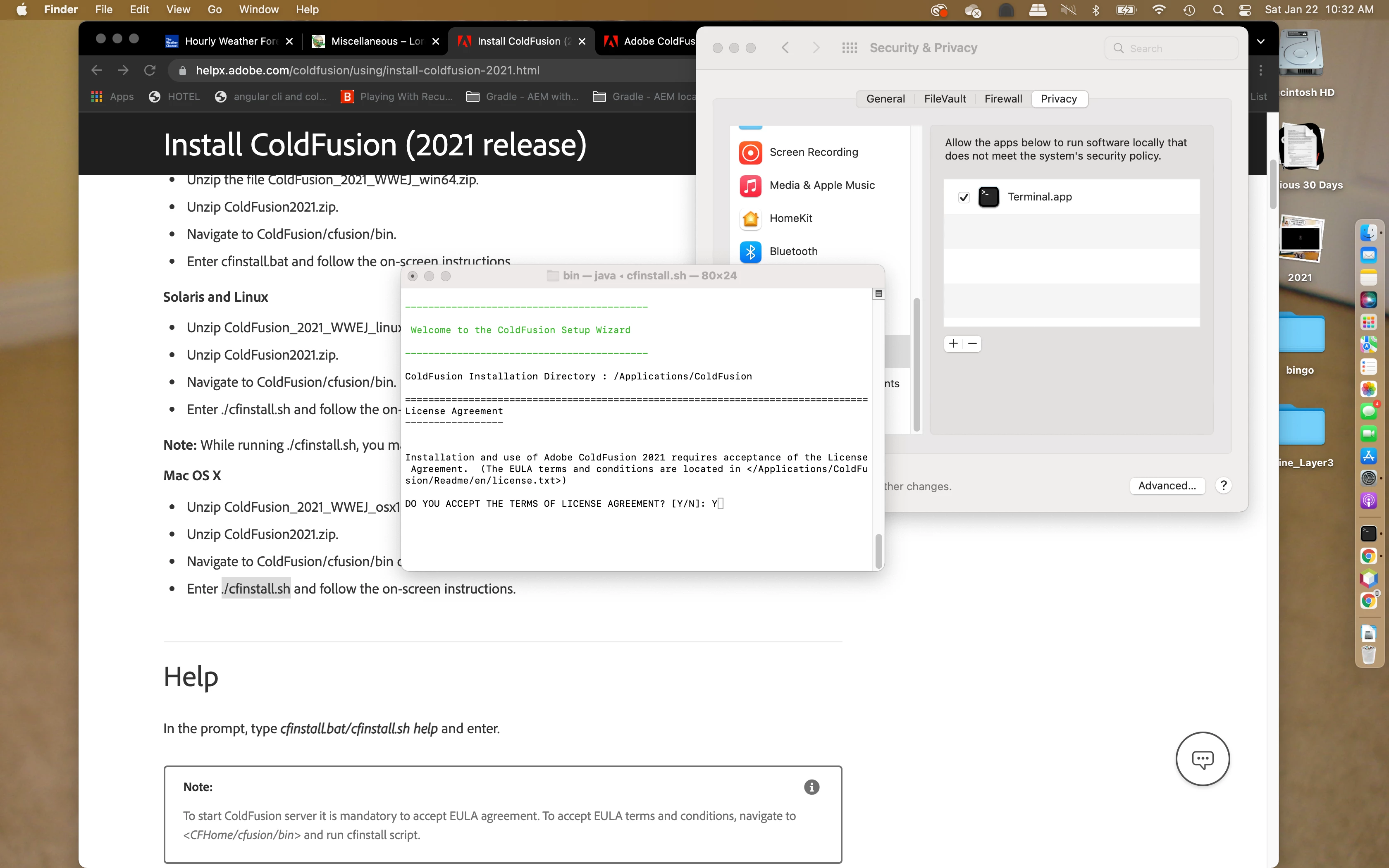
Forget about the 64 bit version. Forget about the auto installer (security will fail you everytime). Download ColdFusion_2021_WWEJ_osx10.zip. Extract the zip to Applications. Open Systems Preferences. Follow Adobe's instructions whilst keeping Systems Preferences in the foreground.
Adobe's Directions but run every thing in sudo:
Mac OS X
- Unzip ColdFusion_2021_WWEJ_osx10.zip file.
- Unzip ColdFusion2021.zip.
- Navigate to ColdFusion/cfusion/bin on the terminal.
- Enter ./cfinstall.sh and follow the on-screen instructions.
- In Systems Preferences: Security& Privacy/Privacy/Developer Tools/ check terminal app. (after install you might want to turn it off).
Watch Systems Preferences block the install and change everything that I did. Boom it's done.


 AdChoices