Participant
August 3, 2023
Question

Instance Manager not showing stop or restart when HTTP disabled

  • August 3, 2023
  • 2 replies
  • 325 views

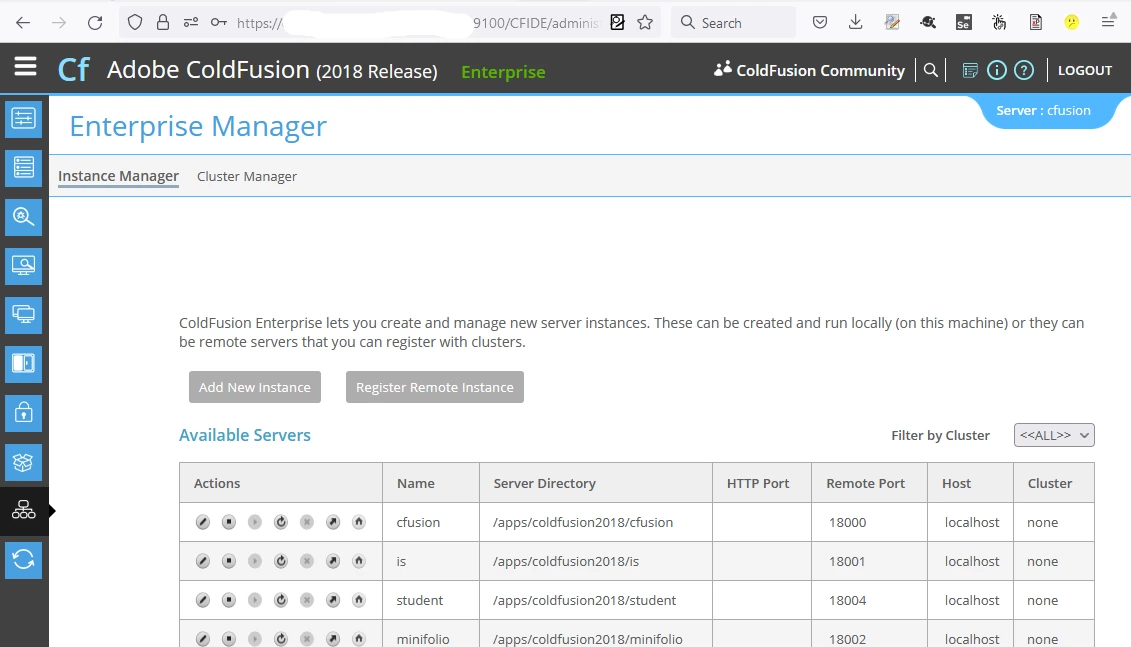
We are migrating from Coldfusion 2018 to Coldfusion 2023. We run Enterprise Edition and have multiple instances. For secuity reasons we remove the HTTP listers after creating the instace by removing the connector from <server-dir>/runtime/conf/server.xml

<Connector protocol="HTTP/1.1" port="8501" redirectPort="8445" connectionTimeout="20000" />

This works fine in Coldfusion 2018 
However after doing the same in Coldfusion 2023 the stop and restart actions aren't avaible
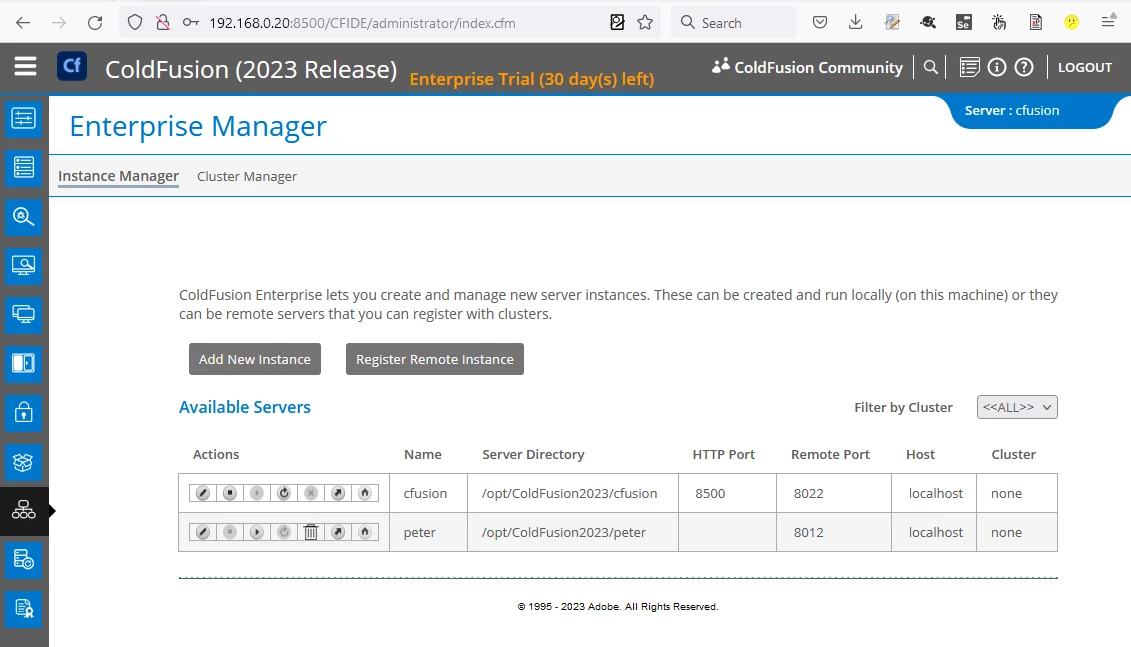
After adding the conenctor back into <server-dir>/runtime/conf/server.xml


<Connector protocol="HTTP/1.1" port="8501" redirectPort="8445" connectionTimeout="20000" />


This the expected actions are avalible.
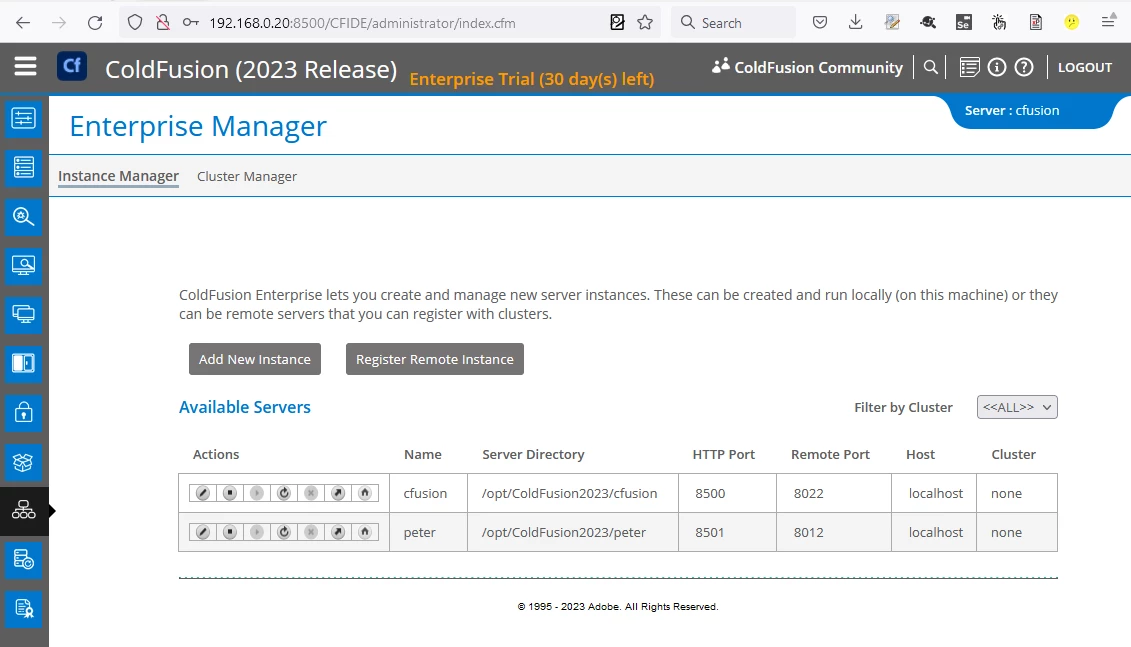
 

From what i can tell eveything else works ok, including the restart after applying an update. I just wanted to check if I'm doing something wrong or if this a known issue or a bug.


Thanks


This topic has been closed for replies.

2 replies

Priyank Shrivastava.
Community Manager
Community Manager
August 7, 2023

Hi @peterj446 


I have tried this and it is working for me. Pasting the screenshot for you.I have to disable the HTTP port for all the instances server.xml.


Thanks, Priyank Shrivastava
BKBK
Community Expert
Community Expert
August 6, 2023

I do understand you have noticed a change in behaviour between ColdFusion 2018 and ColdFusion 2023. What I don't understand is why that bothers you. Deleting the HTTP connector implies that you don't want to use HTTP. 

peterj446Author
Participant
August 7, 2023

I can't stop or restart a running instance from within Instance Manager in Coldfusion 2023 when I could in Coldfusion 2018.

BKBK
Community Expert
Community Expert
August 7, 2023

I am surprised that the CF2023 Enterprise Manager still shows the HTTP Port after you delete the HTTP connector in server.xml. It's worth another look indeed.