
Participating Frequently
June 9, 2023
Answered

Issues with building Adobe's docker image.

  • June 9, 2023
  • 3 replies
  • 472 views

The documentation states : "For importing configurations using CAR, the CAR archives mounted to the /data directory are automatically imported during startup."  ( https://helpx.adobe.com/coldfusion/using/docker-images-coldfusion.html ) .


I have a .car file in there, but I don't see that it is imported. As a simple test, I just added a couple datasources, and then run the packaging & deployment > create an archive. This is how my directory structure looks like : 

C:\coldfusion-docker\docker-compose.yaml        

                                  \coldfusion.env

                                  \data\cf.car


When I run docker-compose up, the CF admin does not have those datasources.


Also, I am running this instance on port 8506. I am having trouble finding these files. Where are they located?
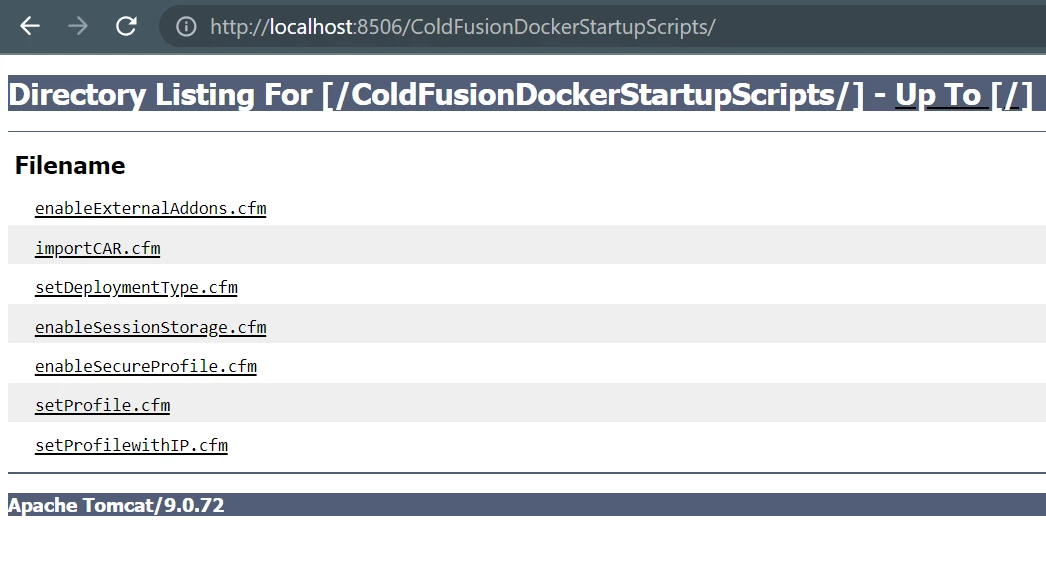
 

    This topic has been closed for replies.
    Correct answer Charlie Arehart

    The data folder needs to be IN the image, not just in the path where you RUN the image. You can either copy it in (like in a dockerfile), or by adding a volume mapping in the compose file to mount the latter into the former. I show that specifically here:


    https://github.com/carehart/awesome-cf-compose/tree/master/cf-2021-car-setup


    which is one of dozens of compose examples for working with CF images. Hope it gets you going and takes you still farther. 

    3 replies

    Participant
    April 26, 2024

    I'm not having that problem, I have my volumes mounted and I can see the car file, but I'm trying to spin up a docker container, which has three cf instances, one being cfusion and two others but I can't figure out how to create multiple instances in the same container, using car files.

    I'm also migrating from cf2016 using car files and I want to use them to migrate them to cf2023 using a setupconfig script
    similar to this:
    <?xml version="1.0" encoding="UTF-8">
    <setupconfig>
    <runsetupwizard>false</runsetupwizard>
    <runmigrationwizard>true</runmigrationwizard>
    <runmxmigrationwizard>false</runmxmigrationwizard>
    <runsecureprofile>false</runsecureprofile>
    <migratecf2021>false</migratecf2021>
    <migratecf2018>false</migratecf2018>
    <migratecf2016>false</migratecf2016>
    <migratecf11/>
    <migratecf10/>
    <setupoptions>
    <sampleapps>false<</sampleapps>
    <odbc>false</odbc>
    <enablerds>true</enablerds>
    </setupoptions>
    </setupconfig>

    Charlie Arehart
    Community Expert
    Charlie ArehartCommunity ExpertCorrect answer
    Community Expert
    June 17, 2023

    The data folder needs to be IN the image, not just in the path where you RUN the image. You can either copy it in (like in a dockerfile), or by adding a volume mapping in the compose file to mount the latter into the former. I show that specifically here:


    https://github.com/carehart/awesome-cf-compose/tree/master/cf-2021-car-setup


    which is one of dozens of compose examples for working with CF images. Hope it gets you going and takes you still farther. 

    /Charlie (troubleshooter, carehart. org)
    CF NinjaAuthor
    Participating Frequently
    June 20, 2023

    Adding this mapping worked : 

    - ./data:/data
    Thanks
    Charlie Arehart
    Community Expert
    Community Expert
    June 20, 2023

    Yep, that's what I was proposing amd which my compose file showed. I wanted to offer that more complete example for those who may benefit from it, and the rest of the examples. 

    /Charlie (troubleshooter, carehart. org)
    CF NinjaAuthor
    Participating Frequently
    June 9, 2023

     Just noticed this, not sure why my cf.car is not listed.


    CF NinjaAuthor
    Participating Frequently
    June 17, 2023

    all crickets?