
Inspiring
November 14, 2020
Answered

“libCFXNeo.jnilib” cannot be opened because the developer cannot be verified.

  • November 14, 2020
  • 1 reply
  • 2152 views

When installing 2021 on macOSX Big Sur throws error, 


“libCFXNeo.jnilib” cannot be opened because the developer cannot be verified.


This appears to be a notorization issue with Apple.  This happens with every mouse click.  My guess is the dev team used a forged certificate, which is common, and a full notorization needs to be approved by Apple.


Or maybe I should shut my mouth.

 
    This topic has been closed for replies.
    Correct answer SharedDynamics

    Thanks Charlie.

    Right now Apple is blaming it on a certificate server on their end.  But I did manage to fix it.


    When you get the error, " “libCFXNeo.jnilib” cannot be opened because the developer cannot be verified."

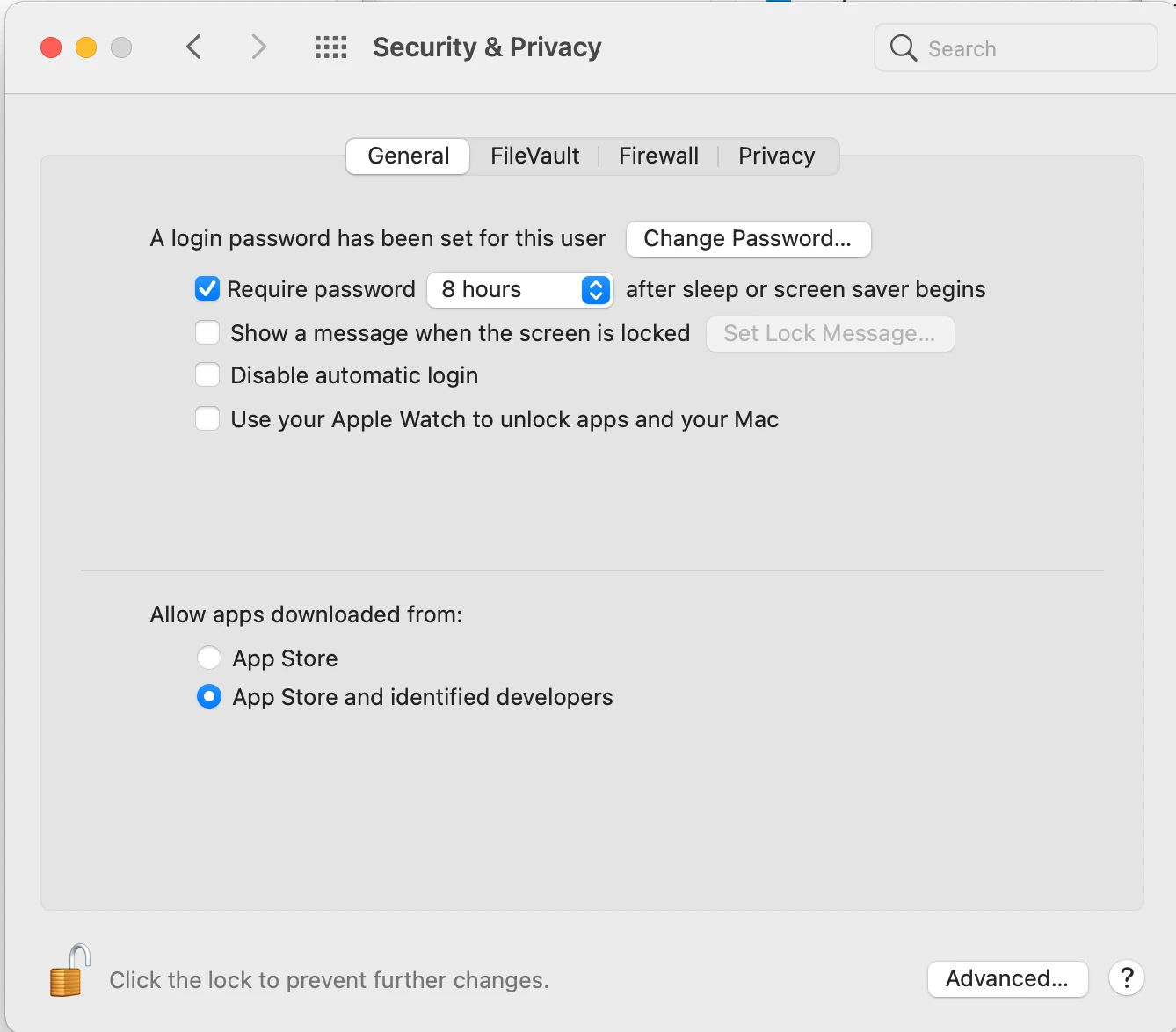
    go to: APPLE>System Preferences>System & Security

    You'll get this dialog box [see below] and a warning near the bottom of the box saying: "“libCFXNeo.jnilib” cannot be opened because the developer cannot be verified."wants to execute." Click allow and it is fixed.


    Sorry I don't have the actual picture, once I fixed it I couldn't unfix it.  This evidently was in a service pack release in the last 2 days.


    Enjoy!
     

    1 reply

    Inspiring
    November 14, 2020

    Actually, it installed.  But navigating in CFIDE/Administrator it throws that error everytime you trapse around the navigation.

    Charlie Arehart
    Community Expert
    Community Expert
    November 18, 2020

    I don't have a solution, but I do have an observation, and as much for others who may find this thread. FWIW, CF2021 was only updated to support Catalina (10.15), per the system requirements for CF.


    And as Big Sur was only released publicly only on Nov 12, while CF2021 was released on the 10th, perhaps the CF team could be forgiven for not yet having added that support. 🙂 And to be clear, they don't tend to "jump on" new releases. It could be months before they would add support for it.


    But given the severity of this problem, perhaps they will for this version. Or maybe someone will help identify a workaround in the meantime. But if nothing else, register your concern with cfinstal@adobe.com (and I would recommend you acknowledge that it's not yet supported, but are asking if they are working on it).


    Do let us know if you may learn anything new.

    /Charlie (troubleshooter, carehart. org)
    SharedDynamicsAuthorCorrect answer
    Inspiring
    November 19, 2020

    Thanks Charlie.

    Right now Apple is blaming it on a certificate server on their end.  But I did manage to fix it.


    When you get the error, " “libCFXNeo.jnilib” cannot be opened because the developer cannot be verified."

    go to: APPLE>System Preferences>System & Security

    You'll get this dialog box [see below] and a warning near the bottom of the box saying: "“libCFXNeo.jnilib” cannot be opened because the developer cannot be verified."wants to execute." Click allow and it is fixed.


    Sorry I don't have the actual picture, once I fixed it I couldn't unfix it.  This evidently was in a service pack release in the last 2 days.


    Enjoy!