
Manipulating Outlook Calendar from CF
I've figured out how to view a given Outlook calendar via CF, but there are a few more things I would like to be able to do with and to it.
First, the code I am using only allows me to view the calendar for the current date. How do I modify it to also show a scrollable month calendar where the user can select a particular date? This is what I have so far:
This is what I would like to display from Outlook (the calendar on the left allows the user to scroll through months, and select a date to view from that month):
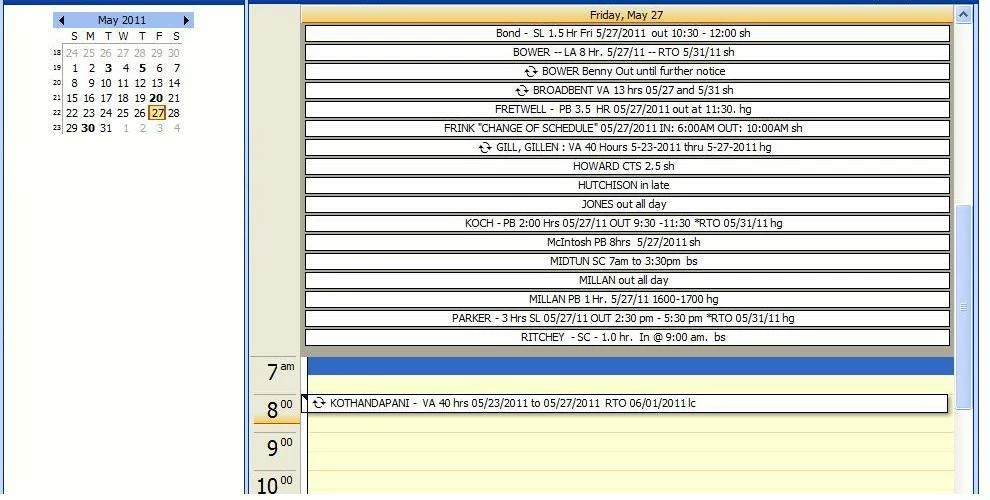
If you don't just want to hand over the answer, referring me to a resource to study is just fine by me!
The code I am using is:
<object classid="clsid:0006F063-0000-0000-C000-000000000046"
id="ViewCtlFolder"
width="100%"
height="300px"
codetype= "application/x-oleobject"
codebase="http://activex.microsoft.com/activex/controls/office/outlctlx.CAB#ver=9,0,0,3203">
<param name="Namespace" value="MAPI">
<param name="Folder" value="\\Public Folders\All Public Folders\Group\Group Calendar">
<param name="Restriction" value="">
<param name="DeferUpdate" value="0">
</object>
Secondly: Is there a way to add, change and delete entries from a public Outlook calendar like this one through CF without user interaction on the Outlook side? I've seen a great example of creating an entry for a calendar from CF, but it requires the owner of the calendar to accept the appointment.
Thanks in advance for your excellent advice!


 AdChoices