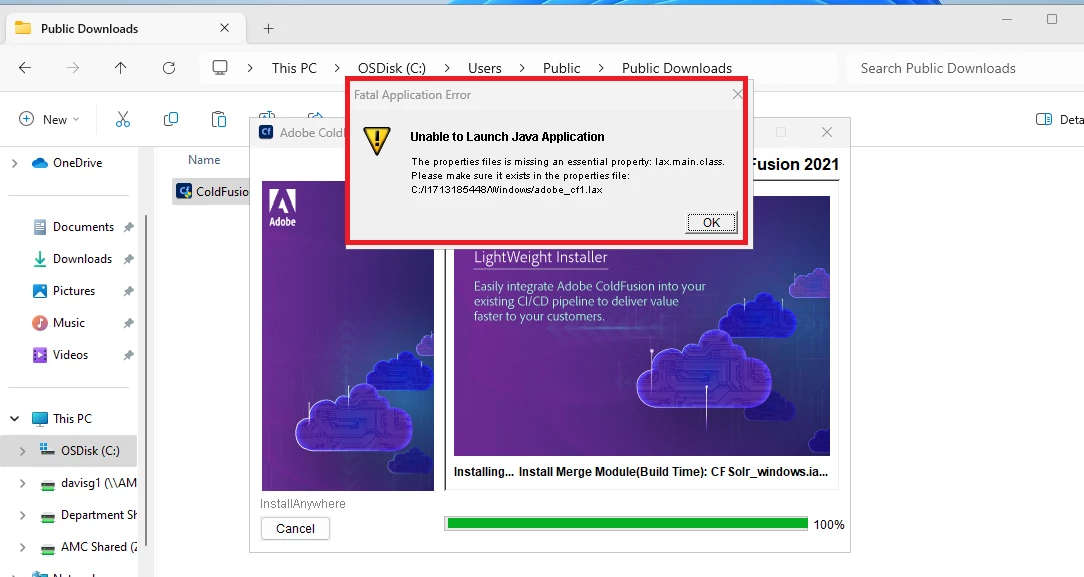
Glad you solved it, and thanks for sharing what you did. But can you tell us what a/v tool you were running? I've not heard of this error happening in hundreds of CF installs I've done or helped with. There may be something unique to the specific a/v toold you were using (or maybe not).
Also, when you say you could not find the adobe_cf1.lax "in the folder I unzipped to", do you mean you unzipped the installer exe...perhaps hoping to find in it that file appearing anywhere? Do beware that the extracted zip does itself have still more. You'd need to dig deep into the "Russian dolls" to confirm if some file existed ANYWHERE in the installer. But I'll say I used a tool that could dig through that all, and the file does not exiist at all. There IS in fact an adobe_cf.lax in the root folder of the installer, as perhaps you found. I suspect the problem that you had may have led the code (within the installer) to get confused about the file name it was seeking.
Again, the good news is you solved your problem. I asked my quesiton above (and shared what I just did) for your sake and that of others who may find this thread in the future.
How do I find the checksum? I have used the same installer to install on my local windows 10 and on 3 servers, so I am not sure if it would suddenly be corrupted or something