Thanks for the update. As you've ruled out browser-caching and page-encoding as possible causes, we have to look further..
First off, the "UTF8" name in the Administrator is fine.
Java 11.0.11 is OK, unlikely to have caused the error. But I would prefer Java 11.0.14, as it is the latest so-called Critical Patch Update.
Though 11.0.11 is OK, the Java version gives us yet another possible clue. What was the Java version on your CF2016 installation? What if some Java classes from that installation were cached and are being reused in CF2021? To rule this out, delete any cached class files. You could do it, for example, by following these steps:
- Open /wwwroot/WEB-INF/cfclasses and delete all its contents.
- Open the ColdFusion Administrator. Go to the page Server Settings > Caching.
Ensure that the box Save class files is unchecked.
Click on the button to Clear Template Cache Now.
Click on the button to Clear Component Cache Now.
Press the button to submit the changes.
- Restart the ColdFusion instance.
Hi,
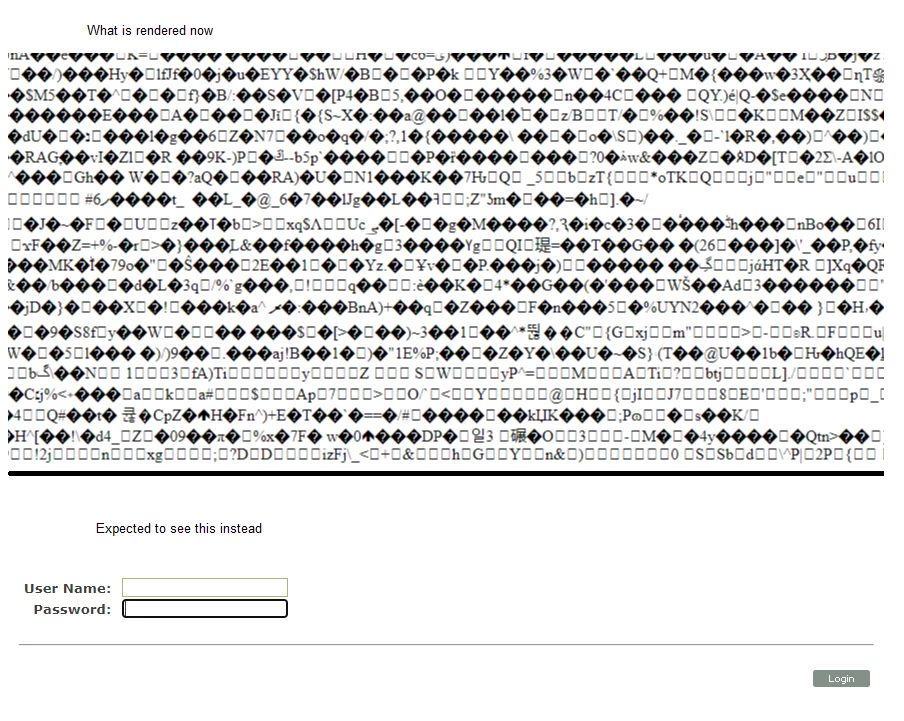
Thanks for the information. We just found out that a file called app_globals.cfm was corrupted and replacing that with a backup file brought back the login page and dont see any rendering issue now. Sorry for the trouble!
As you noted, will update Java asap.
Thanks for all the help.
Sajan



 AdChoices