
Inspiring
January 13, 2020
Answered

Scheduled task no longer running

  • January 13, 2020
  • 2 replies
  • 1547 views

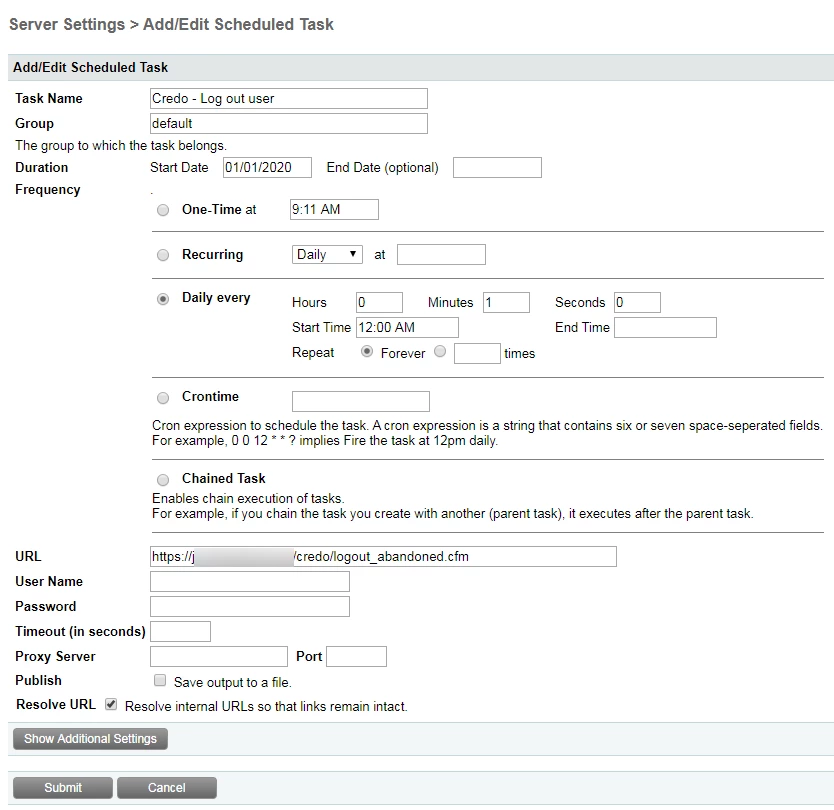
I've had a scheduled task running every minute since last June, it's run fine.  Recently it stopped running.  I have a lot of other scheduled tasks that are still running fine.


If I visit the page I want the task to visit, it runs fine.  The task Last Run column claims it ran.  If I click the Run Scheduled Task button I get the success message, but it doesn't seem to be going to the page to trigger the event I need it to.


I'm on CF10.


Any thought on why this would happen?


Thanks
 

This topic has been closed for replies.
Correct answer ctreeves

Nevermind, Charlie solved it.  Thanks Charlie!

https://community.adobe.com/t5/coldfusion/coldfusion-10-scheduled-task/td-p/9978004

Our certificate was updated around the same time the problem started.  I changed it to http, it ran.

2 replies

ctreevesAuthor
Inspiring
January 13, 2020

OK, I seem to be having other issues.  Could it be related to the security certificate too?

The image below is from a PDF I generate, the red x's are checkboxes.  They all load red in https, but function correctly (checked if indicated) using http.

On another report an image on the server that is embedded also shows up as a red x unless I pull the report through http.


Charlie Arehart
Community Expert
Community Expert
January 13, 2020

Is the PDF being generated with CFDOCUMENT? If so, is it using the localurl attribute? You can read more about that (why you should or perhaps whether you should not) here:


https://www.carehart.org/blog/client/index.cfm/2011/11/19/perf_fix_via_cfdocument_localurl_attribute


If that does not solve things for you, or you can't do it, then take the image that you are finding fails, and put a call to it in a cfhttp, and output the result of that (you can use cfcontent to actually "show" the image if you want, and you may want to use getasbinary on the cfhttp). 


But my point really is just to see not so much "what the image looks like", but just whether instead you get an error from the cfhttp call. . Really, you can just do a cfdump of the cfhttp scope.


If you do get an error, then the question is why you do. If you can't figure it out, you may want to indicate how the URL for the image differs from the url for the page creating the PDF.


BTW, if you may just read this and not try it, and may want to say that "the image in the PDF is local and does not have a "url" to get to it" (because you just refer to it as a relative path, like image src="someimage.jpg"), then that is ESPECIALLY why you want to use the localurl attribute for cfdocument. Otherwise, the problem is that CF DOES try to convert the call to the image TO a URL (whatever is the URL to the page doing the cfdocument). It does that FOR you, and that is what is failing. So the localurl attribute tells CF NOT to do that.


So again, if that does NOT fix the problem, then try to do the cfhttp to the image's URL (whatever it is or would be) and see what's happening (do a cfdump of the cfhttp scope).

/Charlie (troubleshooter, carehart. org)
ctreevesAuthor
Inspiring
January 14, 2020

I added  localUrl="true" to both reports and the image displays correctly on the first report and the red x's in the checkboxes wente away.


Thank you!

ctreevesAuthorCorrect answer
Inspiring
January 13, 2020

Nevermind, Charlie solved it.  Thanks Charlie!

https://community.adobe.com/t5/coldfusion/coldfusion-10-scheduled-task/td-p/9978004

Our certificate was updated around the same time the problem started.  I changed it to http, it ran.

Charlie Arehart
Community Expert
Community Expert
January 13, 2020

Good to hear, and glad to have helped. It would seem the others are not https urls, or not to the same server, and that would have been my first question here.


For future readers who find this and that's not their problem, I would have then asked what proof you had of whether it was running or not, such as if you had used the feature to log task output and indeed to log task execution.


If both were confirmed, I then would have asked if you had any way to confirm the called url really ran, assuming it ran in an environment you controlled. Could you using web server logs or monitoring? Or by adding logging to the code in the url being called.


But glad it's working for you. 

/Charlie (troubleshooter, carehart. org)
ctreevesAuthor
Inspiring
January 13, 2020

I was not logging if it ran, simply relying on the output in the CF Administrator Scheduled Tasks list.

This is an old site, most of the tasks were set up years ago. 

It's an intranet in a very locked-down environment, so I don't worry much about security.

Many of the tasks are very old and had http URLs, I just updated all of the others.

This one was very noticeable because the task was logging people out of a page they abandoned and others were not able to get in, it's a one user at a time page.


Thanks again.