

SpreadsheetAddFreezePane() odd issue
Hello, all,
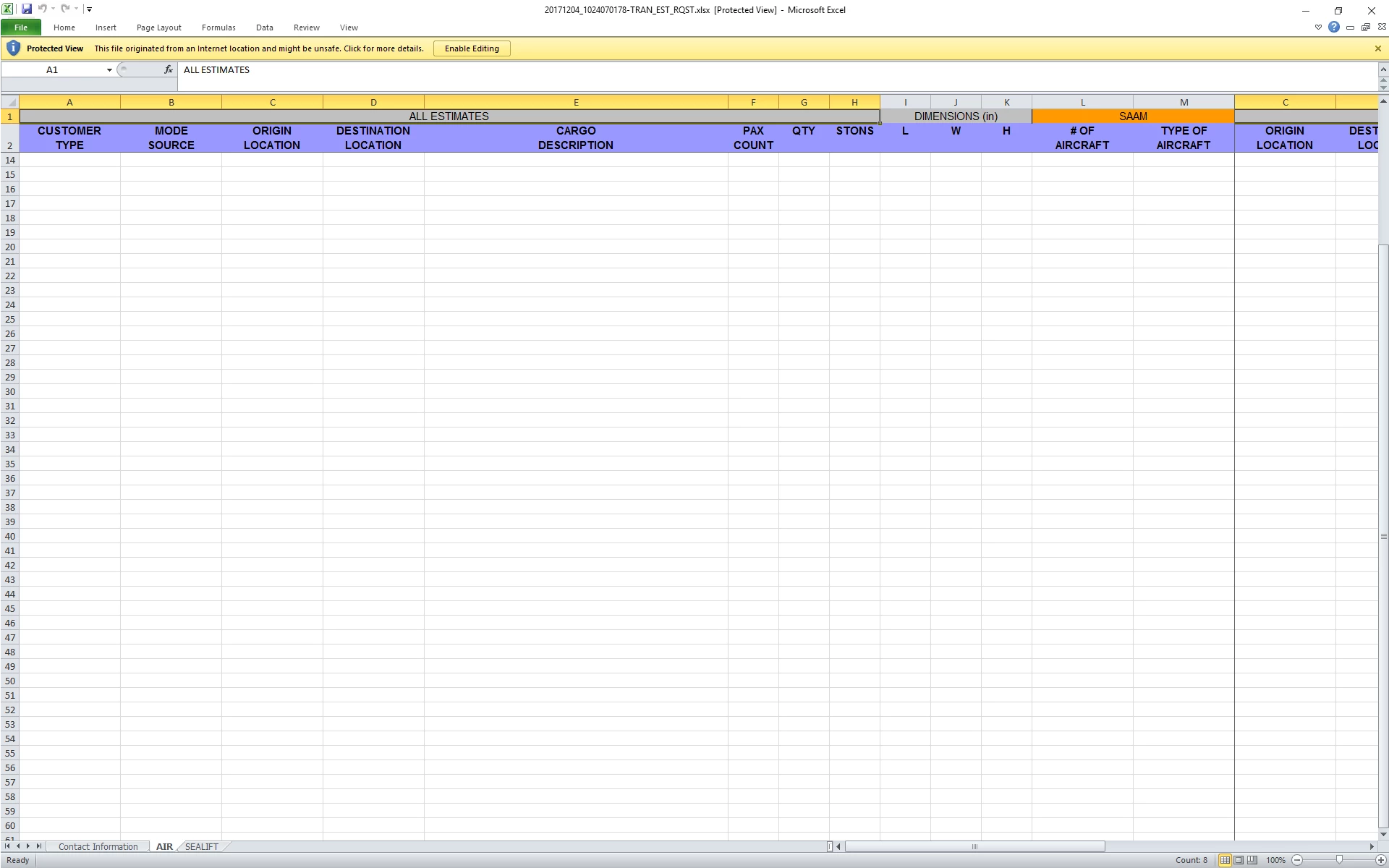
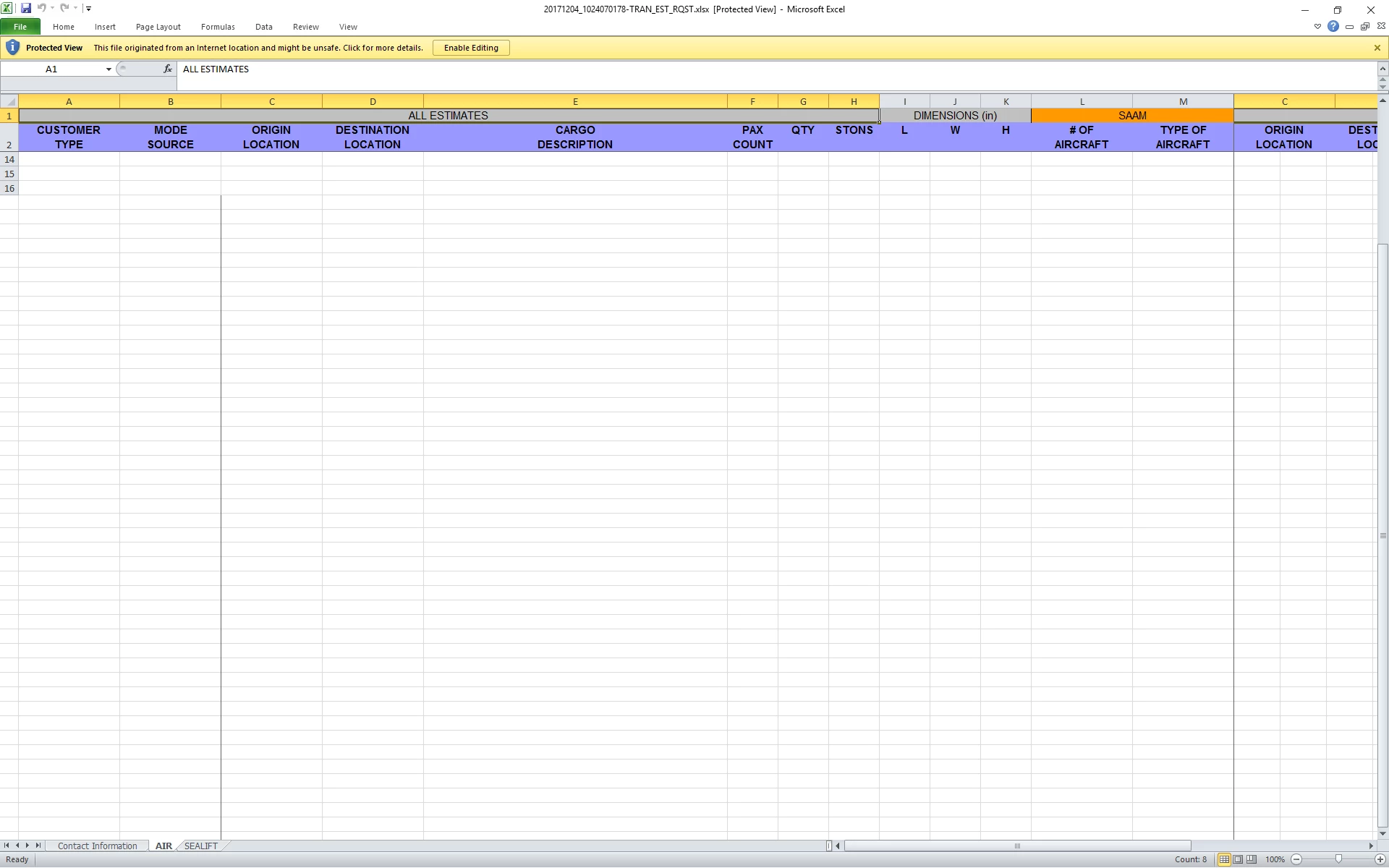
I've got a weird glitch using SpreadsheetAddFreezePane() that I've never seen before. I'm attaching two screencaps.
I am attempting to freeze the top two rows, and columns A through M.
The first issue is to the right of column M you can see the content of columns C and D. If I scroll to the right, it disappears.
The second issue is that if I scroll down then up, then the row numbers and the first two rows partially disappear.
The code is for a second sheet that is added, after the Excel object has been created and the first sheet populated.
SpreadsheetAddFreezePane(sObj,13,2);
I'm really confuzzed on this one. Any thoughts?
(BTW.. small family emergency just popped up, and I will be leaving work in about an hour to go check on things, so I probably won't be able to answer any questions until tomorrow.)
V/r,
^ _ ^


 AdChoices