
Participant
November 20, 2018
Answered

Unable to open scheduled task section in CF admin

  • November 20, 2018
  • 2 replies
  • 1104 views

Hi,

I've been using ColdFusion 2018 for a few months. After updating my window, I can't access scheduled task tab in CF administrator.

I got an error as below:
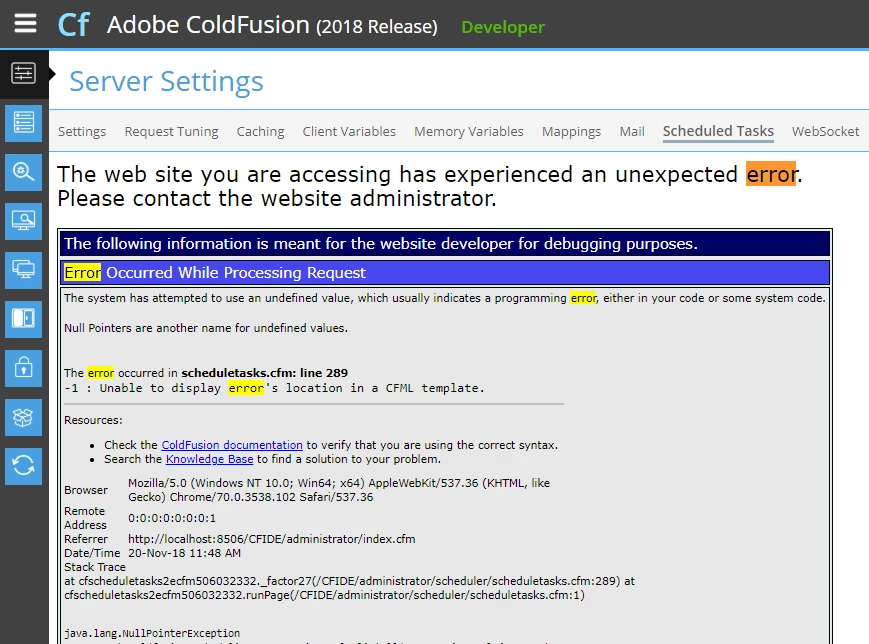
Therefore I can't access the cfschedule tag in my application. Have someone experienced the same issue? Is there any way to solve this issue?

Please let me know if you need more information. Thank you.

Kind Regards,

Raquel Septiane

This topic has been closed for replies.
Correct answer carl type3

Hi Raquel,

That could be the neo-cron xml file is corrupt. Suggest stop CF, replace ColdFusion2018\cfusion\lib\neo-cron.xml with another then start CF.

There might be a neo-cron.bak you could use or use neo-cron.xml from another install. Note depending on state or presence of neo-cron.bak you could loose all your CF tasks and will need to create those again.

HTH, Carl.

2 replies

Participant
September 12, 2021

Can anyone tell me where I could get another NEO-CRON.xml file if I don't have a backup?

Charlie Arehart
Community Expert
Community Expert
September 12, 2021

For anyone seeing this request from @Computer5E87 , I'll note that they'd opened a separate thread also today, and I've just responded (and offered the file requested as well as a still-broader solution).


My reply is here.

/Charlie (troubleshooter, carehart. org)
carl type3Correct answer
Legend
November 20, 2018

Hi Raquel,

That could be the neo-cron xml file is corrupt. Suggest stop CF, replace ColdFusion2018\cfusion\lib\neo-cron.xml with another then start CF.

There might be a neo-cron.bak you could use or use neo-cron.xml from another install. Note depending on state or presence of neo-cron.bak you could loose all your CF tasks and will need to create those again.

HTH, Carl.

Participant
November 20, 2018

Hi Carl,

Thank you for your answer. It works now.

Do you know what makes the file was corrupted?

Just need to think what we can do to avoid this happen.

Kind Regards,

Raquel Septiane

Legend
November 20, 2018

Hi Raquel,

Nice. Perhaps the hard drive volume CF is on filled or the system crash rebooted.

Regards, Carl.