
Answered
Upgrade developer edition to standard with valid license
Hi,
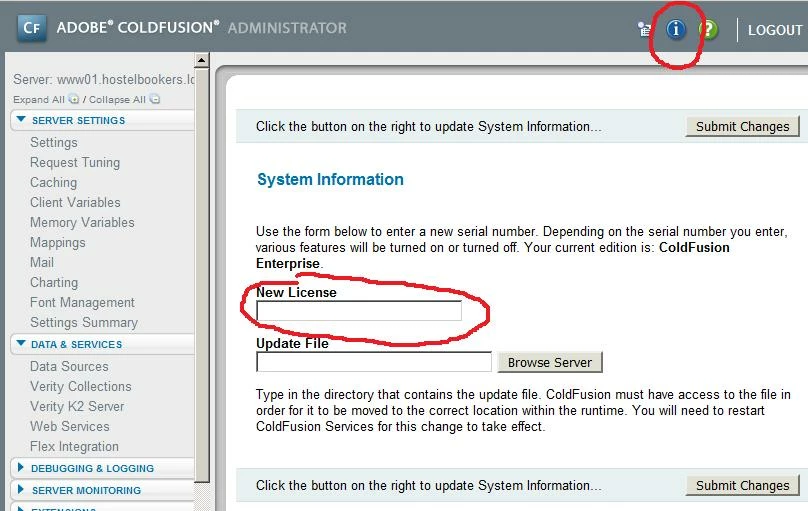
We have a developer set-up that's configured exactly as we want it. We now have just purchased a Standard license for Coldfusion, but I can't seem to find how we can "upgrade" our developer edition to this Standard version?
Do we need to uninstall & reinstall? If so, how can we safely back-up all our settings (Data sources, mail config, log locations, ...) and import them in the newly installed Coldfusion?
We prefer to just "upgrade" our developer edition to keep all our settings, as that would simplify things.
Regards,
M.
 AdChoices