
Participant
June 6, 2024
Question

Visual Code debugging not working

  • June 6, 2024
  • 1 reply
  • 870 views

Hello community,


I installed  ColdFusion Builder Extension for Visual Studio Code


Followed all the steps enabled RDS and enabled debugging in CF Admin.


Created workspace and Project.


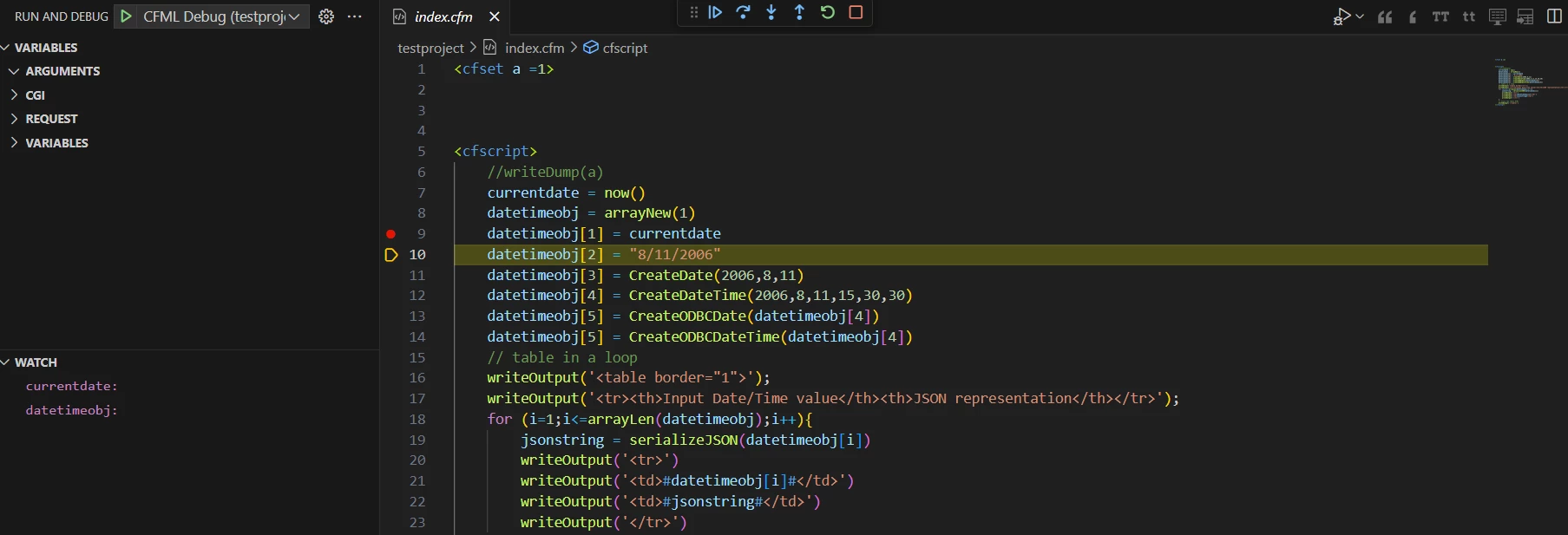
When I run and debug the application code is going throught the debugging process, the variable are showing as blank in watch window


What could be the issue


    This topic has been closed for replies.

    1 reply

    Participant
    June 6, 2024


    Below are the screenshots for the CF Server settings in vs code


    BKBK
    Community Expert
    Community Expert
    June 23, 2024

    Did you solve this problem? If not, here is a suggestion, to start with:

    1.  Verify that the setting "Document Root" has the value "C:\ColdFusion2023\cfusion\wwwroot";
    2.  Verify that the project directory, testproject, is inside C:\ColdFusion2023\cfusion\wwwroot.
    elisabethf82215657
    Inspiring
    July 2, 2024

    Hello BKBK!


    I am also struggling to make debugging in Visual Studio Code work at the moment.


    Up to now we have been using Coldfusion Builder 2018 but as End of Life for this tool comes near I wanted to test the alternative and I really like developing in Visual Studio Code and the Coldfusion Builder extesion.
    But like Glen I did not get the debugger working.


    So here is my question: Is it really mandatory to have the project inside the coldfusion wwwroot directory? In Coldfusion builder it was possible to specify another document root and we have this kind of setup on all our severs (including the local development servers on our laptops we (my team and I) use for debugging).

    In Coldfusion Builder 2018 it also was possible to specify a start page which is being activated when the debugging is started, I could not find this setting in the Coldfusion Builder extension.

    I develop on a local server with Coldfusion 2021 and IIS.


    When I start debugging I get the message "Debugger Stopped" which is not very helpful, and nothing happens. Is there a way to get additional infos about the problems leading to the error?


    Thank you in advance for any help!