



A color analysis tool I made
Hello everyone, I am AguaLei, a designer-tool developer. I have programmed with adobe air for a very long time. Recently I developed a color analysis tool“ColorTells”(https://colortells.io/) which analyzes the color of pictures in-depth. It also generates a specific palette that can be exported to Photoshop and Illustration.
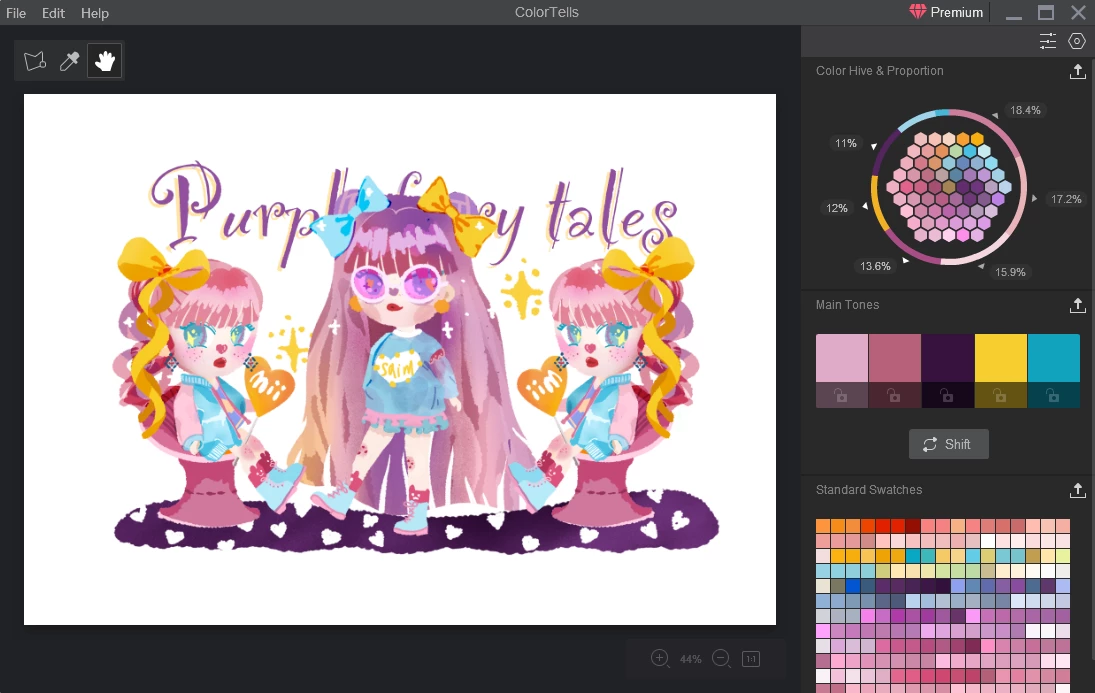
I just read the guidelines of this channel and I think this article is quite appropriate and it may help designers understand the color of artwork better. =]
As long as you upload an image, you can get an analysis result according to an algorithm. The result is displayed on the right side, which is divided into three parts: a honey hive chart, a random main tones part, and a complete color palette.
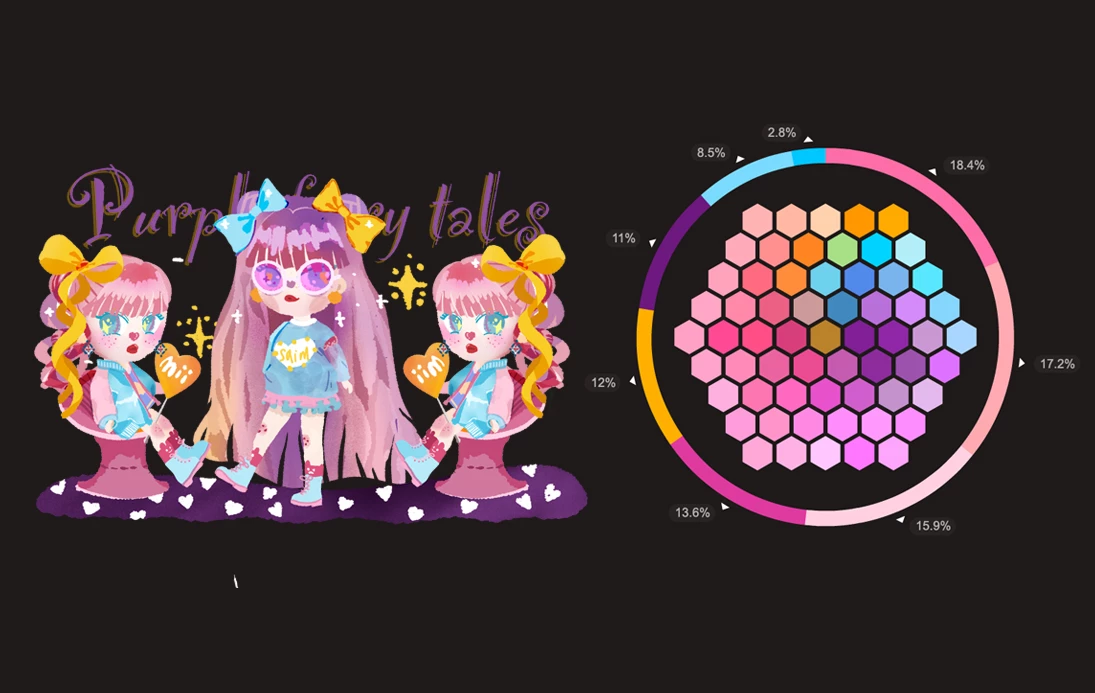 I decompile the most used colors in a picture and display them in a honeycomb-like chart. Just like a real color palette when drawing oil paintings. The percentage value of the main colors is shown around a circle. You can export the palette file to Photoshop or Illustration.
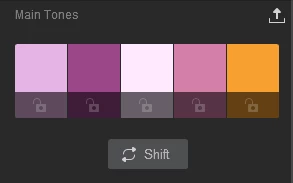 The second area is to generate 5 or more main colors, and you can shift any of them. This function seems common, but actually it is the main reason I make this software. Well, in other tools or websites, as long as you upload an image, it will generate a five- fixed-color group( or another five colors that cannot be changed). This is what dissatisfies designers the most. Sometimes people like the main color, sometimes the color with the most special hue, and sometimes maybe a color with quite low saturation. These cannot be calculated by one fixed rule.
In this regard, I designed a function that you can lock one or more color you like and then randomize the remaining colors. All random colors are from the main or outstanding or background colors selected from the picture you upload. You can export the main tone colors into PS or AI too.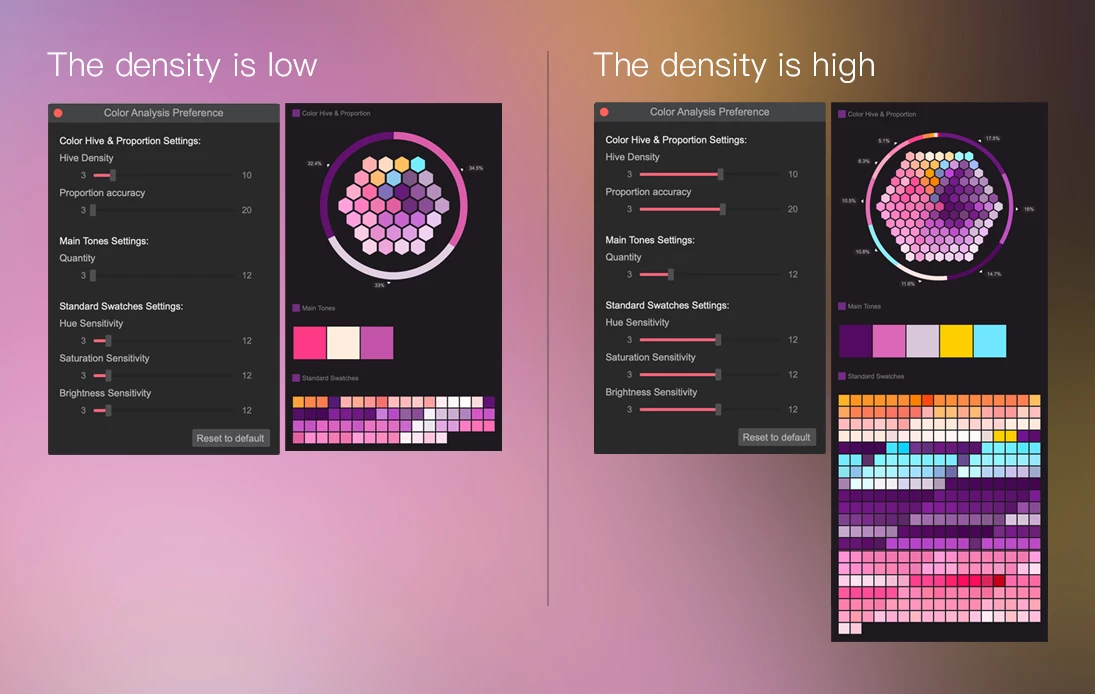
Also, you can adjust the density of the color blocks in preference settings.
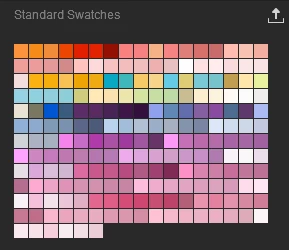 The third area is a complete swatch displayed in the order of proportion. You can also adjust the number of color slots in this part in preference settings. Again, you can export the whole swatch file to PS or AI.
A Lasso Tool: sometimes I just want to analyze a specific part of a picture. This would be troublesome if I have to edit or cut the picture size. In ColorTells, however, you can click the lasso button on the upper left corner to select a specific area and analyze the color in this area.
The analysis results for the specific area can be exported separately.
Color dropper: the current feature of the eyedropper is basic: just to absorb the selected color. I am enriching this part right now. If you have any suggestions, please let me know in the comment.
Learning the color theory is essential, but only the theory is not enough. Judging from the timeline of many influencers I followed, most of them have gone through the same process, that is, to copy, to practice, and to explore before they finally find their own styles. So for beginners or those who are still practicing, this software might help them to understand the color better.
May Colortells(https://colortells.io/) bring more inspiration to all designers and artists, and I hope you have a wonderful rest of the week!

 AdChoices