Andrew Rodney wrote: I am able to extract the actual images embedded into your PDF within Acrobat and open them in Photoshop (Edit with), then place them into a new doc ID CS6. I tested three tagged images (Wacked, sRGB and Adobe RGB (1998)). Each previews differently IN ID CS6 with Wacked looking magenta. |
Preivew is wrong IF one places a Photoshop PDF saved that way from Photoshop (with embedded profile) in ID yet if one saves this instead as a Photoshop TIFF, they all preview the same as expected.
In Acrobat 11, there is a command Document Processing>Export All Images. I select TIFF and extract all into a folder. Those images placed in ID preview correctly! I suspect the PDF made from them will be OK as well. There is no option to save off a "Photoshop PDF" which is a weird bird anyway. JPEG, TIFF, PNG. So at this point, stay away from saving anything as a Photoshop PDF and try TIFF.
my original 10 iPhoto .jpg test images i packaged in Photoshop and set them up in InDesign and Export PDF...
note: my iPhoto set is a different version og the PDI, but otherwised packaged identical to the original Photoshop control set
i did not include the Apple RGB set in this test
|
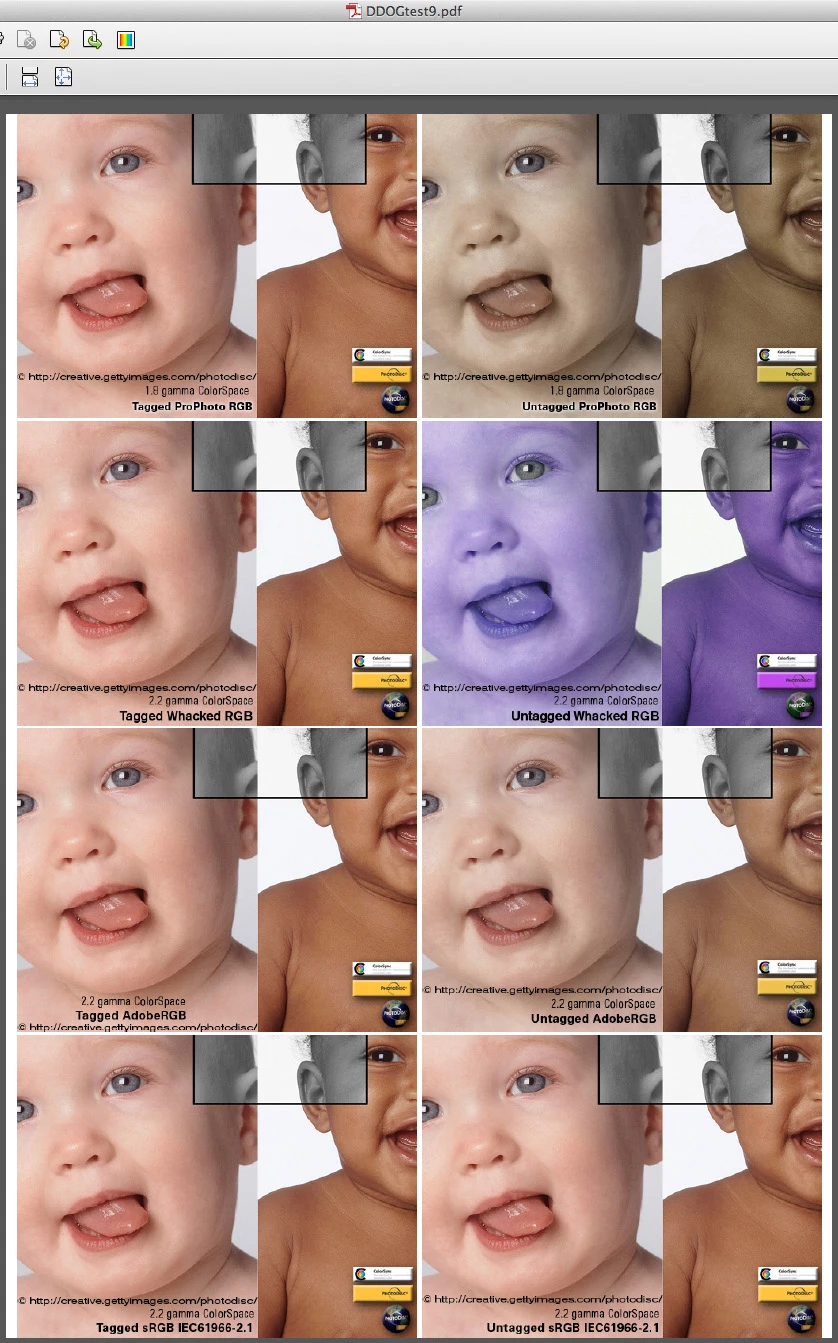
appears successful (probably the "weird bird" is Photoshop pdf now *highly suspect* format) — thanks to Andrew Rodney www.digitaldog.net
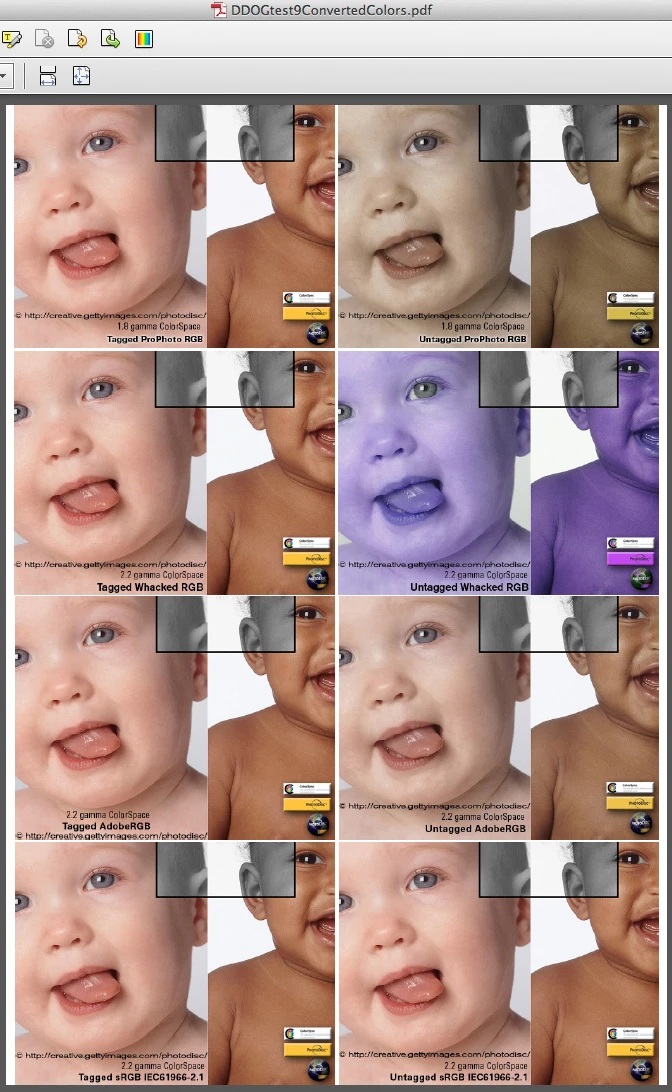
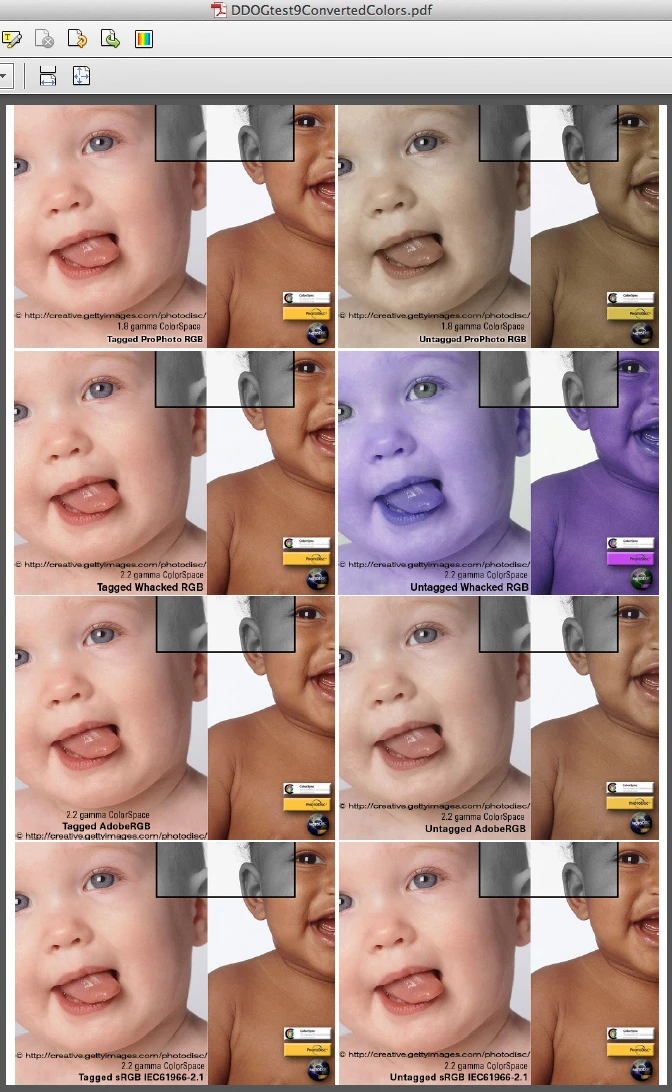
this is Export PDF from Indesign CS6 — then — Convert Colors in Acrobat to the ProPhoto RGB desitnation profile (just what i expected):
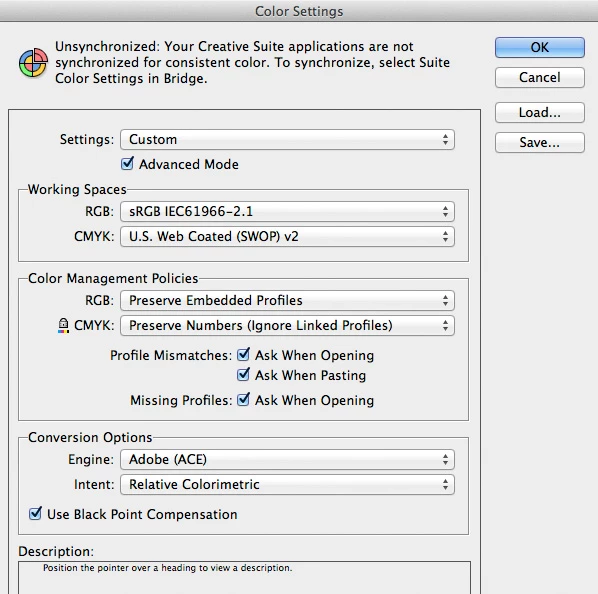
here is the InDesign build (default Working Space: sRGB):
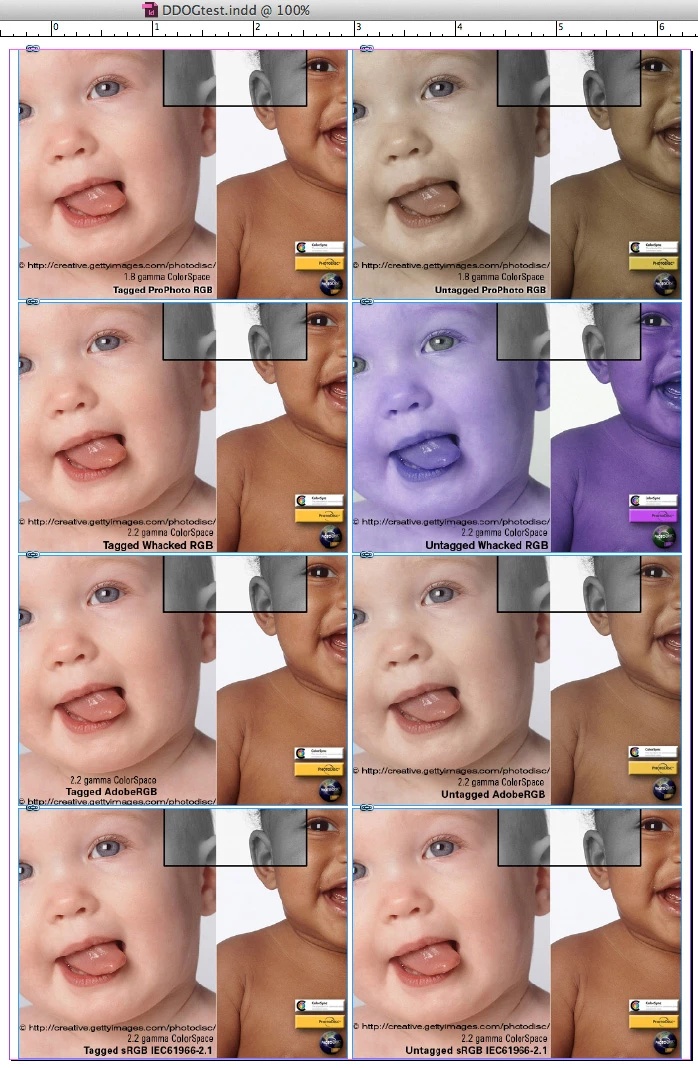
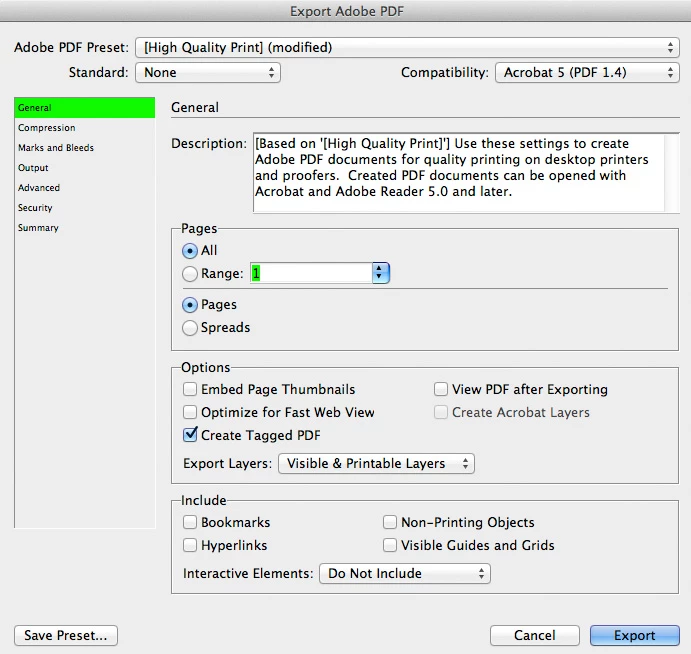
here are the InDesign Export PDF settings:
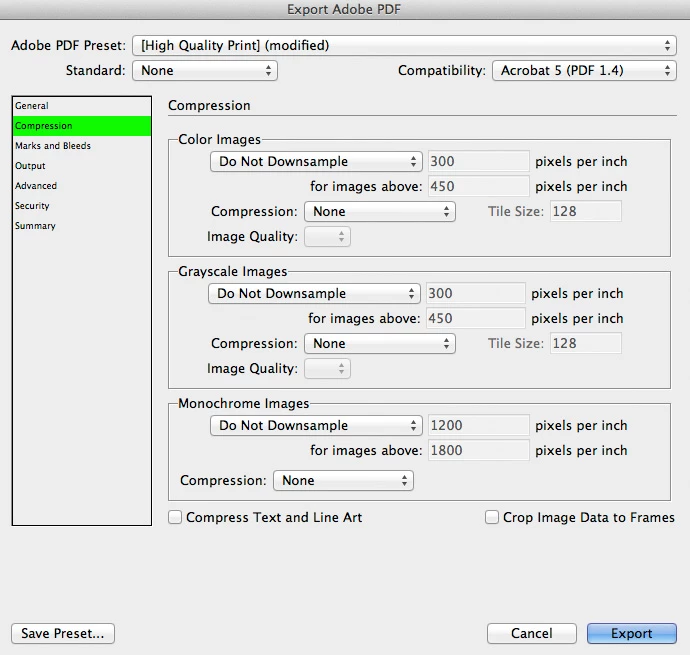
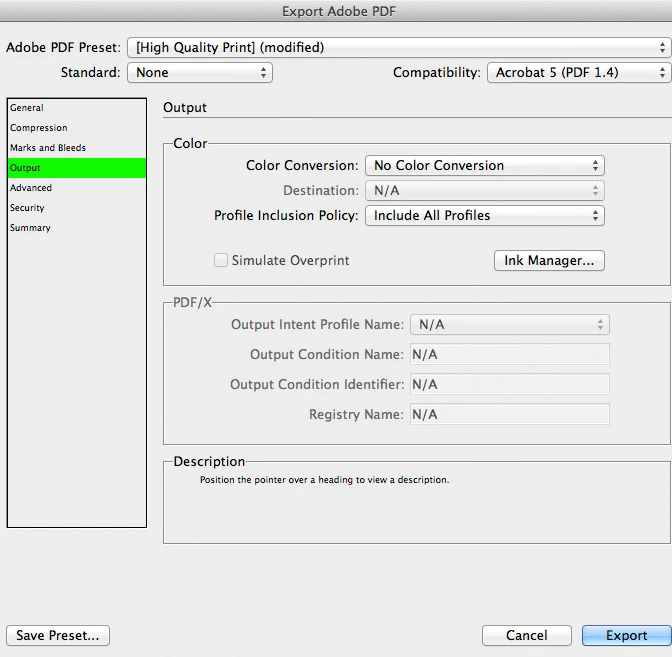
here is the Exported PDF in Acrobat:
here is the Exported PDF in Acrobat WITH CONVERTED COLORS to ProPhoto RGB destination profile embedded:

 AdChoices