


Question
Cannot get colors to match
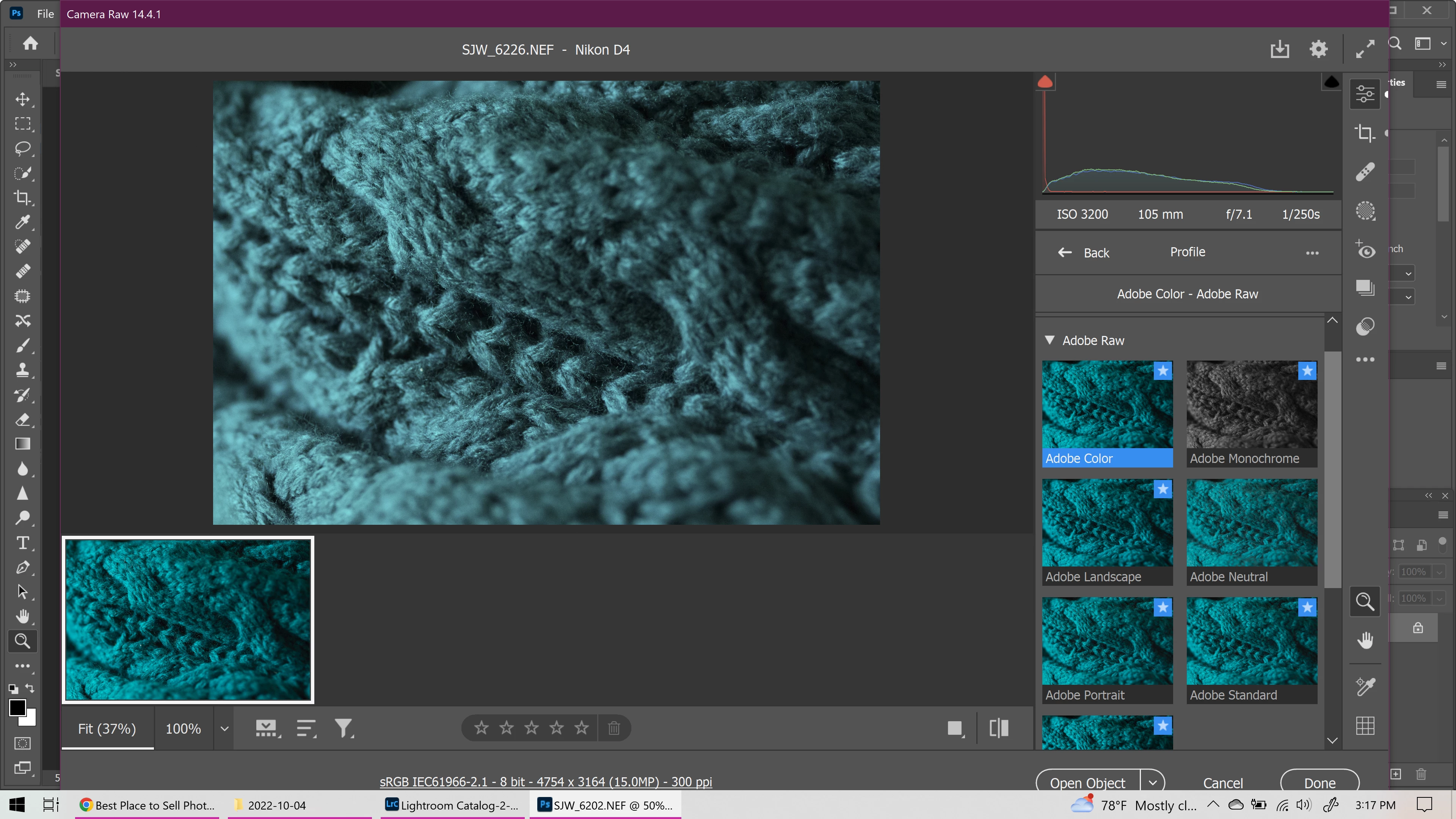
I have photos of a dark teal scarf that I'm trying to edit. I know for a fact that my white balance is correct, and the color looks perfect in the thumbnail, but I cannot get the color in the image that I am editing to match. What setting do I need to change to make this match?
I'm using the lateset version of Lightroom Classic, but tried to see if Bridge was going to give the same issue, and it does.
 AdChoices