


Answered
Colors change (TIF)
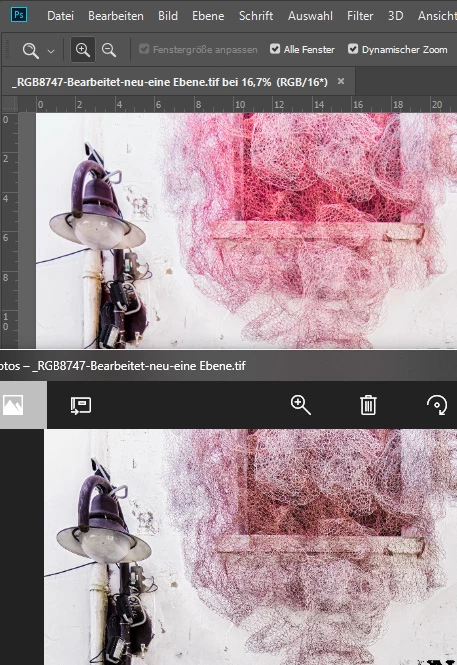 Mein Problem: In Photoshop sind die Farben wie gewohnt. Nach dem Speichern und Öffnen in einem anderen Programm oder Browser (Z. B. Homepage) zeigt das Bild kurz die richtigen Farben und verblasst dann (siehe Bild unten).

 AdChoices