June 10, 2020
解決済み

Desaturated Web Colours

  • June 10, 2020
  • 返信数 2.
  • 1146 ビュー

If possible, could someone please tell me how to overcome the following issue:


I’m attempting to add an image to a website.  I’d like its colour to match seamlessly with the website’s default background.  Unfortunately, I’ve been unable to achieve this.


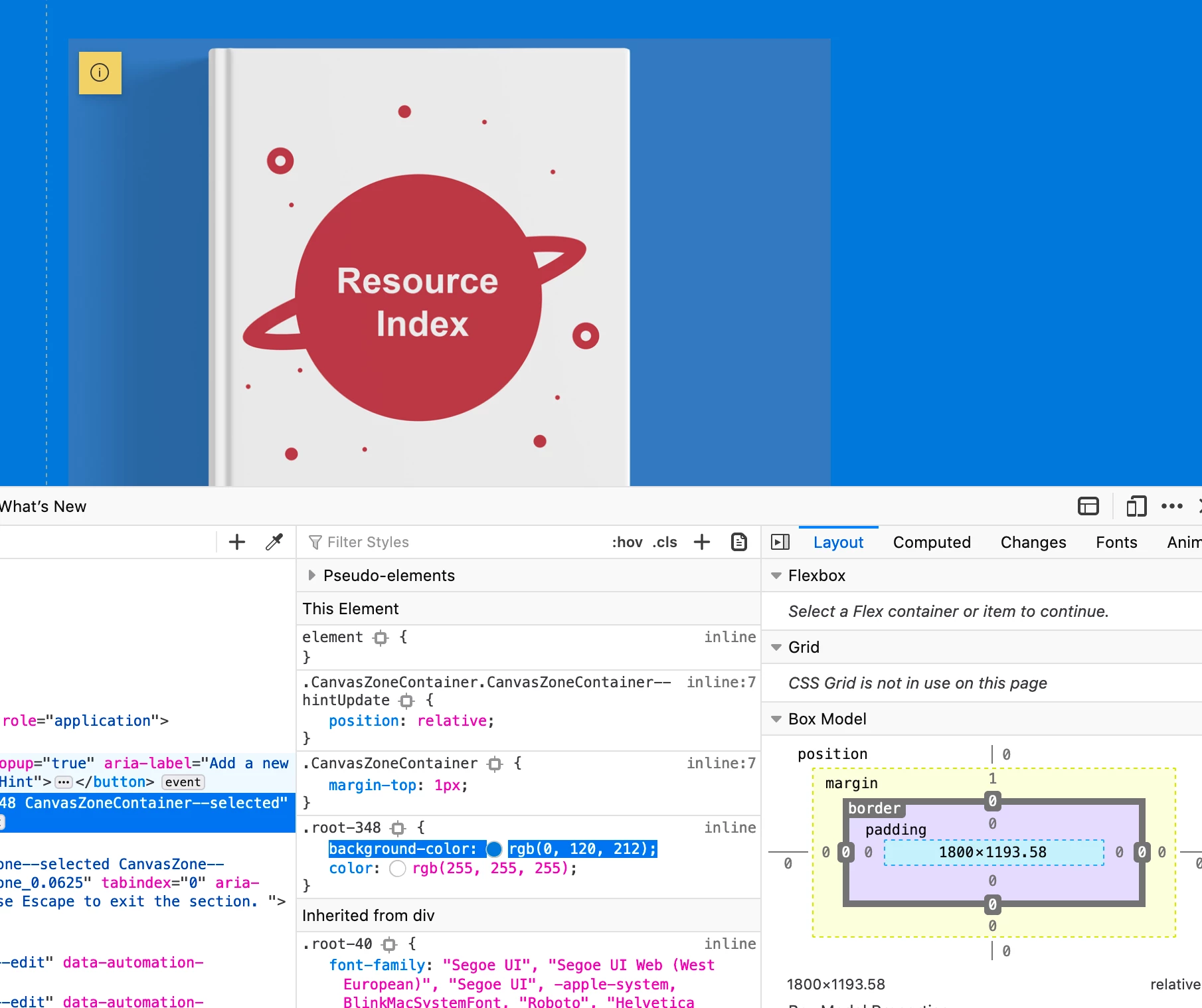
Please see the attached screenshot blow (Book image embedded into site).


I’m using Photoshop 21.1.3, on an iMac (‘iMac’ default colour display).  I create the book image with a blue background of R:0 / G:120 / B:212 – to match that of the website (as highlighted in screenshot). The Photoshop Colour Profile is sRGB IEC61966 and I export as PNG sRGB.


Unfortunately, when uploaded, the blue background of the book image seems slightly desaturated compared to the blue of the actual site.


If anyone could help resolve this that would be much appreciated.


このトピックへの返信は締め切られました。
解決に役立った回答

In addition, I found just leaving it (Website / Browser / Computer ??) for 24 hours seemed to work too - The book image now looks fine on mine and other displays.


返信数 2

D Fosse
Community Expert
Community Expert
June 10, 2020

You can't measure directly off screenshots. Those values have already been converted into the monitor profile, and so the numbers will be different from an sRGB source.


To get around this, assign your monitor profile to the screenshot in Photoshop. Then convert to sRGB.


If your monitor profile is accurate, you should now have a perfect match. But if you're using a generic system monitor profile it may not be accurate enough. A good calibrator is recommended here.


In a pinch, an alternative approach is to work directly in your monitor color space. Just as long as it's understood that this is just temporary. Convert the result to sRGB when you have a match.


You also need to use a web browser that treats untagged material such as graphic elements as sRGB and color manages it accordingly. Most major web browsers do this today including Safari.

June 11, 2020

Thank you D_Fosse this is much appreciated, there are quite a few elements to take into account.

解決!
June 11, 2020

In addition, I found just leaving it (Website / Browser / Computer ??) for 24 hours seemed to work too - The book image now looks fine on mine and other displays.


TheDigitalDog
Inspiring
June 10, 2020

Gotta have a color managed browser if you expect it and Photoshop to match. And you can't control when other users don't use a color managed browser. 

Author “Color Management for Photographers" & "Photoshop CC Color Management/pluralsight"
June 11, 2020

Thank you for your prompt reply thedigitaldog, I’ll bear this in mind.