





Question
Don't change anything in Photoshop's color settings! That...
Don't change anything in Photoshop's color settings! That's not where the problem is. If you changed anything, change it back.
This is a broken monitor profile, probably distributed from the manufacturer through Windows Update. That happens a lot.
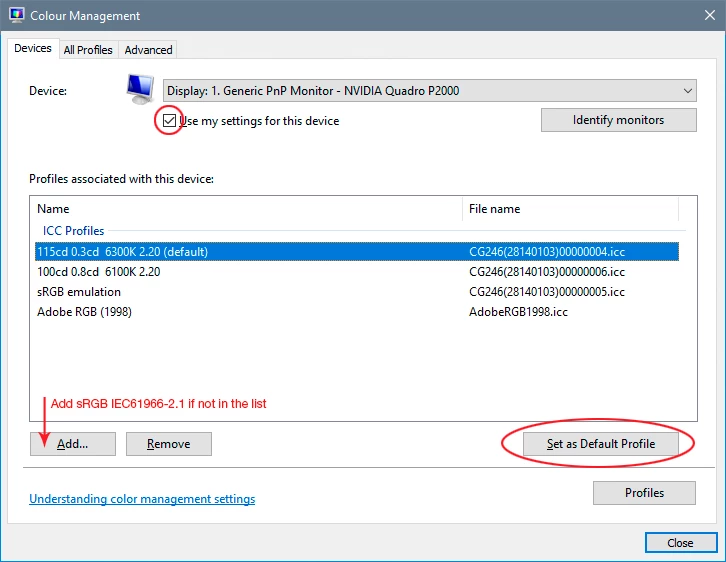
The proper way to fix this is to use a calibrator to make a new profile. If you don't have one, replace the current profile with sRGB IEC61966-2.1 for now. It won't be entirely accurate, but better than a broken profile. Relaunch Photoshop when done; it needs to load the new profile at startup:
 AdChoices