



Help me out please! Colors seem to show wrong after monitor calibration?
Hi folks,
maybe somone with more knowledge when it comes to color management is able to help me out. I'd appreciate it a lot as I have been struggling to find correct answers on the web lately. Without much effort to be honest 😕😕 If someone could lead me to the right direction, I'd clearly make some kind of tutorial to help people out who have
been struggling as well. Now here's my problem:
I am trying to get consistent colors (and color values) in my Adobe CC programs after having calibrated my Eizo CS240 (Wide-Gamut-Monitor) with a colorimeter from
Eizo (Eizo/Spyder EX2). Something seems to be clearly wrong and I am trying hard to get consistent results.
First of all, I want to point out that when using sRGB as my default monitor profile in Windows 10, colors and color values seem to show right. I'll show you some screenshots first so you hopefully understand what I mean (I have my OS set to German language so I hope you still understand what I mean):
1. "Farbprofil" == display profile for monitor
(set to sRGB profile)
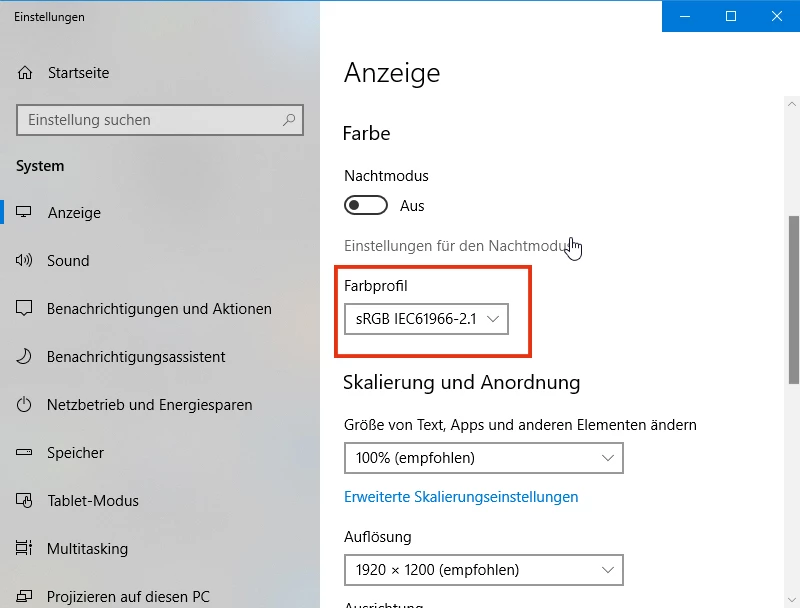
When set to sRGB (which would most likely not make a lot of sense in a color managed environment because it would propably limit a wide-gamut-monitor to sRGB I guess), everything plays out normal in the rest of Adobe programs. I have attached a screenshot of Illustrator showing what I mean:
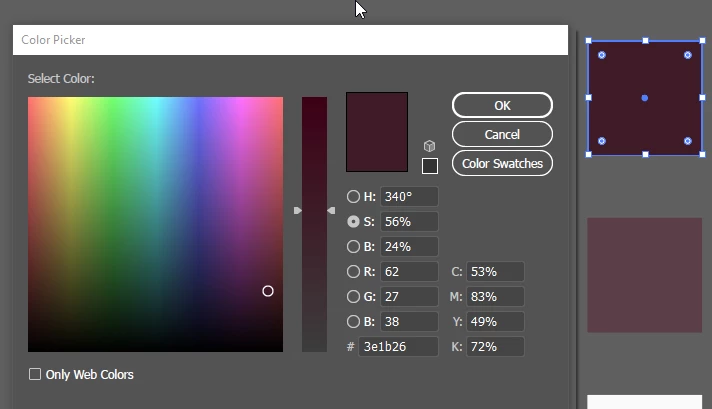
I got this square which I colored red with values RGB = 62/27/38 and HEX = #3e1b26.
Inside Illustrator the two colors visually match (the colored square and the displayed color inside the color picker).
In addition to that, not only do the colors visually match, but the color values are matching up as well.
I have used another external color picker (YS Instant Color Picker) to show you what I mean:
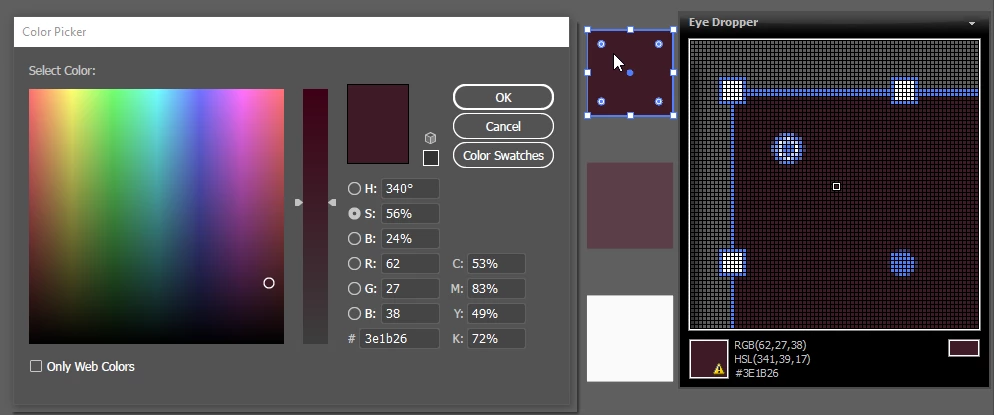
So far, so good it seems. All colors do visually match and the color values do match as well between a) the colored square, b) the displayed color inside Illustrator's color picker and c) the displayed color inside the external color picker.
PLEASE remember that all this happens when seen on my CS240 Eizo Monitor (wide-gamut) when set to sRGB in the display settings of the OS.
NOW HERE COMES THE PROBLEM:
When I now close all applications which use color management (like Adobe programs for example), then set my display color settings to a profiled one (instead of using sRGB like in the first screenshot I am now switching to Eizo CUSTOM profile which was the standard setting when the monitor was shipped) and reopen my Adobe programs, I am now getting the following problem:
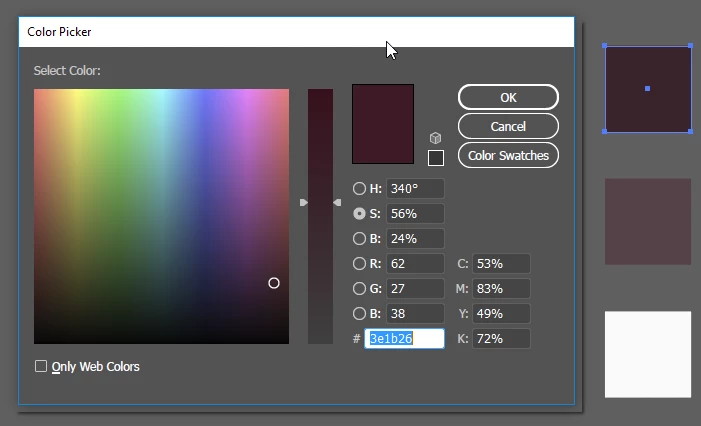
Now that I am using my calibrated and profiled color profile for my OS, Illustrator keeps showing me the right color inside the color picker but a wrong color
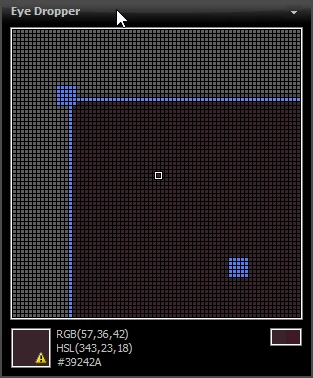
on-screen (the colored square which should be the exact same color). When inspected with the external color picker you can clearly see that not only does the visual appearance inside Illustrator differ from one color to another, but that the RGB values also no longer match:
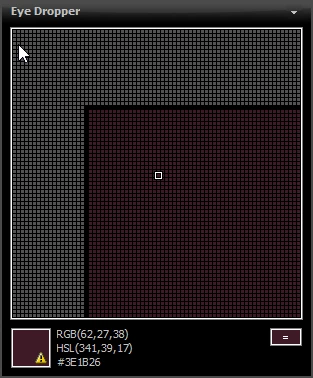
1. color shown when inspecting color inside Illustrator's color picker (expected and intended values):
2. color shown when inspecting the actual colored square inside Illustrator ("washed out" representation when compared to color above):
Now I really don't quite understand what is going wrong here... I can no longer say which sRGB representation is the "right"...
What strikes me as especially strange is that even inside Illustrator colors no longer match up. I would have expected colors showing
wrong or different when using color-managed applications VS. non-color-managed applications BUT to get different color representations
inside the SAME color-managed application is utterly strange I think.
PLEASE SOMEONE HELP ME OUT. THIS TOPIC HAS TAKEN TOO MUCH TIME ALREADY TO GET THE GRASP OF AND I NEED HELP FROM SOMEONE
WHO CAN TELL ME WHAT EXACTLY S GOING WRONG HERE AND WHY. ANY HELP IS HIGHLY APPRECIATED 
THX IN ADVANCE GUYS AND GIRLS 
 AdChoices