


Answered

D FosseCorrect answer
Community Expert
May 15, 2020
This message means what it says. You have a corrupt/defective profile somewhere. It could be either the document profile or the monitor profile. Both of these are used in standard color management of your document.
First check your document profile:
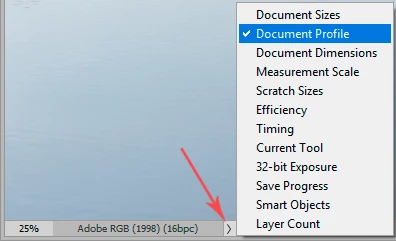
If it's a non-standard profile coming from outside somewhere, try to convert to sRGB or Adobe RGB.
If not that, it can be a defective monitor profile. Yes, that happens on Mac too. If you have a calibrator, rerun it. If not, replace it with whatever generic profile is closest to the characteristics of your display (sRGB, Adobe RGB or DCI-P3). If that fixes it, get a calibrator and fix it properly.
 AdChoices