WitchyWoman1998
Participant
August 13, 2019
Question

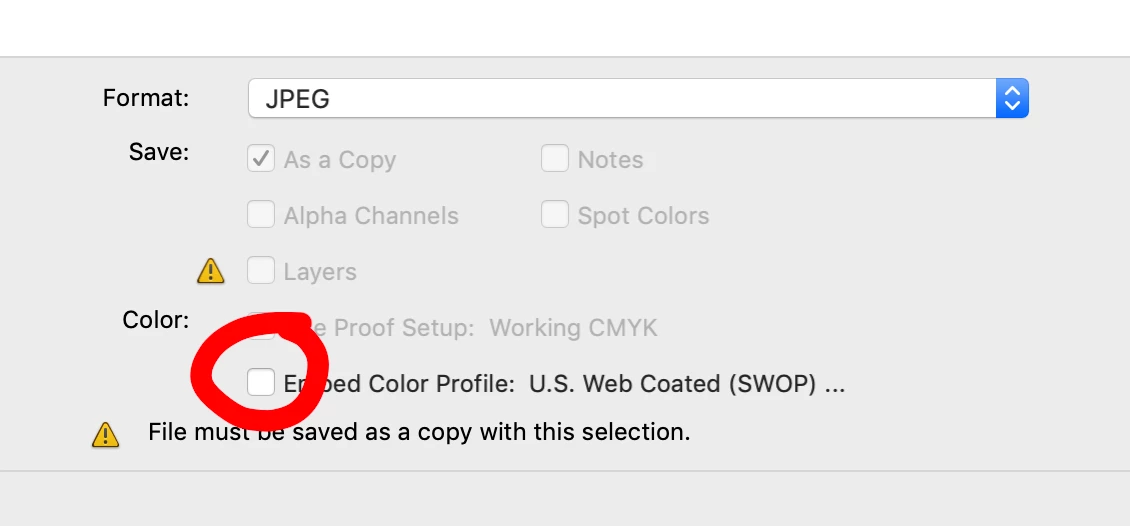
Should I check the "Embed Colour Profile" box when saving as jpg/PDF?

  • August 13, 2019
  • 12 replies
  • 65187 views

I would be so grateful if somebody could tell me whether this box should or should not be checked. Is the answer the same whether I am saving as RGB or CMYK, should it always be checked, or never be checked? I can't find a clear answer on a google search!

At the moment, I do NOT check it if I am saving as CMYK as I then get a hazy film over the jpg's, like they are washed out. If I am saving as RGB then I DO check it.

I just would love to know the correct answer!

Thanks

    12 replies

    c.pfaffenbichler
    Community Expert
    Community Expert
    August 13, 2019

    I would be so grateful if somebody could tell me whether this box should or should not be checked. Is the answer the same whether I am saving as RGB or CMYK, should it always be checked, or never be checked?

    Naturally it should be checked.

    A certain combination or RGB or CMYK values does not actually describe a human color perception unless it is connected to a Color Space (usually described by an ICC Profile).

    So without the profile one can say that one pixel is darker, more red, … than another pixel in the same image but not what it is actually supposed to look like.

    Similar to the scale of a map: If one does not know the scale one may determine that the distance between point A and point B is bigger than between point A and point C but one would not know what the actual distance is.

    WitchyWoman1998
    Participant
    August 13, 2019

    Thank you I am going to be honest and say I don't really understand what you mean, I am completely self taught so have missed out on all the technical side of things and have learnt by trial and error. I guess its something that has been annoying me for a while so I am  just trying to make sure the way I am saving is correct. The only reason I leave it unchecked, is because if I am saving as a CMYK file and I check the box, it seems to look very opaque/washed out, if I then uncheck it, it is clear and bright.

    Legend
    August 13, 2019

    What is the purpose of the files - how will they be used, exactly? With what software, if you know?

    WitchyWoman1998
    Participant
    August 13, 2019

    Thank you. For the RGB files they will be viewed onscreen, so I check it when I save as RGB and it saves fine. For CMYK it is sending to print, and I leave it unchecked then. It just seems to be the only way that works for me, and I have had no issues saving this way, I just would love to know for sure that I am saving them correctly.

    c.pfaffenbichler
    Community Expert
    Community Expert
    August 13, 2019

    For CMYK it is sending to print, and I leave it unchecked then. It just seems to be the only way that works for me, and I have had no issues saving this way, I just would love to know for sure that I am saving them correctly.

    A CMYK image without a profile is an absurdity.

    The CMYK space (the ICC profile) describes the intended print process, the primary colors, the GCR or UCR (how the three colors contribute to gray), the TAC (Total Area Coverage, how much total ink any point of an image may contain), …

    Without that information any necessary corrections become guesswork and the results may vary considerably.

    Within certain confines of time and space the receiving party may make a good, educated guess as to your Woking Space and achieve satisfactory results but after a few years (Standards can change) or on another continent (different places employ different Standards) the results might become more unpleasant.

    Please read up on Color Management.