Participant
February 2, 2016
Answered

Trying to create a new swatch but I can't save it with the values (RGB) I want.

  • February 2, 2016
  • 2 replies
  • 1910 views

Hi and thank you for your help.

I have a client who has a very clear idea of the colours he would like for his logo:

RGB: 137/150/150 (HEX 899696)

RGB: 09/212/04 (HEX 09D404)

I've developed the logo, everyone's happy, and am trying to get the colours EXACTLY right. Each time I create a new swatch and apply it in Illustrator, the green reverts to another RGB and HEX. Some random number and green. I've ticked spot color and Web Save RGB and Global and still, nothing.

I've worked with CS since CS2 and am now using CS6 via creative cloud. This is my first time using a Mac to design and I am getting really frustrated. I've never had this issue before.


Any advice is most appreciated. Thank you.

I really need to get these colours right. How do I enter in my RBG values and keep 'em!?
This topic has been closed for replies.
Correct answer gator soup

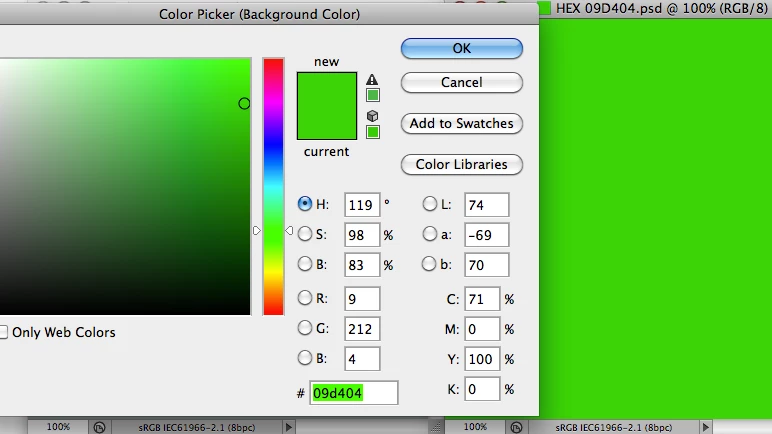
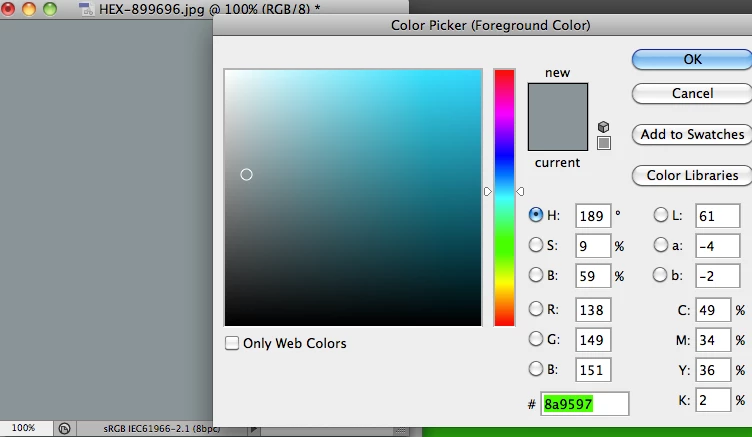
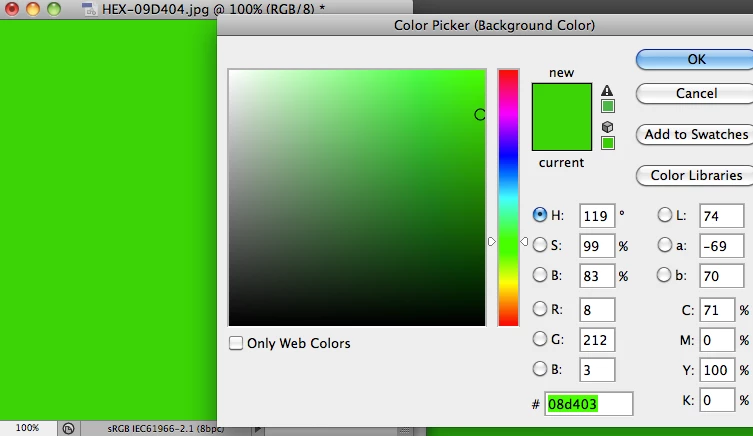
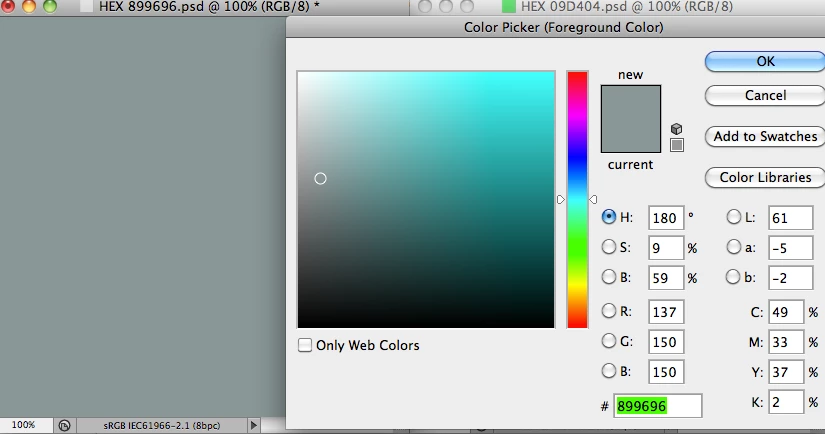
i set your question up in photoshop screenshots, but your information raises more questions for what you left out like 1) what profile you have your illustrator working rgb set to (it should be srgb if you are setting hex colors), and 2) at what point your hex colors are changing (in the swatch itself, in the object, or in the saved document (.jpg?)

the short answer is not all hex colors can 'fit' exactly inside the sRGB colorspace (or is it the .jpg format) -- you might try saving as .png and checking the values in photoshop (apply the sRGB source profile when you open them) -- try google hex colors change .jpg vs .png (this has come up here before)

My screenshots show i set the hex values that match your rgb numbers (in .psd) -- however when i save for web (.jpg) the numbers shift slightly -- if you are using .jpg as as a destination format, you need to pick a hex color that translates exactly to that format

2 replies

Inspiring
February 5, 2016

According to your original post you're working in Illustrator.

1. You can use RGB swatches (Process RGB) unchanged, if your document color is RGB.

If your Document color is CMYK then an RGB color is converted immediatedly into CMYK

and from there back to RGB, if you read the swatch RGB numbers. This results in a severe

change if the color is out-of-gamut for CMYK. Most likely for your green!

2. Now let's asasume that your document color is any RGB. The RGB numbers are to be

considered as fixed, but the appearance depends on the RGB space (sRGB, AdobeRGB,

ProPhotoRGB), as already explained.

3. Hex-Numbers (h) mean exactly the same as RGB decimal numbers (d)  – simply numbers:

0...9 (h) = 0...9 (d)

A B C D E F (h) = 10 11 12 13 14 15 (d)

The weights for the two digits in e.g. D4 are 16 and 1.

09 D4 04(h) = 0*16+9*1 / 13*16+4*1 / 0*16+4*1 (d) = 9 / 212 / 4 (d) 

Thus, hex is just a very uncomfortable notation, exept for programming in assembly language .

4. Don't ever use so-called Web-safe colors. These are a small subset (only 216 colors)

of 16.7 millions of colors as available by R,G,B in the range 0...255 each. The full set is safe

anywhere, if the channels R,G,B are represented by one byte each.

Best regards --Gernot Hoffmann

gator soupCorrect answer
Inspiring
February 3, 2016

i set your question up in photoshop screenshots, but your information raises more questions for what you left out like 1) what profile you have your illustrator working rgb set to (it should be srgb if you are setting hex colors), and 2) at what point your hex colors are changing (in the swatch itself, in the object, or in the saved document (.jpg?)

the short answer is not all hex colors can 'fit' exactly inside the sRGB colorspace (or is it the .jpg format) -- you might try saving as .png and checking the values in photoshop (apply the sRGB source profile when you open them) -- try google hex colors change .jpg vs .png (this has come up here before)

My screenshots show i set the hex values that match your rgb numbers (in .psd) -- however when i save for web (.jpg) the numbers shift slightly -- if you are using .jpg as as a destination format, you need to pick a hex color that translates exactly to that format

Inspiring
February 3, 2016

btw -- if you are taking that lime green to print, especially cmyk, you may want to do a gamut warning or a proof colors (soft proofing) because it may not reproduce good...