



Weird color display disparities
Hello everyone!
I am working as an icon designer and I have started experiencing color changes from a window to another. Here are some screenshots I took. At first, I thought it was PS acting up, but it still happens outside of Adobe softwares so I'm kind of confused. It's only happening on my computer (tested it on several monitors) but it isn't a monitor issue for sure as fiddling with settings hasn't improved anything (and it happens on both my monitors).
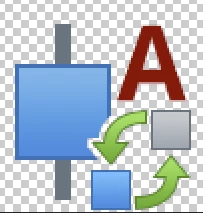
This screenshot was directly taken on the PS canvas. The colors are off.
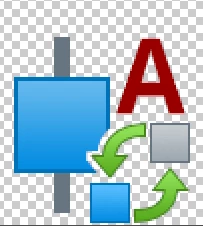
This screenshot was taken from the 'Save for Web' popup screen. This is the color it's supposed to be. At first I thought it was a color profile issue, but after checking all my settings, it isn't the case.
The weird thing is that this phenomenon keeps happening OUTSIDE of PS, on the web.
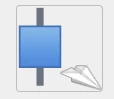
This screenshot is from out icon bank page. This is the icon's thumbnail. Once again, the colors are dulled.

This is from the popup that shows up when you click an icon to have a better look. Colors are back to normal.
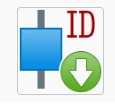
And this is one my colleague has uploaded on the bank from his computer. The colors appear normal. This is what made me realize how off my icons were once uploaded to the bank.
Thanks in advance.

 AdChoices