





What's up with Eizo ColorNavigator 7?
As a long time user of Colornavigator 6, which I always thought was a truly brilliant piece of software, I just built a new machine at work (I'm an art museum photographer) and decided this was a good time to upgrade to version 7. I have a CG246/CX240 pair at work, and a CG2730 at home. Both on Win 10 pro systems.
I had it installed for precisely two days before I gave up, uninstalled it and reinstalled 6. Colornavigator 7 is easily the most unintuitive if not counter-intuitive calibrator I have ever used. What were they thinking? I had to RTFM not once, but three times before I discovered that it was, in fact, still possible to create your own calibration targets. You'd be forgiven for concluding it's no longer possible, so deeply is it buried inside nonsensical, ill-labeled submenus. This used to be right up front - as it should be, it's a core function and the reason you're using a calibrator in the first place.
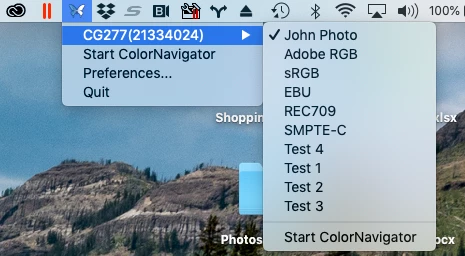
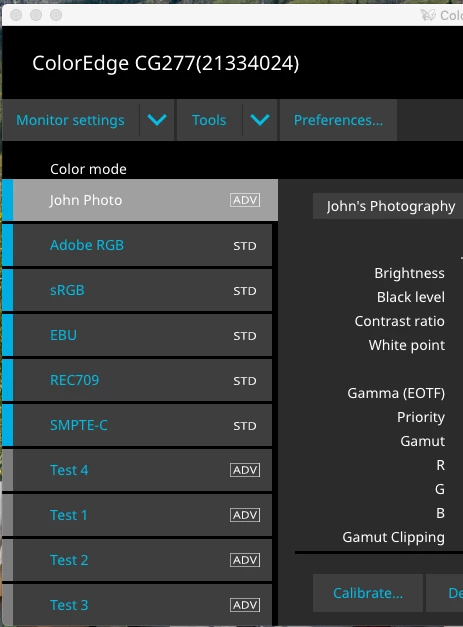
I only had the CG246 hooked up for this. I managed to make one target and ran the profiling successfully for that. This went into the CAL2 slot. Why 2? Why not 1? And why, for god's sake, are there only three? I need four or five, for different offset processes on coated/uncoated paper, glossy/matte, web output, in-house inkjet and so on.
Anyway, I then tried to make a second target. No way. CAL1 and CAL3 were now greyed out and inaccessible. One custom target was allowed, that was it. Only the long list of pretty useless "standard" targets were now available, standard meaning you can't edit them.
What am I missing here? This is supposed to be the world's most sophisticated calibration software, for some of the finest displays on the market. I can't believe they have dumbed it down to this extent. Any CN7 users out there who can tell me where I went wrong?

 AdChoices