
Answered
Adobe Dreamweaver CC 2018 Classroom In A Book
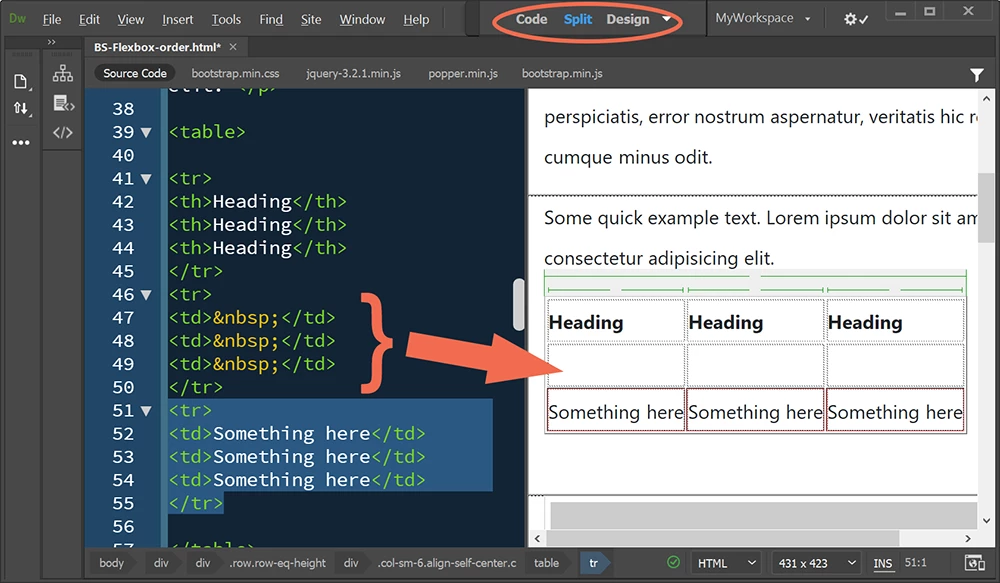
I am new to Dreamweaver, and I subscribed to Dreamweaver CC the fore part of this year and am using Adobe's Classroom In A Book 2018 for trying to learn this software. For the most part, it works just fine, but I have run into some problems in Chapter 7 - Working With Text, Lists, And Tables. In the Creating and styling tables section begining on page 213 starting with item # 19, the text instructs to "Press Tab" to insert a new row in the already created table. I'm using Windows 10 and Dreamweaver has been Updated, but the new row does not insert when I follow the instructions. I realize that I'm using a 2018 insturction manual with Dreamweaver CC 2020. Can anyone offer some insight or work-arounds? In advance, Thank You!


 AdChoices